Blog
Notes on software engineering and personal projects.
Why I migrated Beta-bot from localStorage to IndexedDB
Catherine posted 15 days ago
Beta-bot is a local-first AI beta reader for fiction writers. It stores books, chapters, summaries, reviews, wiki pages, and other project data on the user's device instead of sending the manuscript to an application server.
The browser version has always used SQLite through sql.js, which compiles SQLite to WebAssembly. SQLite runs in memory, and the app exports its database when it needs to persist changes.
Originally, I saved that exported database in
localStorage. That was simple and worked well while projects were mostly text. It stopped being a good fit when I wanted the browser version to support the same image features as the Electron desktop app.Why localStorage became a problem
localStorageis useful for small preferences, but it has several limitations for application data:- It only stores strings.
- Browsers usually give it a relatively small quota.
- Binary data has to be converted to text, usually base64, which makes it larger.
- Its API is synchronous, so large reads and writes can block the interface.
- Saving an exported SQLite database means rewriting the entire string whenever the database changes.
A manuscript database can fit within those limits for a while. Images cannot. A few chapter illustrations—especially after base64 encoding adds roughly one-third to their size—can use the available space very quickly.
This created an awkward platform difference. Electron could store image files on disk, but the browser could not safely persist them. A browser user could restore a backup containing images and view them, but full image management was not practical.
Why IndexedDB was a better fit
IndexedDB is an asynchronous browser storage API designed for larger, structured data. More importantly for Beta-bot, it can store binary values directly.
The migration uses IndexedDB in two ways:
- The exported SQLite database is stored as a
Uint8Arrayinstead of being encoded as a string. - Image content is stored as native
Blobrecords, keyed by image ID.
SQLite still owns the relational data: books, chapters, wiki pages, image metadata, ordering, and relationships. IndexedDB is the persistence layer around it. This let me keep the existing schema and database queries rather than rewriting the application around IndexedDB object stores.
The image metadata stays in SQLite while the larger binary content lives separately. That is similar to the Electron build, where SQLite stores metadata and the image itself lives in the app-data filesystem.
Migrating without risking manuscripts
The hardest part was not writing to IndexedDB. It was making sure an upgrade could not silently lose someone's work.
On startup, the browser now:
- Looks for an IndexedDB database snapshot.
- Falls back to the old
localStoragevalue when no IndexedDB snapshot exists. - Opens the legacy SQLite data before attempting to migrate it.
- Writes the exported bytes to IndexedDB.
- Reads the new copy back and opens it with SQLite to verify it.
- Retains the legacy copy as a recovery path instead of immediately deleting it.
Database writes are also serialized so that an older, slower save cannot finish after a newer one and overwrite it. Errors are surfaced instead of replacing an unreadable database with an empty one.
Those details matter more than the happy-path write call. Local-first software makes the browser responsible for data that would normally be protected by a server-side database and backups.
What the migration unlocked
With IndexedDB in place, the browser can now support the same core image workflow as Electron:
- Add chapter illustrations
- Use images as book, part, or chapter covers
- View, download, and delete images
- Associate images with wiki pages
- Include image data in user-initiated encrypted Google Drive backups
The change also gives larger text-only projects more room to grow and moves database persistence off the synchronous
localStorageAPI.What did not change
IndexedDB did not introduce a backend. Beta-bot is still one local-first codebase for the browser, Electron, and Android. AI requests go directly to OpenAI using the API key configured by the user, and Google Drive is only contacted when the user chooses to back up or restore an encrypted snapshot.
It also did not replace SQLite. Keeping sql.js meant preserving the same relational model and most of the existing application logic. The migration changed where browser data is persisted, not how the rest of the app thinks about that data.
The main lesson
localStoragewas not a bad initial choice. It helped the browser version get working quickly, and it was adequate for early text-focused projects. The mistake would have been forcing it to keep doing a job it was not designed for.IndexedDB became the right choice when the data changed: larger projects, binary images, cross-platform backups, and a need for closer feature parity between the web and desktop builds. By putting it behind the existing SQLite layer, I could make that change without turning it into a rewrite.
New feature September 2025 - Downloads and custom filters for each forum
Catherine posted 11 months ago
Although these features are still in progress, I wanted to share a status update about what I've been working on recently because I am pleased with the progress so far.
I've been picturing this platform as a place that sparks creativity. Forums will have files available to download in a niche subject matter area, such as ebooks or video game mods - and right next to that, in the same forum, will be a wiki in which super-beginners can learn the technical details on how to get started making such creations themselves. Ideally, in the future, Multiforum will inspire people not just to be consumers of creative works, but to provide active financial support to creators and learn how to be creators themselves.
But allowing a bunch of files to be shared on this platform has created the need for additional features to be added for navigation, organization and security. For this blog post, the feature I want to focus on is the newly added ability to add forum-specific filters for downloads.
In this example forum,
sims4_builds, you can see how there are several lots that can be downloaded there. In the Sims 4, the most common lot type isResidential. You can see how this forum has specific filters to allow users to find the kind of lots they are looking for: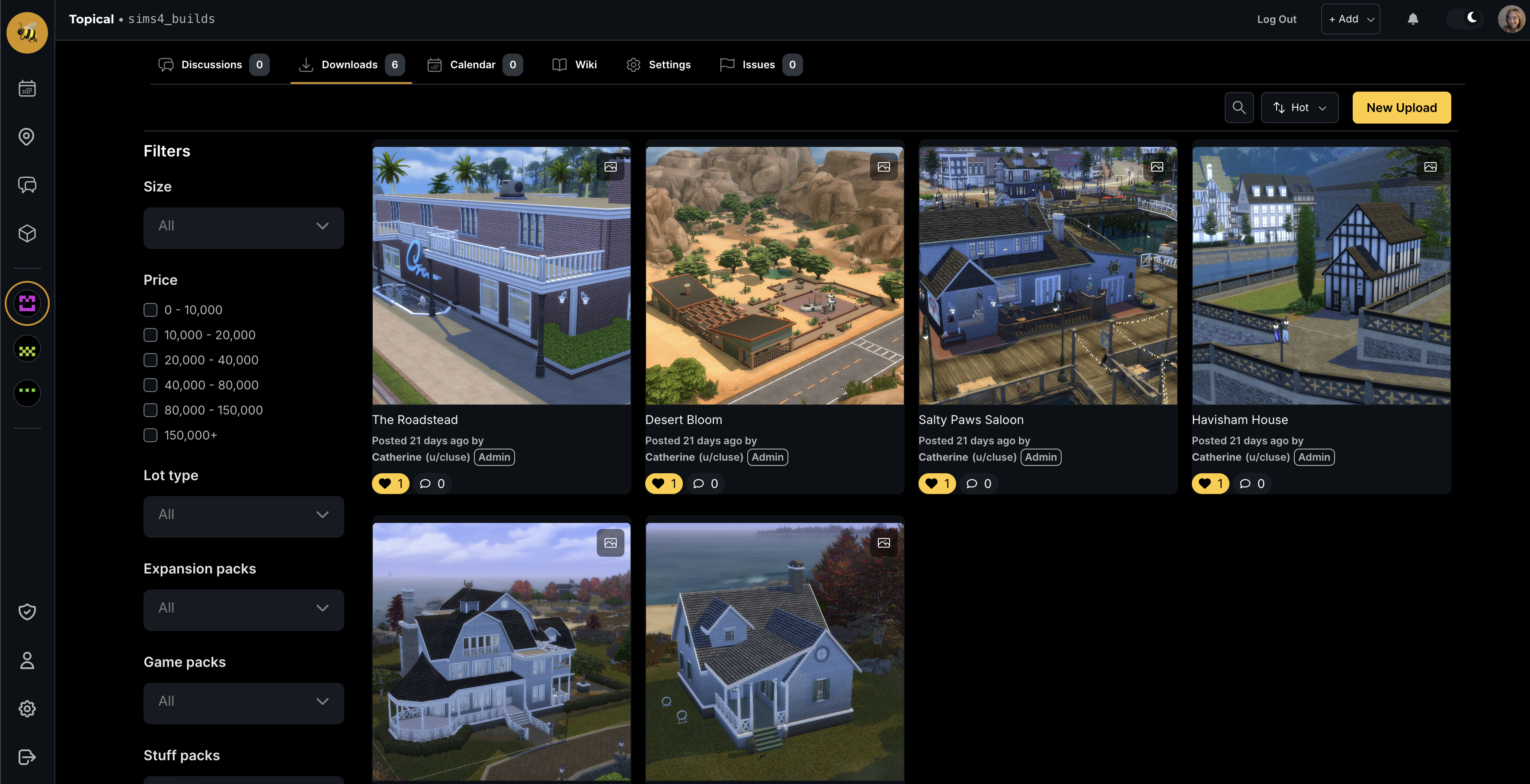
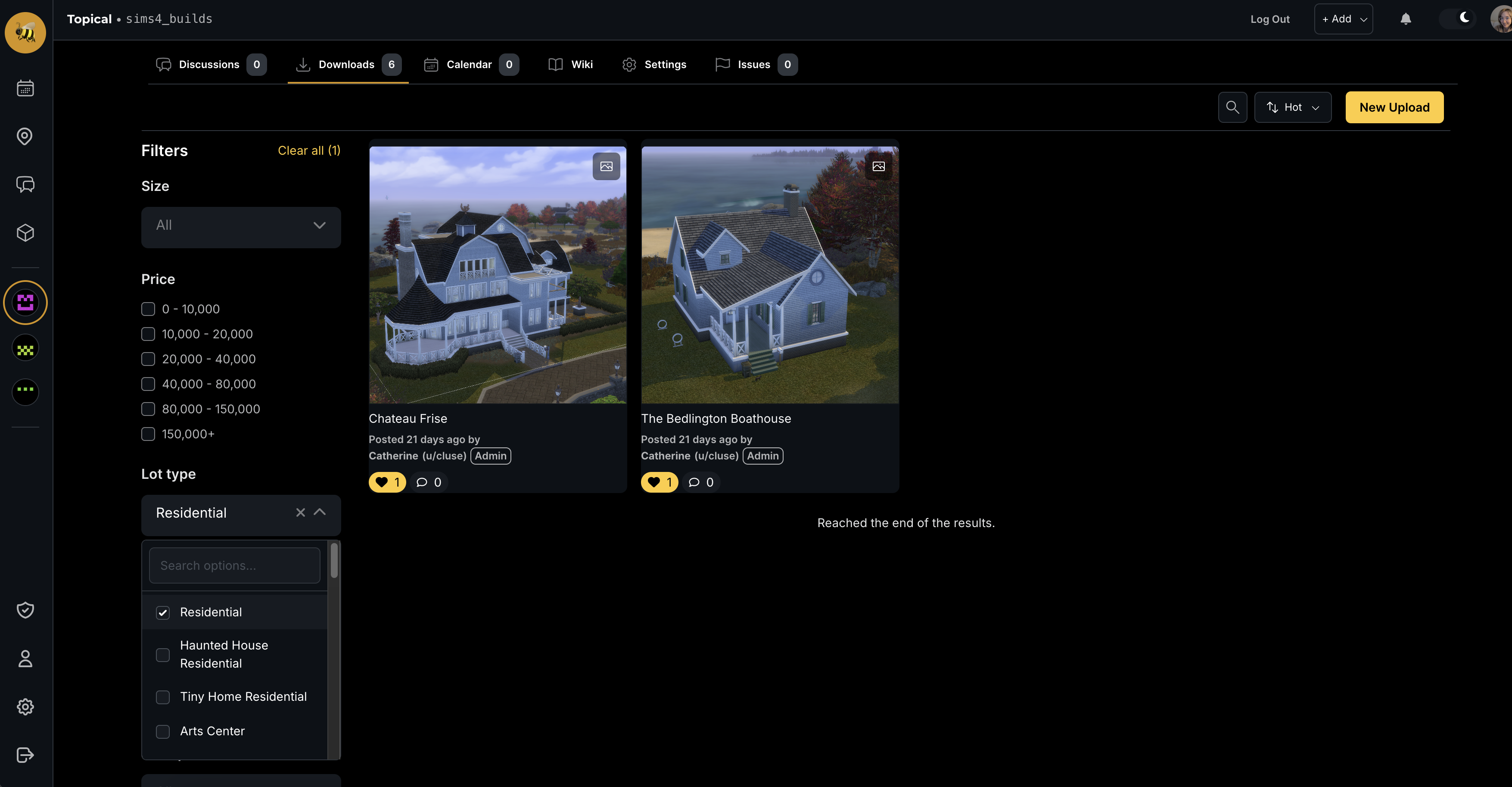
If you apply a filter such as 'Residential' in the left side bar, the results are filtered in-place, and the commercial lots disappear:
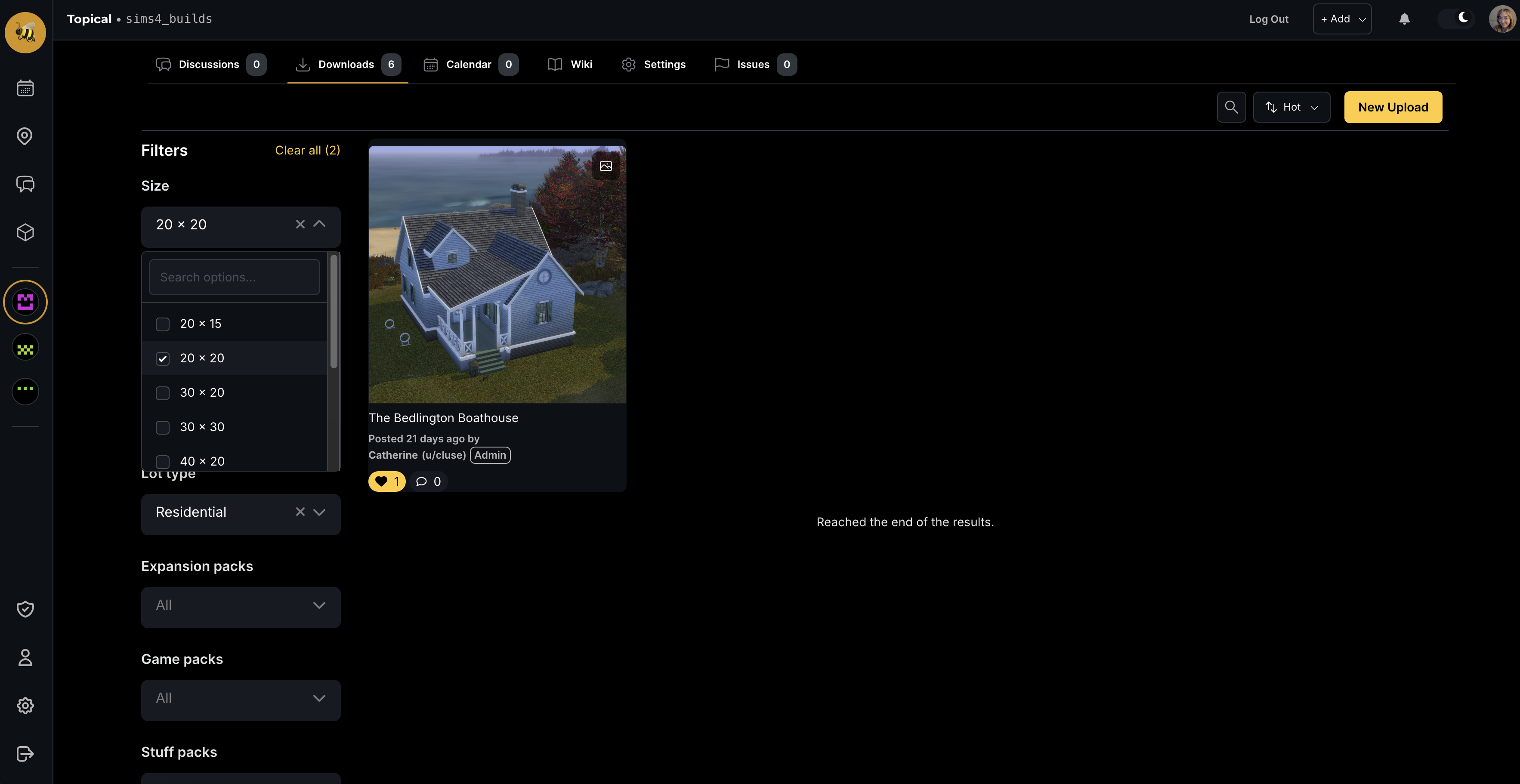
If you apply two filters, the results are filtered further. In this case we are looking at only residential lots of size 20 by 20:
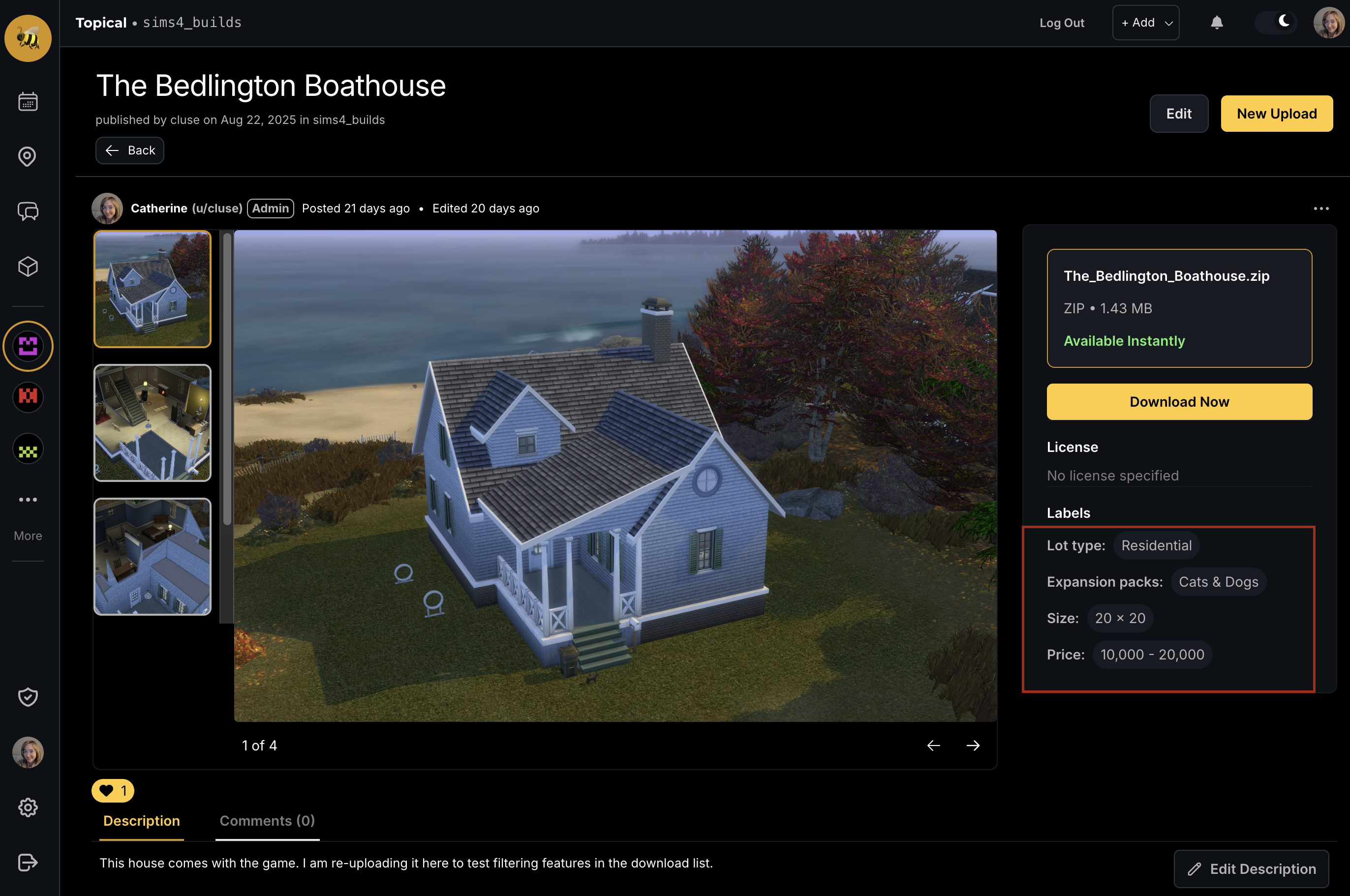
These filters correspond to labels that can be seen on the download detail page. In this case, we can see the lot size and lot type in the sidebar on the right:
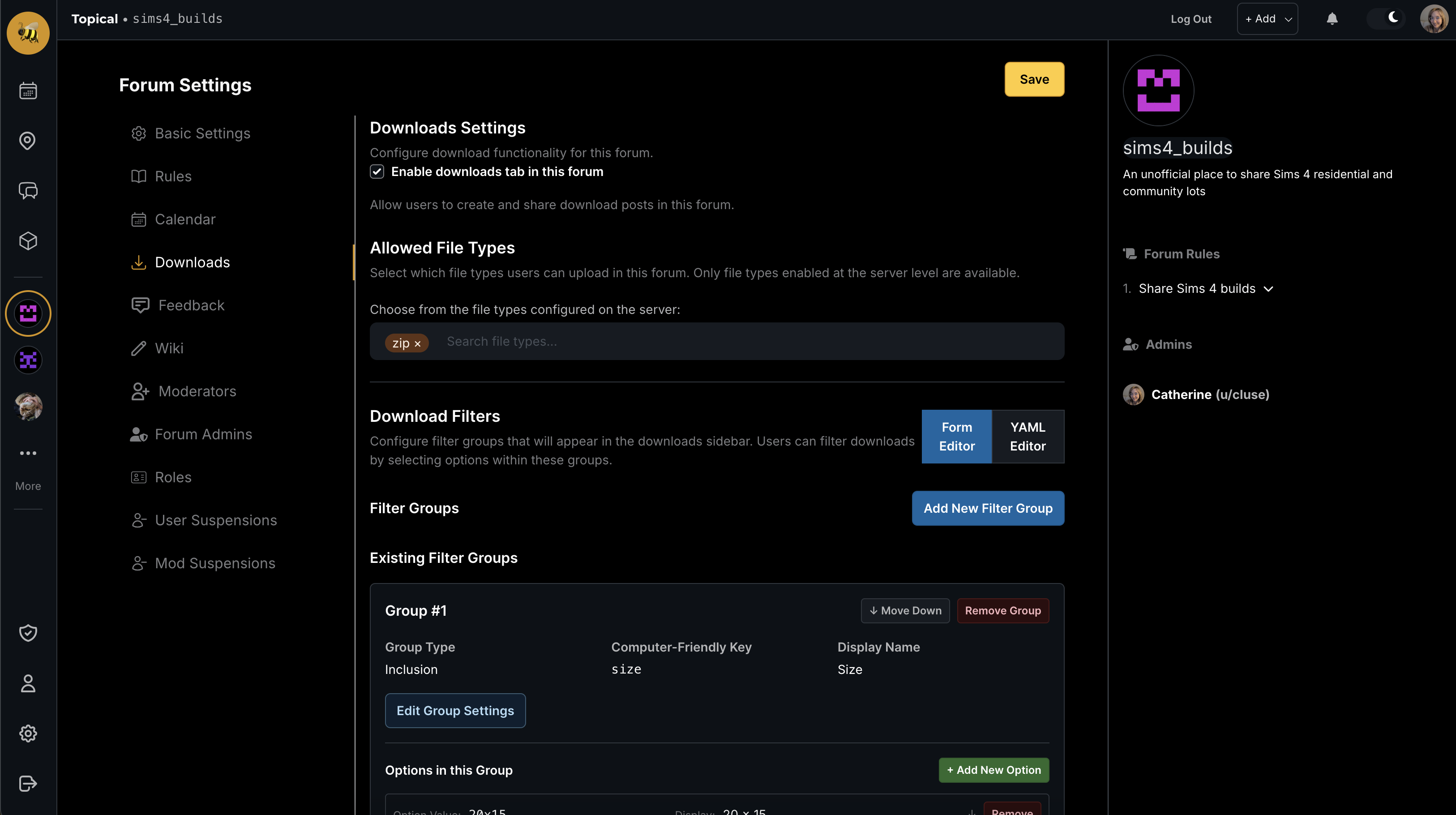
You might be thinking, those filters are oddly specific to a more general platform like Multiforum. That's because they are configured at the individual forum scope, and you can edit the available filters in the settings. At the moment, the form is kind of dense; I'm thinking of how to make it more streamlined, but here it is:
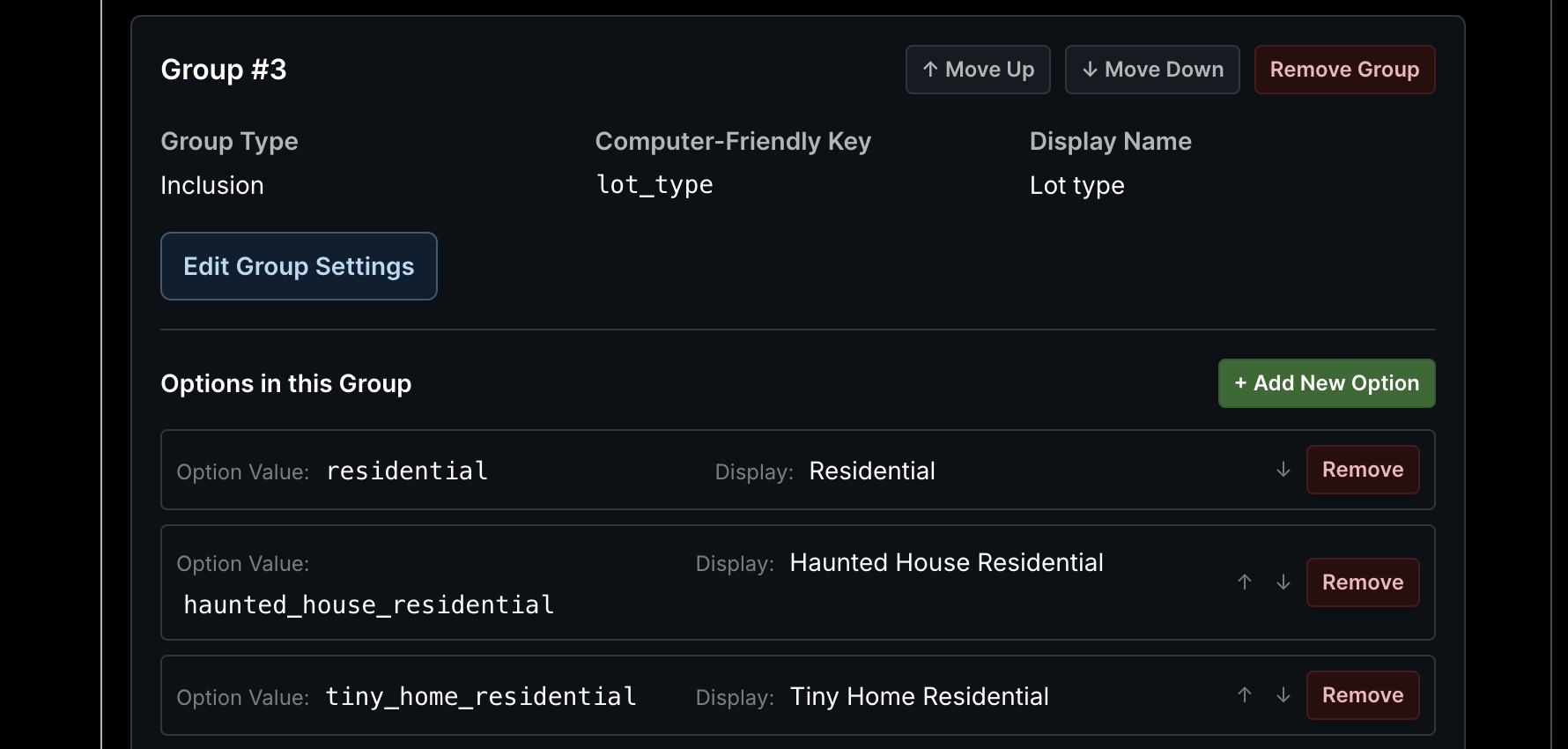
Another look at the editable filters:
Currently, the labels have to be applied to individual downloads manually, by filling out a form. I think that is not ideal because it can be laborious or tiresome to manually label things, especially if you don't know off the top of your head what type of lot you have, or other details like that. That is why I am currently working on an auto-labeler - something that is enabled by an admin and configured at the forum scope, which will automatically apply forum specific labels to allow the results to be filtered properly. More on that next.
New feature August 2025 - Map marker clustering
Catherine posted 11 months ago
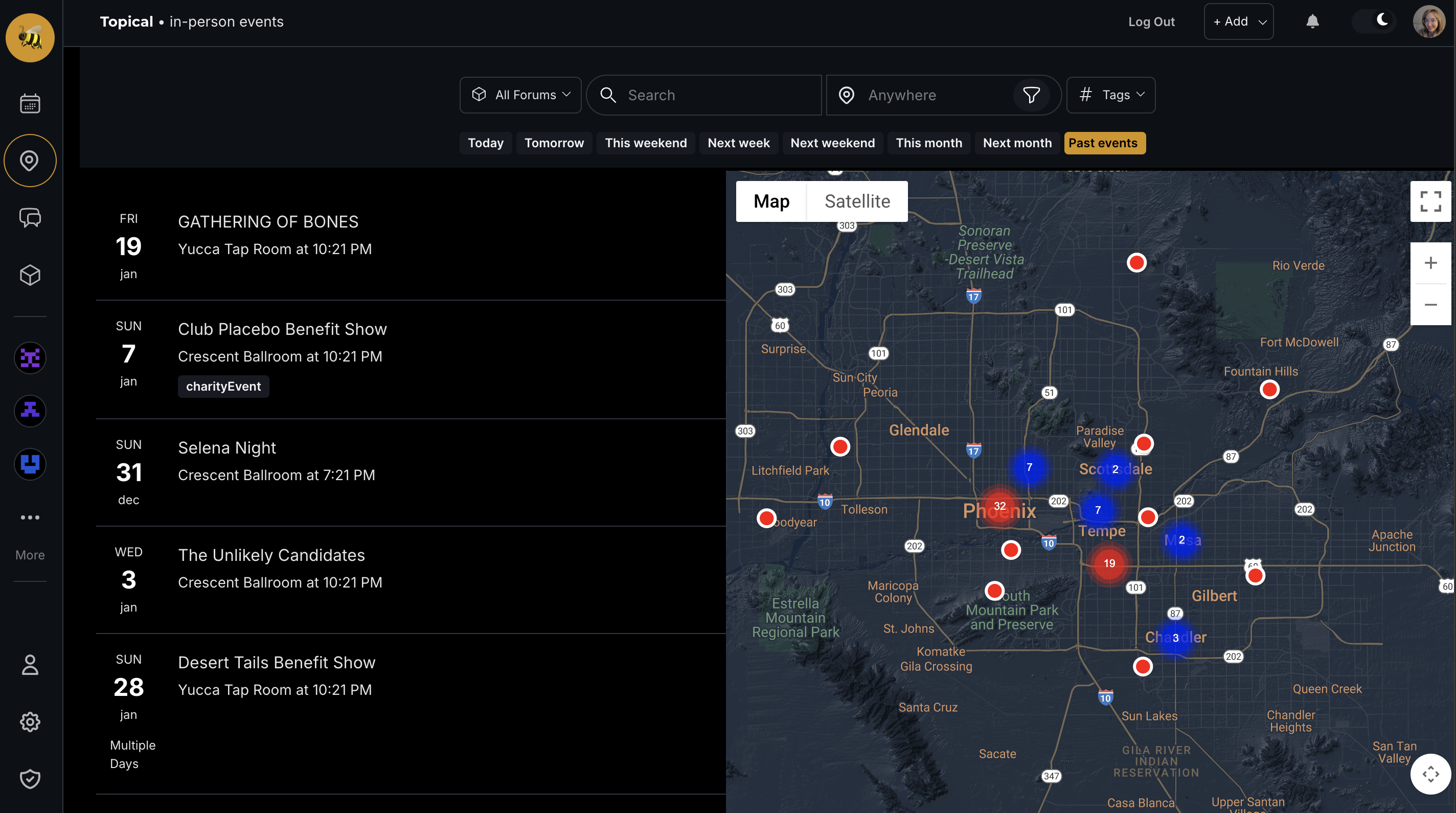
I have installed the marker clusterer tool (https://developers.google.com/maps/documentation/javascript/marker-clustering) to make the event search map look much cleaner. Here's the before and after.
Before:
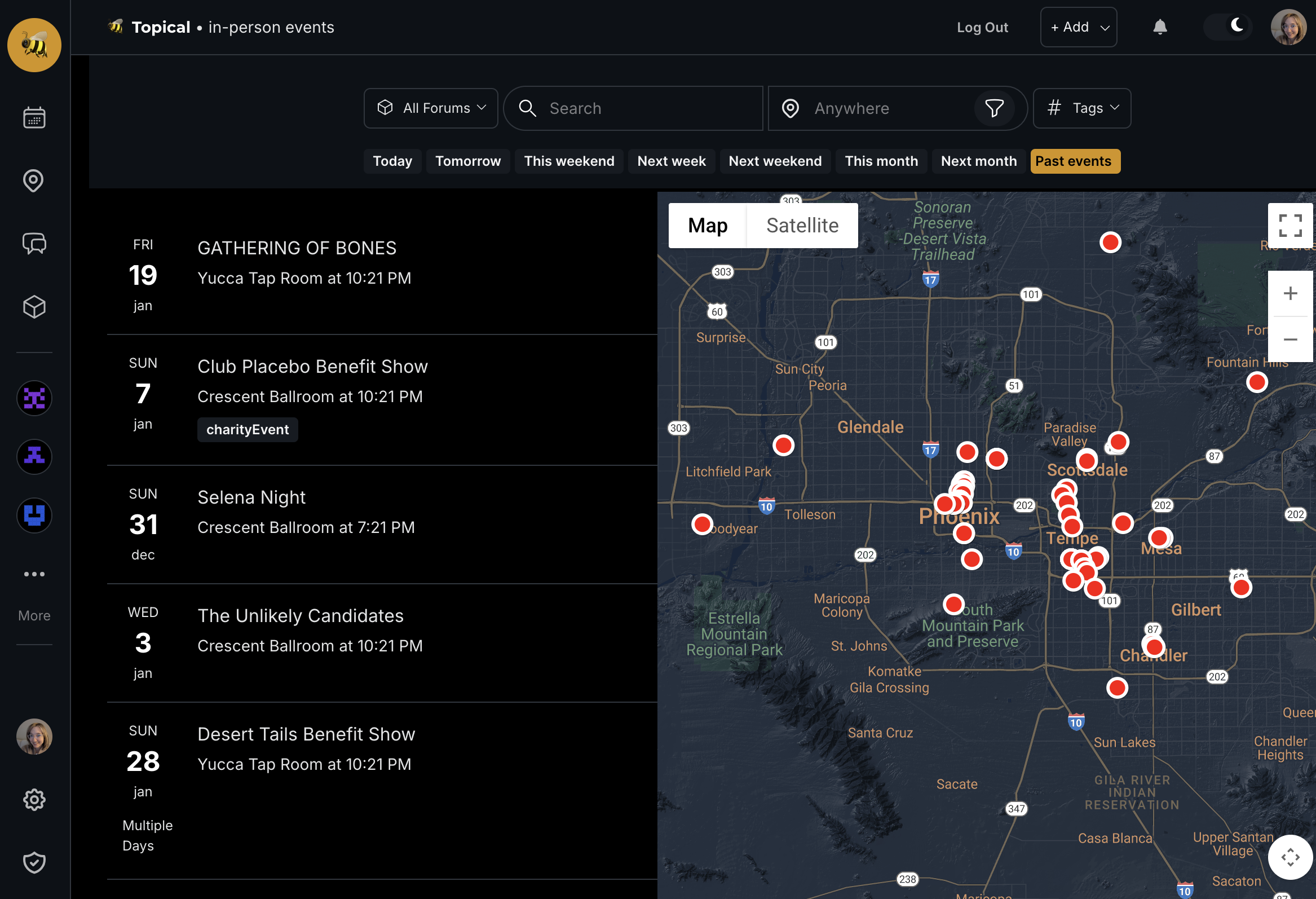
After:
Real-Time Notifications with Neo4j GraphQL
Catherine posted last year
I recently built a notification system using Neo4j's GraphQL library and Change Data Capture. It turned out way cleaner than expected, so sharing what I learned.
The Problem
Users want instant notifications when someone comments on their posts. My first approach was handling notifications directly in the API handler. There were some downsides to this approach:
- Slow API responses waiting for notification processing
- Brittle - email failures broke comment creation
- Messy coupling of business and notification logic
The Solution
Neo4j's GraphQL subscriptions with Change Data Capture. Instead of blocking the API, let the database emit events and handle notifications separately.
How It Works
Schema Setup
extend schema @subscription

type Notification {
  id: ID! @id
  createdAt: DateTime! @timestamp(operations: [CREATE])
  read: Boolean
  text: String
}

type User {
  Notifications: [Notification!]! @relationship(type: "HAS_NOTIFICATION", direction: OUT)
}

type DiscussionChannel {
  SubscribedToNotifications: [User!]!
    @relationship(type: "SUBSCRIBED_TO_NOTIFICATIONS", direction: IN)
}
Event Processing
private async processCommentNotification(commentId: string) {
  const fullComment = await CommentModel.find({
    where: { id: commentId },
    selectionSet: `{
      id text
      DiscussionChannel { SubscribedToNotifications { username } Discussion { title } }
      Event { SubscribedToNotifications { username } title }
      ParentComment { SubscribedToNotifications { username } }
    }`
  });

  // Generate appropriate email content
  let emailContent;
  if (fullComment.DiscussionChannel) {
    emailContent = createCommentNotificationEmail(
      fullComment.text, fullComment.DiscussionChannel.Discussion.title,
      commenterUsername, channelName, discussionId, commentId
    );
    await this.processDiscussionCommentNotification(fullComment, emailContent);
  } else if (fullComment.Event) {
    emailContent = createEventCommentNotificationEmail(
      fullComment.text, fullComment.Event.title,
      commenterUsername, channelName, eventId, commentId
    );
    await this.processEventCommentNotification(fullComment, emailContent);
  } else if (fullComment.ParentComment) {
    emailContent = createCommentReplyNotificationEmail(
      fullComment.text, contentTitle, commenterUsername, contentUrl
    );
    await this.processCommentReplyNotification(fullComment, emailContent);
  }
}
Bulk Notifications + Email
The system handles both in-app notifications and emails in a single batch operation:
private async createBatchNotifications(entityType, entityId, notificationText, commenterUsername, emailContent?) {
  // 1. Get subscribers with email addresses
  const entity = await EntityModel.find({
    where: { id: entityId },
    selectionSet: `{
      SubscribedToNotifications {
        username
        Email { address }
      }
    }`
  });

  const usersToNotify = entity.SubscribedToNotifications
    .filter(user => user.username !== commenterUsername);

  // 2. Send batch emails first
  if (emailContent) {
    await this.sendBatchEmails(usersToNotify, emailContent);
  }

  // 3. Create in-app notifications
  const cypherQuery = `
    MATCH (entity:${entityType} {id: $entityId})
    MATCH (entity)<-[:SUBSCRIBED_TO_NOTIFICATIONS]-(user:User)
    WHERE user.username <> $commenterUsername
    CREATE (notification:Notification {
      id: randomUUID(),
      createdAt: datetime(),
      read: false,
      text: $notificationText
    })
    CREATE (user)-[:HAS_NOTIFICATION]->(notification)
  `;

  await session.run(cypherQuery, { entityId, commenterUsername, notificationText });
}

private async sendBatchEmails(usersToNotify, emailContent) {
  try {
    const emailsToSend = usersToNotify
      .filter(user => user.email)
      .map(user => ({
        to: user.email,
        from: process.env.SENDGRID_FROM_EMAIL,
        subject: emailContent.subject,
        text: emailContent.plainText,
        html: emailContent.html
      }));

    await sgMail.send(emailsToSend);
  } catch (error) {
    console.error('Email sending failed:', error);
    // Continue with in-app notifications even if emails fail
  }
}
Why This Works
Your APIs stay fast because notifications happen asynchronously in the background. Bulk operations make it efficient because creating 100 notifications takes about the same time as creating one.
CDC guarantees you won't lose events since they're captured at the database level. If email sending fails, in-app notifications still work because they're handled separately.
The architecture stays clean with notification logic isolated in its own service. TypeScript provides type safety, and each component can be tested independently.
The Complete Flow
- Comment created → Neo4j CDC automatically triggers a
commentCreatedevent when someone adds a comment - Event received → The notification service receives this event, fetches the comment details, and generates the appropriate email content
- Batch processing → The system processes everything in batches, using a single operation to send emails and create in-app notifications simultaneously
- Graceful failures → When email problems occur, they don't affect the in-app notifications because these are handled as separate operations
The key advantage is batching - one SendGrid API call can notify hundreds of users at once, and email failures stay isolated from your core notification system.
New Multiforum Feature - Wikis
Catherine posted last year
I'm excited to announce a new collaborative feature for Multiforum: community wikis. This addition allows forum owners to create shared knowledge bases where community members can contribute and maintain information together.
Getting Started with Wikis
Forum owners can enable the wiki feature by navigating to their forum settings and checking the "Enable Wiki" option. Once activated, a new Wiki tab will appear in the forum navigation, giving members easy access to the collaborative documentation space.
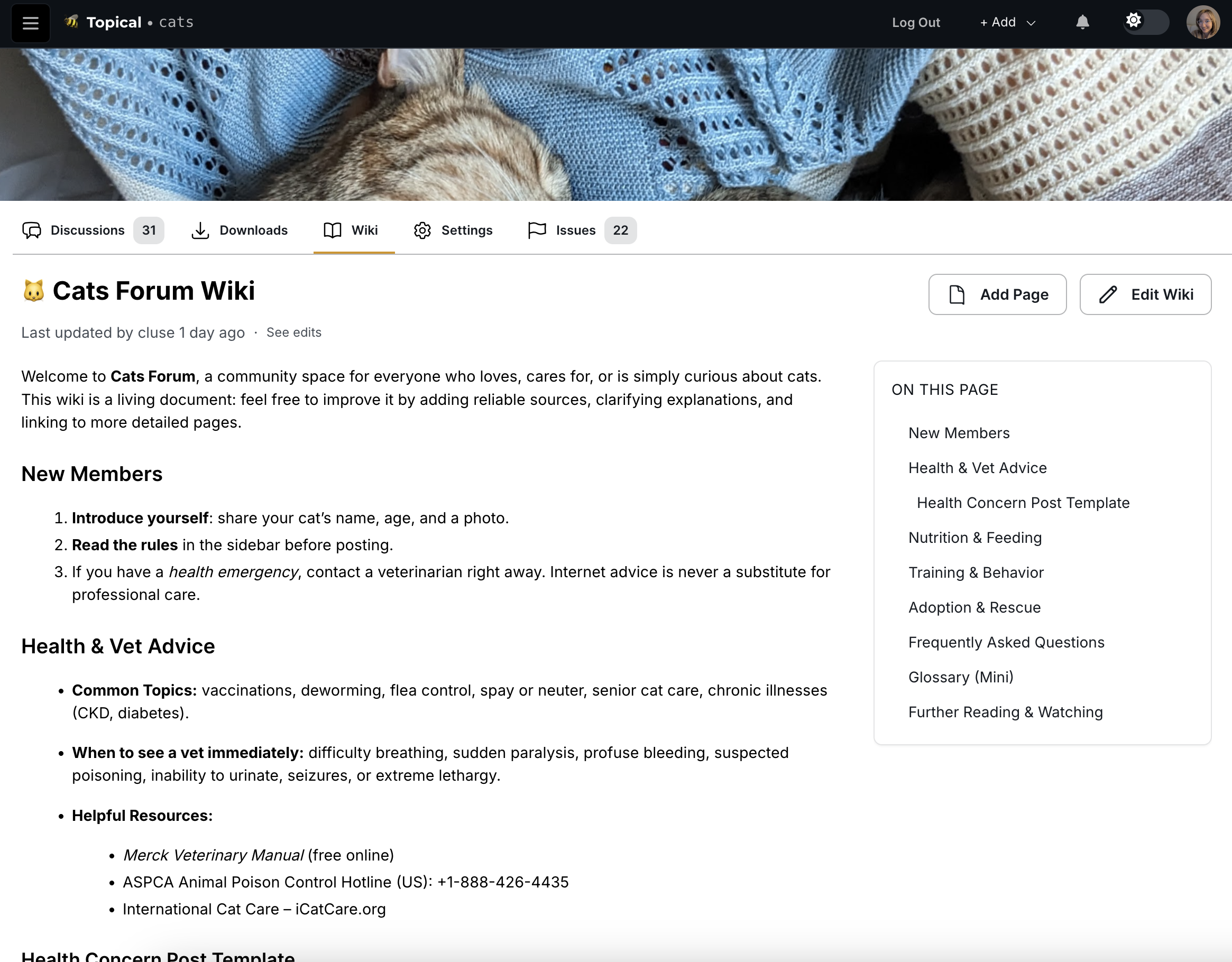
Single Page Wikis
For simpler use cases, wikis can consist of a single page that serves as a centralized information hub:
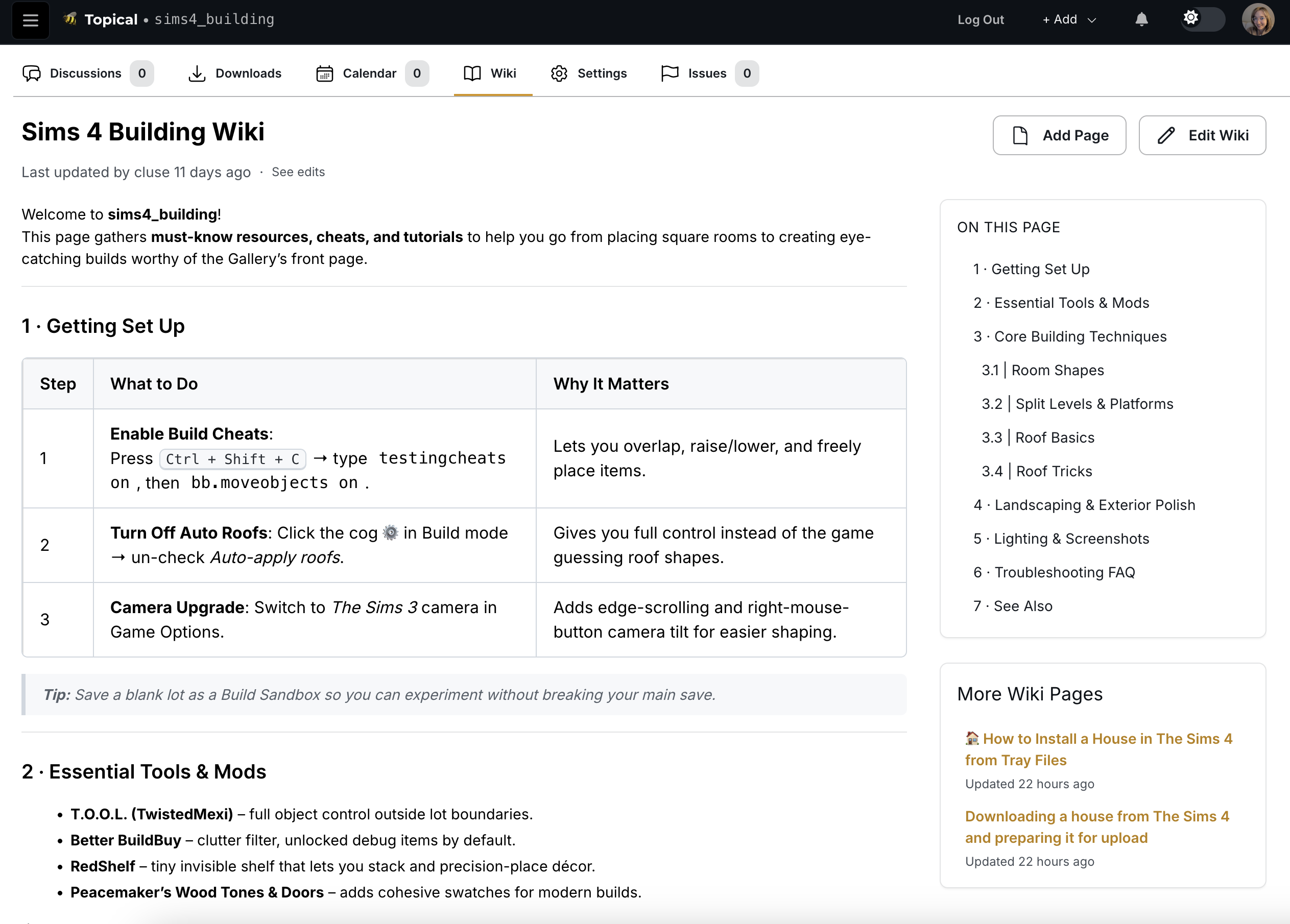
Multi-Page Wiki Structure
More complex wikis can be organized into multiple interconnected pages. The interface includes a helpful sidebar that lists all available pages for easy navigation:
Editing Experience
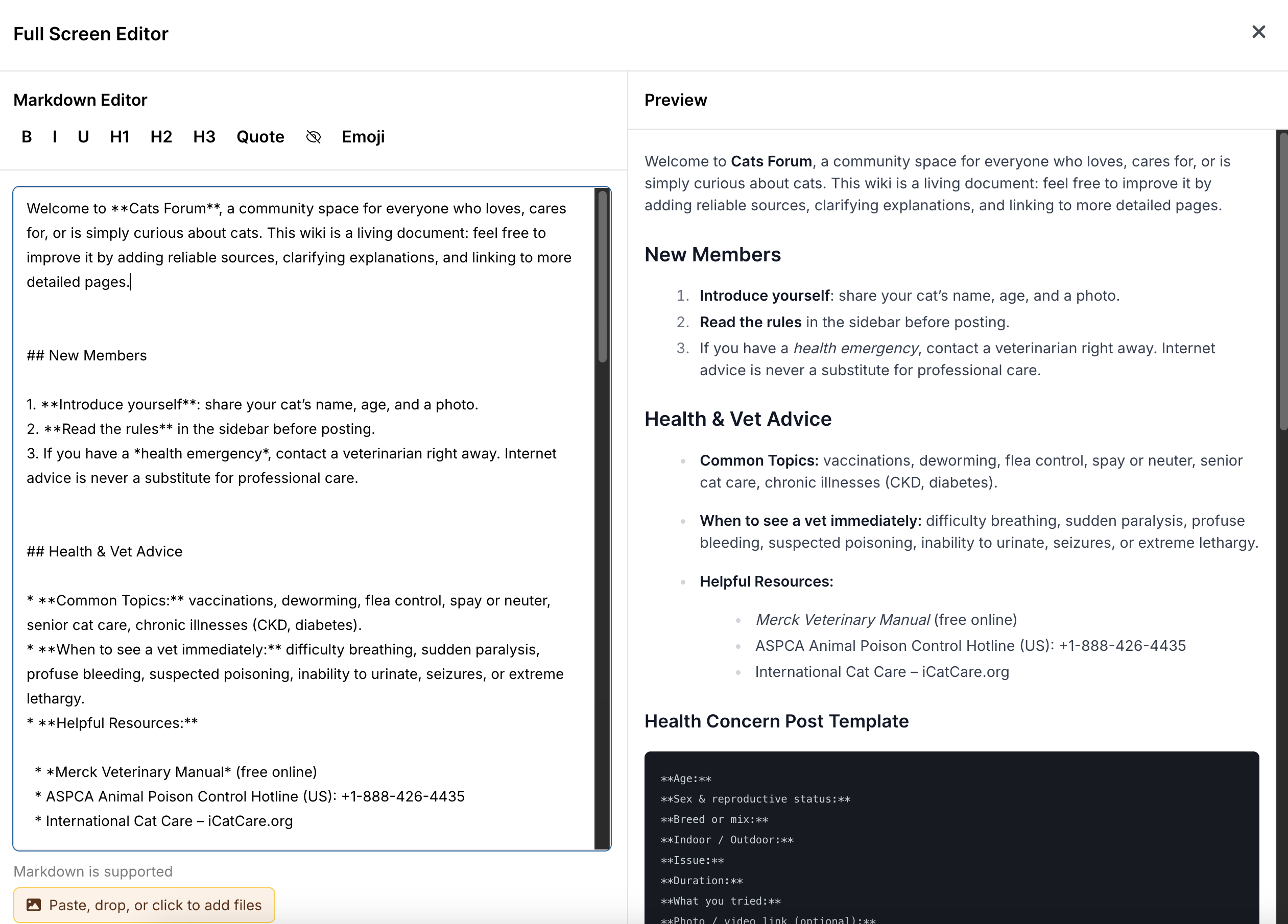
The wiki editing interface provides a clean, intuitive environment for content creation and modification:
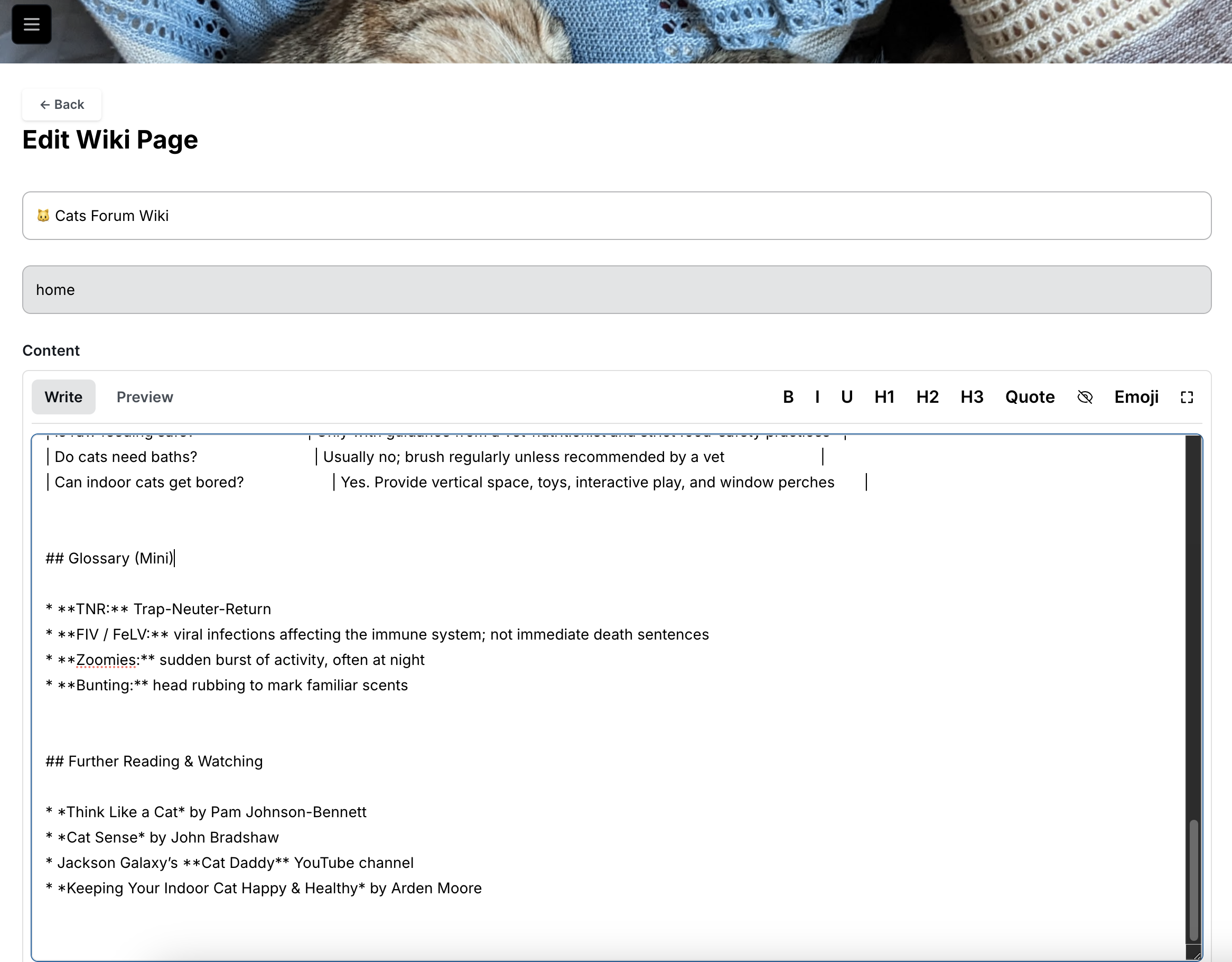
For users who prefer more screen real estate, the editor includes a full-screen mode accessible via the expand button in the top-right corner:
Version Control and History
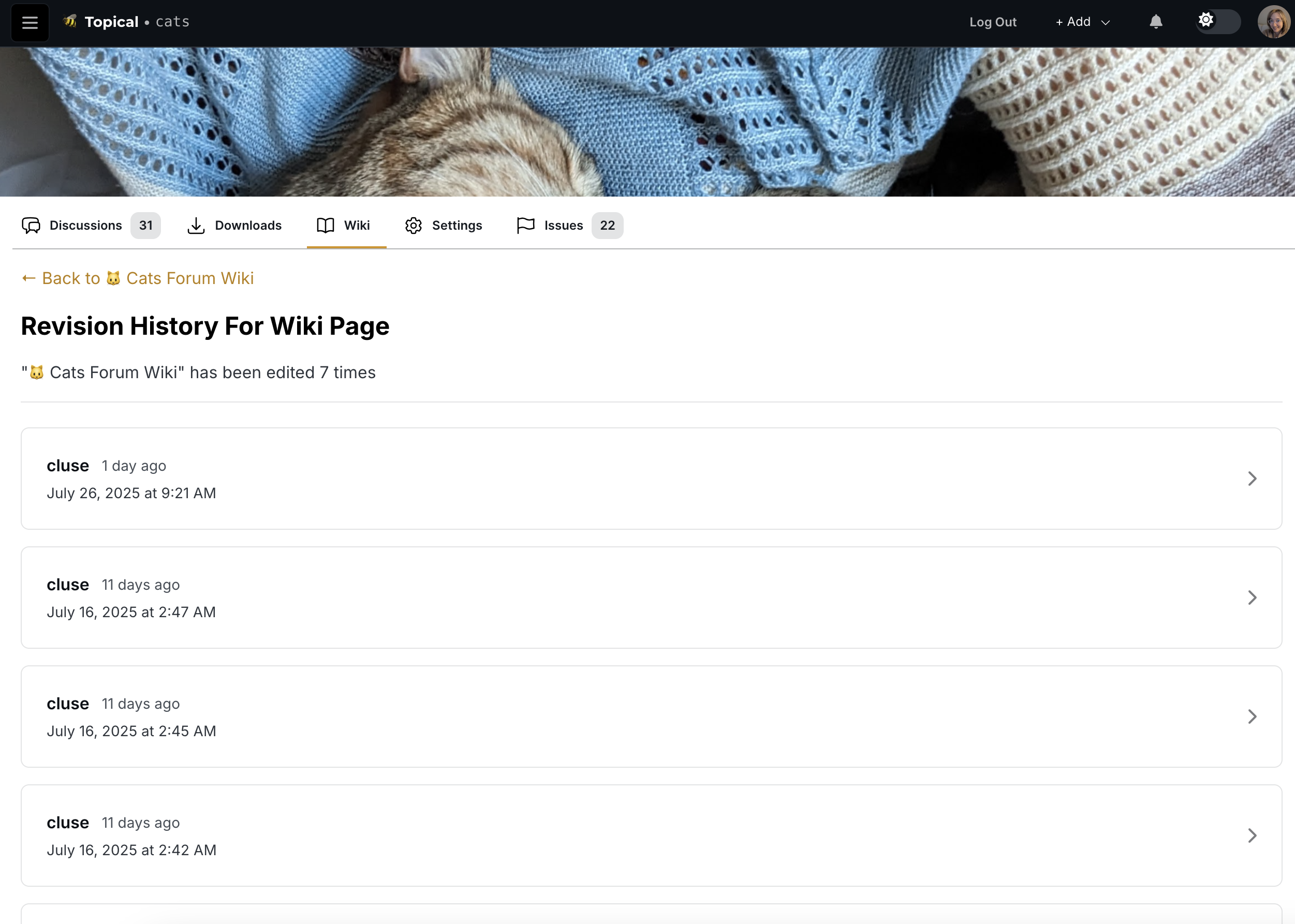
One of the most powerful aspects of the wiki system is its built-in revision tracking. Users can view the complete edit history of any page by clicking "see edits":
Each revision can be examined in detail, with a diff view that clearly highlights what content was added, modified, or removed:
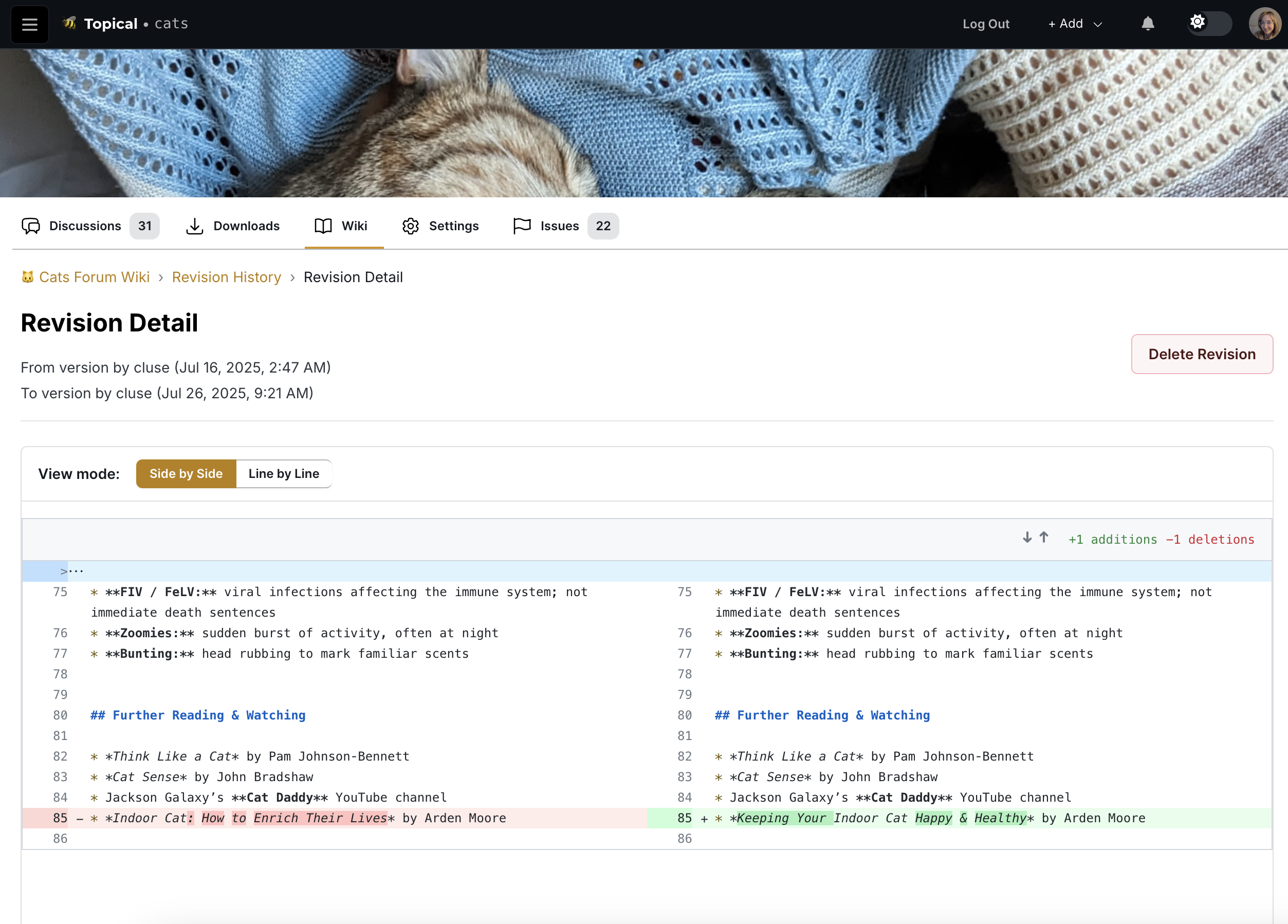
This tool can be used to help trace back to the source of an error if needed.
Don't deport my high school classmates
Catherine posted last year

I normally avoid making political posts because I don't want to fight. But recently emotions have built up inside me to the extent that I need to express them. So I made a video to express my emotions about illegal immigration.
I graduated from high school in 2008. During senior year - specifically, in October 2007 - we, the students, got our hopes up that the Dream Act might pass, but it did not. The topic of illegal immigration has been close to my mind ever since then and I still feel that we need more enhanced protections for undocumented immigrants, not more deportations.
In case you'd rather just read text instead of watching the video, here's the full text:
DON'T DEPORT MY HIGH SCHOOL CLASSMATES THE SMARTEST KID IN PHYSICS CLASS THE FUNNIEST KID IN BAND THE BEST SINGER IN THE SCHOOL CHOIR I SEE THOSE CLASSMATES AS BETTER PEOPLE THAN ME, A U.S. CITIZEN. THEY DESERVE TO LIVE IN THE U.S. AS MUCH AS I DO I BEG YOU, DON'T DEPORT THEM! IF YOU DEPORT ALL UNDOCUMENTED IMMIGRANTS, YOU WOULD BE DEPORTING... SOME OF THE BEST PEOPLE THAT I HAVE EVER HAD THE PRIVILEGE OF KNOWING IN MY LIFE. EVERY DAY THAT I WAS IN SCHOOL, I PUT MY HAND OVER MY HEART AND SWORE ALLEGIANCE TO THE FLAG... AND TO THIS CONCEPT OF "LIBERTY AND JUSTICE FOR ALL" AND MY UNDOCUMENTED CLASSMATES SWORE IT TOO. IN A FAIR AND "JUST" WORLD, WE WOULD APPRECIATE PEOPLE FOR THE WORK THAT THEY DO. AND I DON'T KNOW IF YOU'VE NOTICED BUT... A LOT OF UNDOCUMENTED IMMIGRANTS HAVE WORKED EXTREMELY HARD. THEY DESERVE TO BE PROTECTED, NOT DEPORTED. SOMETIMES THE "RULE OF LAW" AND TRUE JUSTICE ARE NOT THE SAME... BECAUSE THE LAWS THEMSELVES ARE UNJUST. THIS IS ONE OF THOSE TIMES. THANK YOU FOR WATCHING
I added a basic content filter and learned something nifty
Catherine posted 2 years ago
Introduction
Recently I thought to myself, "Since my side project is linked on my resume and LinkedIn profile, it would probably be bad if somebody uploaded porn to it."
Content filtering is not a serious concern to me at this time because my app has no users other than myself. But with that said, it's still technically possible for a random stranger to log into topical.space, make an account and upload pictures of... whatever. So I felt a little bit nervous about tying my professional reputation to a website that allows user-generated content without a filter.
I decided to write this post because I found a solution that I think is pretty cool, since it filters content on the Google Cloud Platform side without actually requiring any code changes to my app.
Current Image Upload Process
For context, here's how image uploads currently work in topical.space:
- A user clicks Add Image or pastes an image into the text editor.
- The client calls a backend resolver called createSignedStorageURL. The backend uses its Google Cloud credentials to call the Google Cloud Storage API to create a special URL. This special URL, called the "signed storage URL", is the URL where the image will be available after it is uploaded to GCS by the client. It comes with permissions for the client to upload an image to that URL for a limited amount of time.
- The client calls the GCS API to upload the image to the signed storage URL.
Implementing the Content Filter
So I started researching automated image scanners, with the intent of trying to make it difficult for any potentially explicit user-generated content to see the light of day. I figured that since I already hosted images on GCS (Google Cloud Storage), I may as well try another Google service, SafeSearch, for image scanning.
Initial Considerations
At first I thought that when the client calls createSignedStorageURL, that should trigger an event that causes my backend app to poll the signed storage URL on GCS to see if an image was uploaded there. If it existed, then the backend would order a scan on the image at that URL. If it didn't exist, the polling would eventually time out.
But then my question was "How long should the backend poll GCS until it times out?" I didn't like the idea of setting the time to an arbitrary limit like 30 seconds or a minute, because then an image could bypass the content filter if the user had a slow connection and it took a long time to upload the picture.
The GCS Event-Based Solution
So then I asked another question: "How hard would it be to make GCS itself trigger the scan as soon as an image is uploaded?"
And the answer is, it's easy! With a few commands, it's possible to make an event get emitted to Google's event bus system when a file is uploaded to GCS. And it is also easy to use a Google Cloud Function that listens for that event and executes when that event happens.
Setting Up the Cloud Function
Since I already had the gcloud CLI installed, I set up the content filter with gcloud commands, which is a better user experience than clicking around in the cloud console.
Creating the Event Pipeline
First I created a pub/sub topic like this:
gcloud pubsub topics create image-uploads-topicThen I linked the pub/sub topic to my GCS bucket:
gcloud storage buckets notifications create gs://listical-dev \
  --topic=image-uploads-topic \
  --event-types=OBJECT_FINALIZE
Then I made a cloud function called
scanImageget triggered byimage-uploads-topic:gcloud functions deploy scanImage \ --runtime nodejs20 \ --trigger-topic=image-uploads-topic \ --allow-unauthenticatedImplementing the Cloud Function
Then I made the cloud function in a local directory. This cloud function is what scans the newly uploaded file and will delete the image if it doesn't pass the content filter. The Google SafeSearch scanner responds in this format:
{
  "responses": [
    {
      "safeSearchAnnotation": {
        "adult": "UNLIKELY",
        "spoof": "VERY_UNLIKELY",
        "medical": "VERY_UNLIKELY",
        "violence": "LIKELY",
        "racy": "POSSIBLE"
      }
    }
  ]
}
Therefore, the cloud function checks the
safeSearchAnnotationin the SafeSearch response to decide whether to delete the file or not. I set up the file structure of my cloud function like this:scanImage - index.js - package.jsonPackage Configuration
The package.json adds the Google Cloud Storage and Vision SDKs as dependencies:
{
    "dependencies": {
      "@google-cloud/storage": "^6.9.0",
      "@google-cloud/vision": "^3.0.0"
    }
  }
Cloud Function Code
And the index.js of the cloud function is as follows (with a note to remind my future self what I'm looking at):
// This file is used for setting up a cloud function via the gcloud CLI.
// I used it to set up the function to be triggered by a Pub/Sub message,
// specifically the message that is triggered by a new file being uploaded to
// a GCS bucket.
const { Storage } = require('@google-cloud/storage');
const vision = require('@google-cloud/vision');
const storage = new Storage();
const client = new vision.ImageAnnotatorClient();

exports.scanImage = async (event, context) => {
  const data = JSON.parse(Buffer.from(event.data, 'base64').toString());
  const bucketName = data.bucket;
  const fileName = data.name;

  try {
    // This is where we have the newly uploaded image scanned by Google SafeSearch.
    const [result] = await client.safeSearchDetection(`gs://${bucketName}/${fileName}`);
    const safeSearch = result.safeSearchAnnotation;

    if (
        safeSearch.adult === 'VERY_LIKELY' ||
        safeSearch.adult === 'LIKELY' ||
        safeSearch.racy === 'VERY_LIKELY' ||
        safeSearch.medical === 'VERY_LIKELY' ||
        safeSearch.violence === 'VERY_LIKELY' ||
        safeSearch.violence === 'LIKELY'
    ) {
      // And this is where we delete an image that doesn't pass the check.
      await storage.bucket(bucketName).file(fileName).delete();

      // These logs show in the Google cloud console whenever the cloud function
      // is triggered.
      // In the future I will also update this area of the code so that it triggers a
      // notification, which will tell the user that their image was deleted because it didn't
      // pass the content filter.
      console.log(`Deleted unsafe image: ${fileName}`);
    } else {
      console.log(`Image passed moderation: ${fileName}`);
    }
  } catch (error) {
    console.error(`Error scanning image: ${fileName}`, error);
  }
};
Deploying the Function
Then, with my terminal in the same directory as my new cloud function code, I deployed the cloud function with this command:
gcloud functions deploy scanImage \
  --runtime nodejs20 \
  --trigger-topic=image-uploads-topic \
  --entry-point=scanImage \
  --allow-unauthenticated
Testing the Content Filter
I was glad to learn that this approach was possible, because from a technical or architectural perspective, it's nifty. With only four commands and a few lines of code, my app already has a basic level of protection from vandalism. The best thing about it is that I never had to change a single line of code in my app, because the content filter is handled entirely on the GCP side.
Then there was only one thing left to do: test it to make sure that it works.
Understanding SafeSearch Labels
Now, if you're like me, when you see that SafeSearch returns a response like this, you have questions:
{
  "responses": [
    {
      "safeSearchAnnotation": {
        "adult": "UNLIKELY",
        "spoof": "VERY_UNLIKELY",
        "medical": "VERY_UNLIKELY",
        "violence": "LIKELY",
        "racy": "POSSIBLE"
      }
    }
  ]
}
The top question on my mind was, "Where does it draw the line? What's the difference between 'LIKELY' and 'VERY_LIKELY' racy?"
I checked the reference documentation for SafeSearchAnnotation, which is located here. As you can see, the reference material is fairly sparse. It defines "racy" as the following:
Likelihood that the request image contains racy content. Racy content may include (but is not limited to) skimpy or sheer clothing, strategically covered nudity, lewd or provocative poses, or close-ups of sensitive body areas.
(Almost) Real-World Testing
These reference materials did not contain what I was really looking for, which was a helpful chart with three columns - POSSIBLE, LIKELY and VERY_LIKELY - with rows for adult, spoof, medical, violence and racy content, with an example picture in each table cell.
I wonder why they did not include that???
Jokes aside, it became clear that the only way to really understand those labels is to test it with our own images. So in the following test, I wanted to both a) check if the new filter could successfully remove images and b) get an idea of where the dividing line is between different levels of raciness.
So I decided to test the filter with racy content. I felt uncomfortable about using pictures of real people for the purpose of testing my content filter, so I decided this would be a good time to use Grok to generate racy images of fake people as test data.
After requesting these AI images from Grok, I had two pictures in my test data. Test picture 1 is somewhat of a milder level of raciness, while test picture 2 is more explicit.
Test picture 1:

Test picture 2:
The second test picture was of a similar photo, in which a woman is also wearing lingerie, while her hand was implied to be doing a sexual act outside of the frame.
To test it, I ran my database locally, created a forum
image_testand a test post calledImage test.In Multiforum, the text editor is similar to the text editor in GitHub, which lets you drag and drop images into the text editor to upload them, so that you can easily interleave images in text. So to do this, I dragged the test pictures 1 and 2 into the text editor, and you can see here that they were uploaded because the new image URLs are included there in the markdown: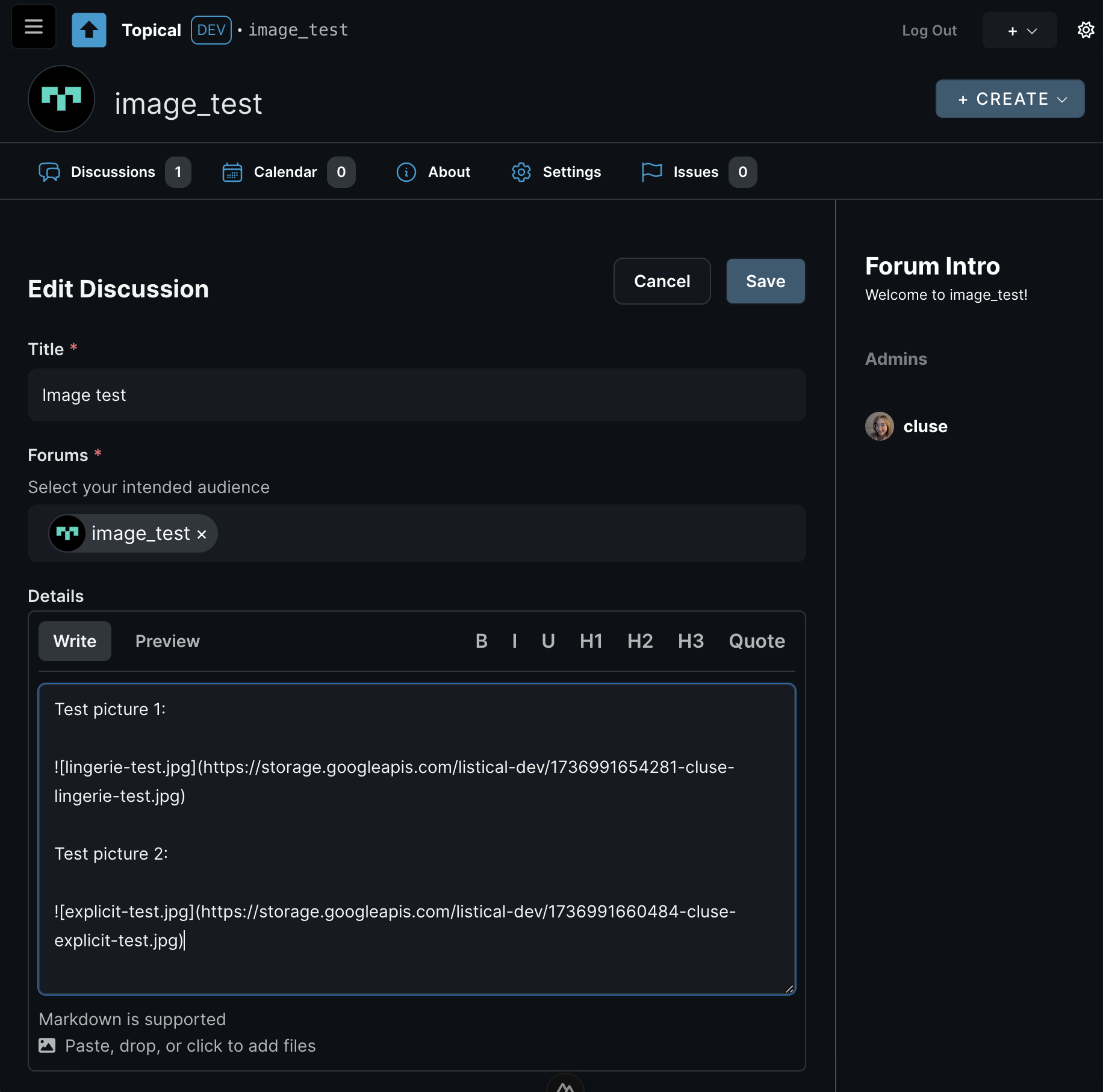
Results and Conclusion
Then I saved the post, and voilà! Test picture 1 passed the filter, while test picture 2 failed the content check, and it got automatically deleted even before I clicked the save button:
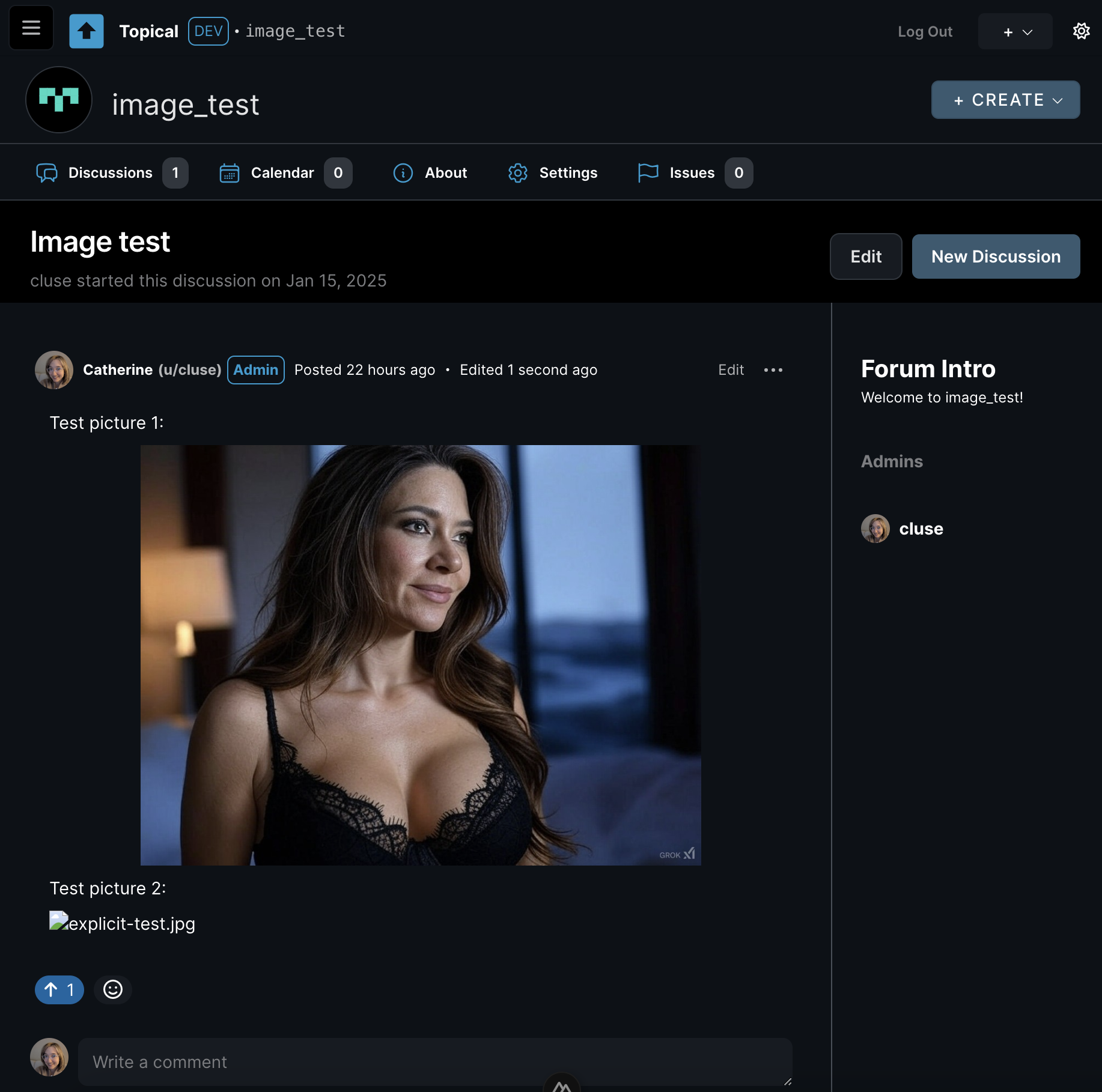
On top of that, I can confirm that it worked by checking the logs in the Google Cloud Platform console, in which I can see that the
scanImagecloud function loggedDeleted unsafe image: 1736991660484-cluse-explicit-test.jpg.And that's it. Huge success. In the future, when an image is deleted because of this automated check, I'll send a notification to the user who uploaded it, saying "This image was automatically removed by an AI content filter. AI makes mistakes, so if you think this decision was made in error, please open a support ticket" or something along those lines.
For now, I'm okay with the line being drawn somewhere in between those two test pictures. At least now the line is being drawn somewhere.
Multiforum Demo Part 4: Voting and Feedback
Catherine posted 2 years ago
I’m excited to share a new feature in Multiforum: the voting and feedback system. Multiforum is a reddit-like platform where you can create and participate in multiple forums. You can submit posts, vote on them, and now, leave meaningful feedback. Here’s how it works.
The Voting System
The voting system in Multiforum is designed to surface the most relevant and engaging content. Posts and comments can be upvoted, and their ranking depends on a few factors:
- Hot: A balance of upvotes and recency determines the ranking.
- New: Posts sorted in chronological order.
- Top: Posts with the highest weighted upvotes, where votes from older accounts with more reputation carry more weight.
Let's say we have an example forum with posts about ChatGPT. In this screenshot, you can see how the post "ChatGPT just yassified me..." comes first because it has two votes (instead of one, like the post below it). In this picture, the upvote button is blue because the logged-in user voted.
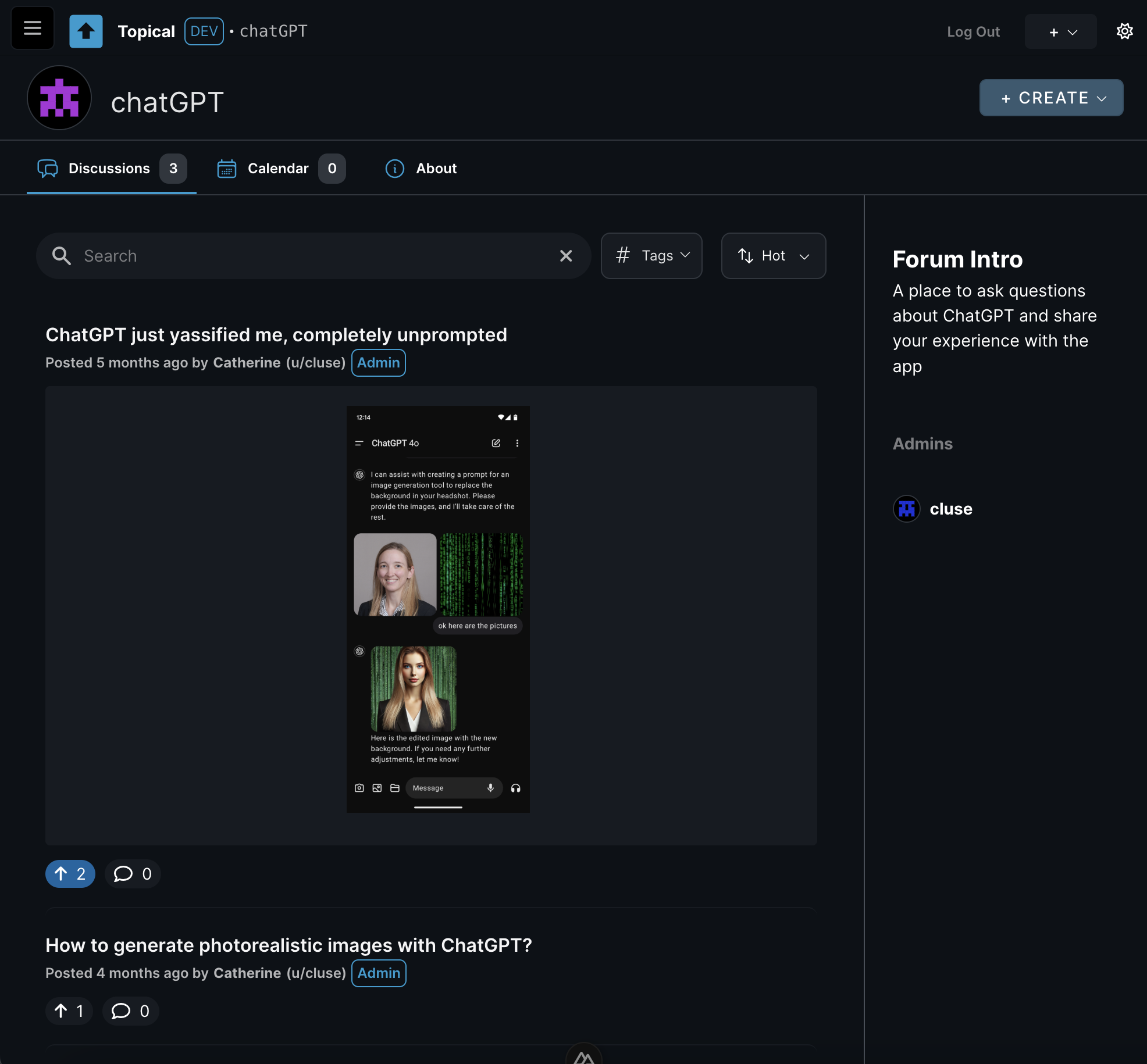
This system ensures that quality content is highlighted while giving weight to the contributions of trusted, long-time users.
The Feedback System
This feature addresses some of the common issues with downvotes on platforms like Reddit. Downvotes can feel ambiguous and discouraging. They’re often misused to express disagreement or worse, to attack specific users. To solve this, Multiforum replaces downvotes with a feedback system.
How Feedback Works
On the detail page of a post, you can see that next to the upvote button, there’s a thumbs-down button:
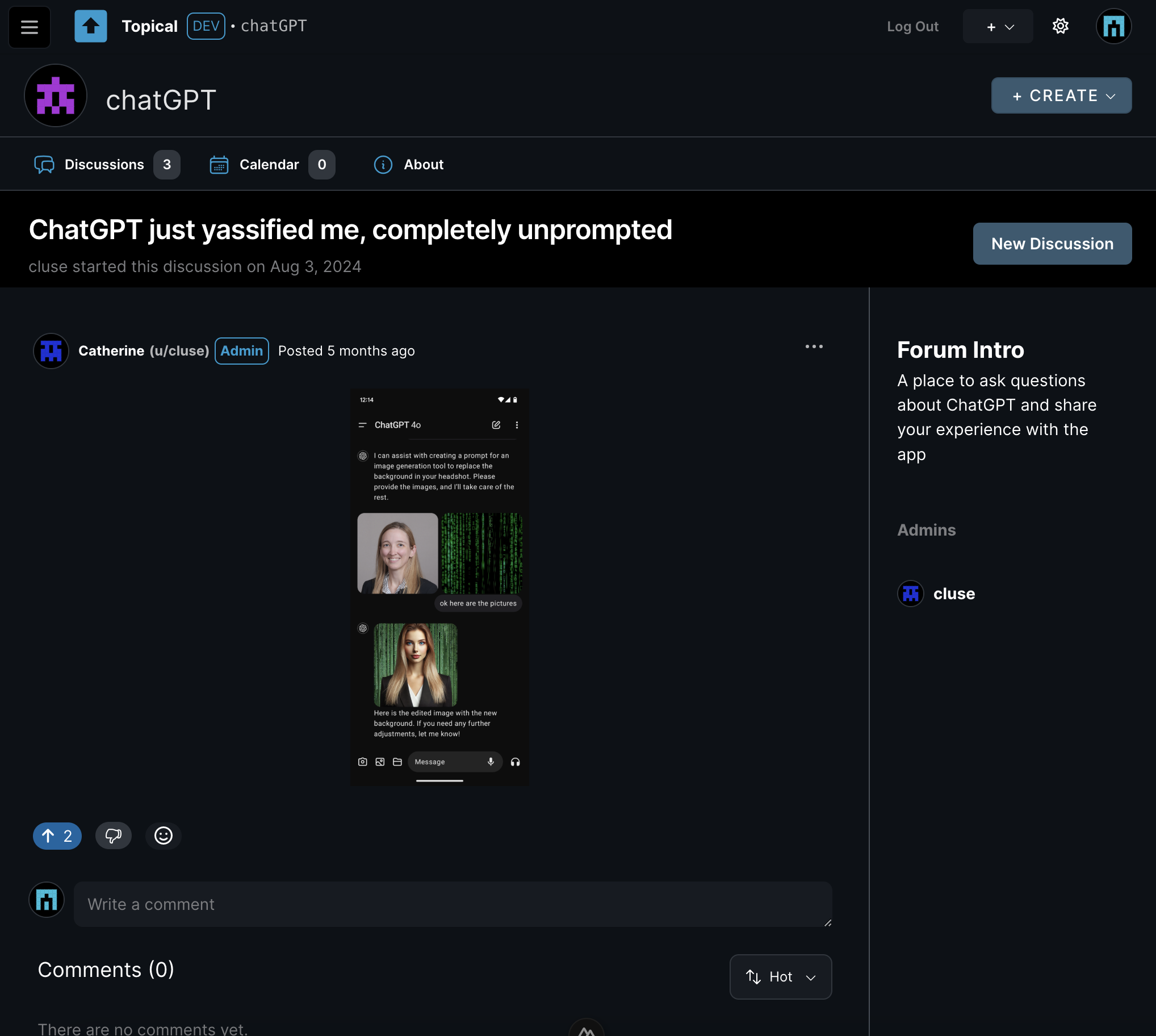
This thumbs-down button is not a downvote. Clicking it opens a modal where you can type constructive feedback into a text box. You can’t leave the box blank.
In the actual app, if you click on an image that is embedded in the body of a post like in this example, it will open in an overlay with the full-size image. But some people find it annoying when they find pictures of text, especially if they are vision impaired or blind. So in this example, let's say you don't like the submission and you want to give feedback to that effect. So you click the thumbs-down button and the feedback modal appears:
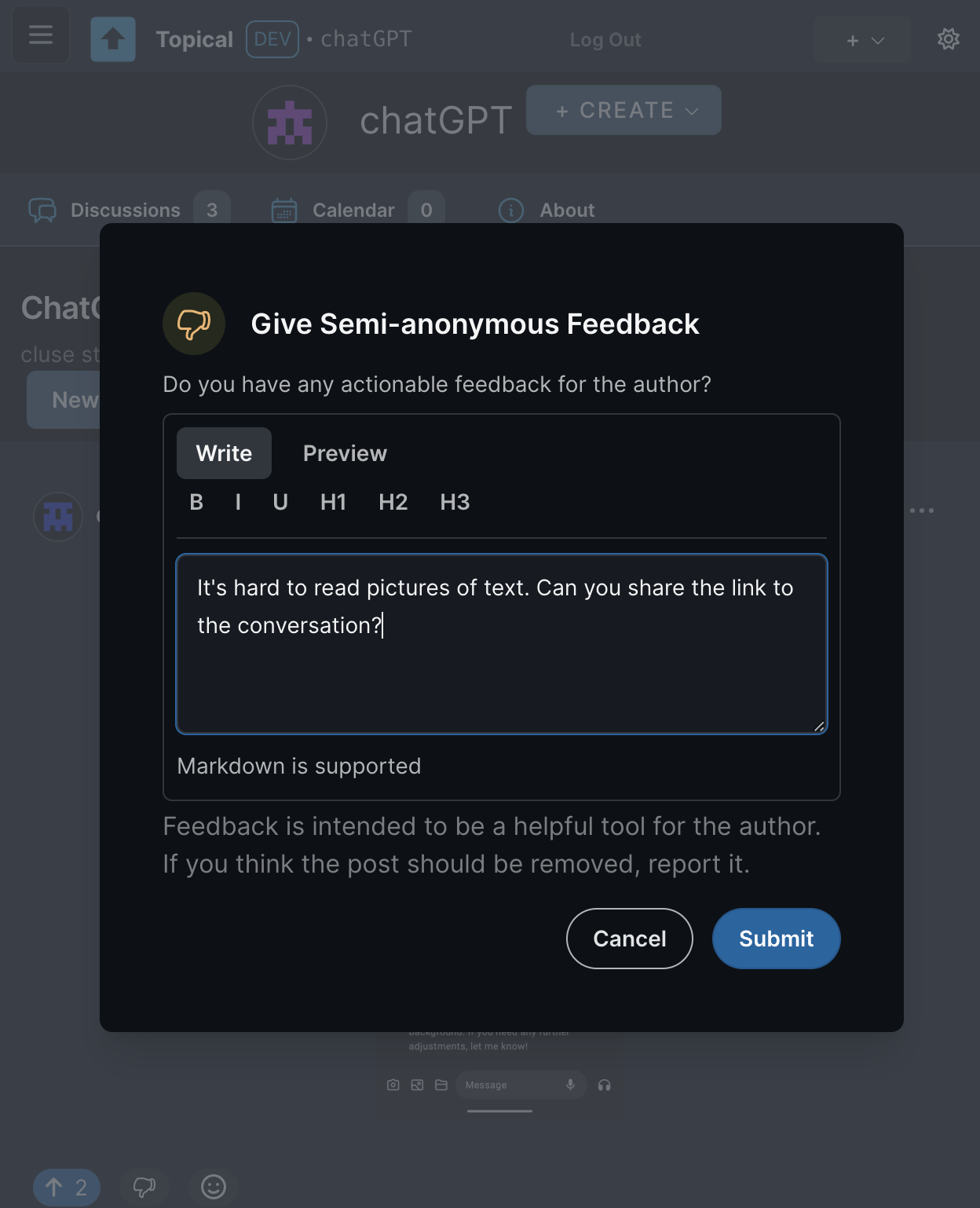
After the feedback is submitted, anyone can see the feedback by clicking the action menu on that post, then clicking View Feedback:
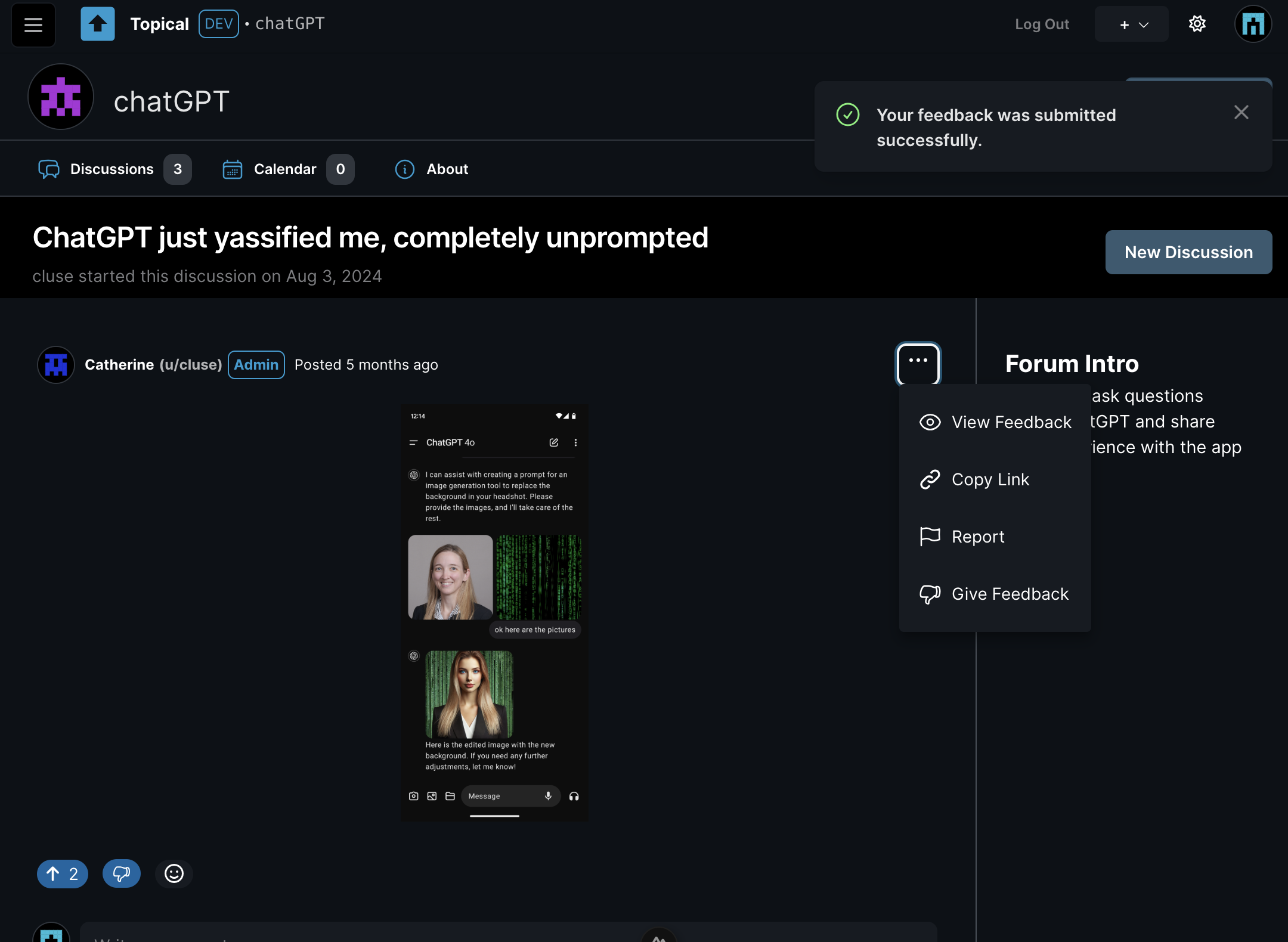
When View Feedback is clicked, you go to the feedback page, where you can see all feedback on the post in the context of the original post:
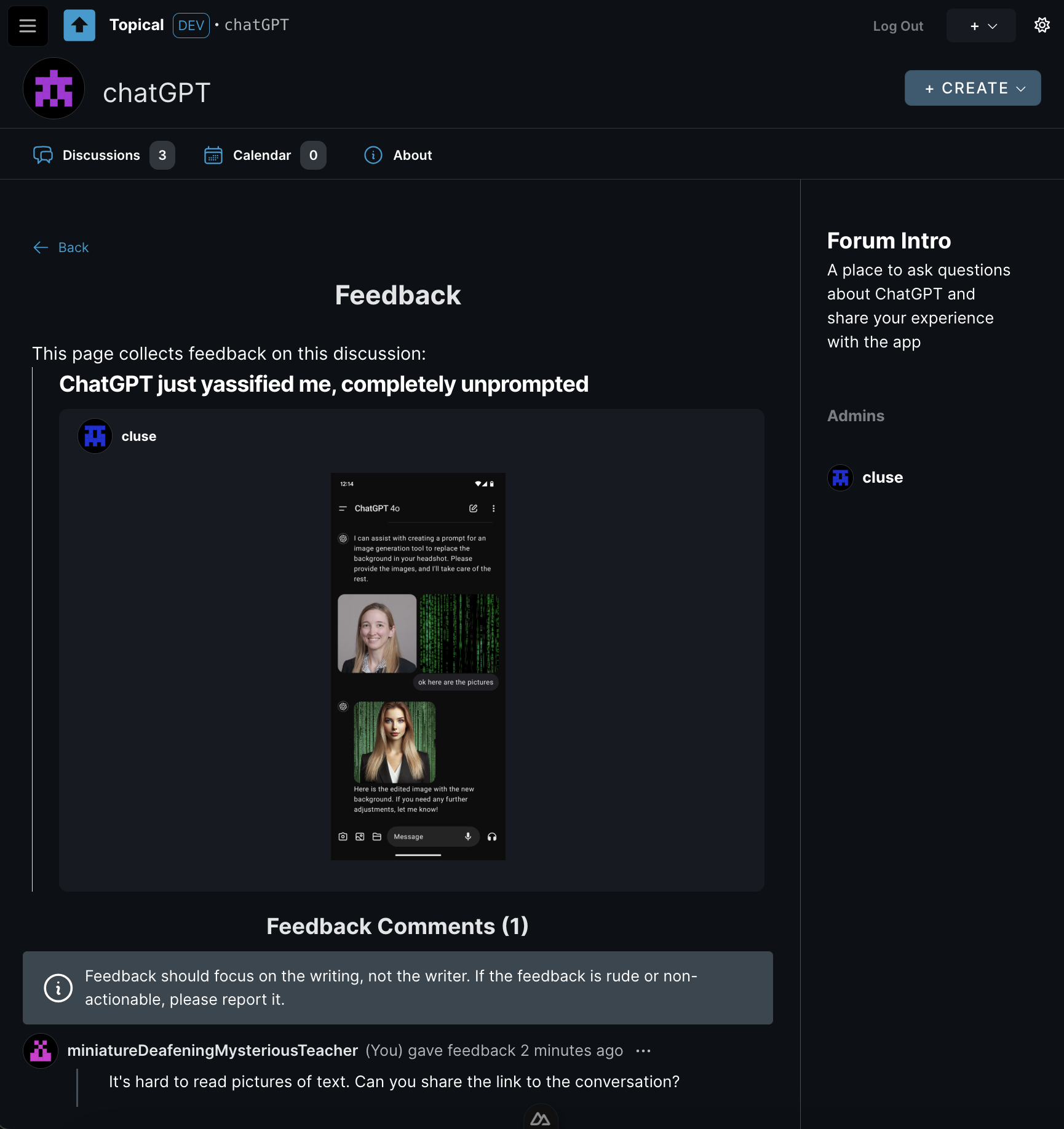
This way, if someone doesn’t like your post or comment, at least you’ll know why. The goal is to turn negative reactions into actionable advice.
This feedback is also public for increased accountability for the person who gave the feedback. Someone who is new to the forum might also benefit from seeing feedback on other people's posts because then they could learn from another person's good-faith mistake.
There are some aspects of this feature that are still unfinished:
- I haven't added any notifications yet, but the idea is that if someone gives feedback on your post, you will get a notification that says you got feedback, and it will link to the feedback page for your post. At that point you will be able to read the feedback or just ignore it.
- If feedback is rude or inflammatory, it will be able to be reported just like any other comment.
- Individual forums will be able to turn off the feature completely.
If the author made the mistake in good faith, the idea is that they'd edit their post based on the feedback, as opposed to just being left to wonder why people don't like their post.
Mod Profiles
To make feedback less personal and reduce the potential for conflict, feedback is attributed to a semi-anonymous mod profile. (It's semi-anonymous because you can recognize the same person posting multiple times; fully anonymous would mean you can't tell if it's the same person or a different person every time.) Every user has two identities:
- Regular Username: Used for normal participation.
- Mod Profile: A randomly generated identifier (e.g., “miniatureDeafeningMysteriousTeacher”) used for moderation actions, including giving feedback.
This serves two purposes:
- It allows the person receiving feedback to save face, as they won’t know who gave the feedback.
- It ensures accountability, as mod profiles have histories showing all feedback given and other moderation actions.
In the above example, a user named
aliceleft feedback. But because feedback is considered a moderation action, the feedback was tracked under her mod profile,miniatureDeafeningMysteriousTeacher. Here you can see all of alice's activity on her mod profile. From here it should be easy to detect any pattern of abuse. The mod profile is still in progress and it's still not perfect, but the idea is that each of these list items will link to the original context of her actions: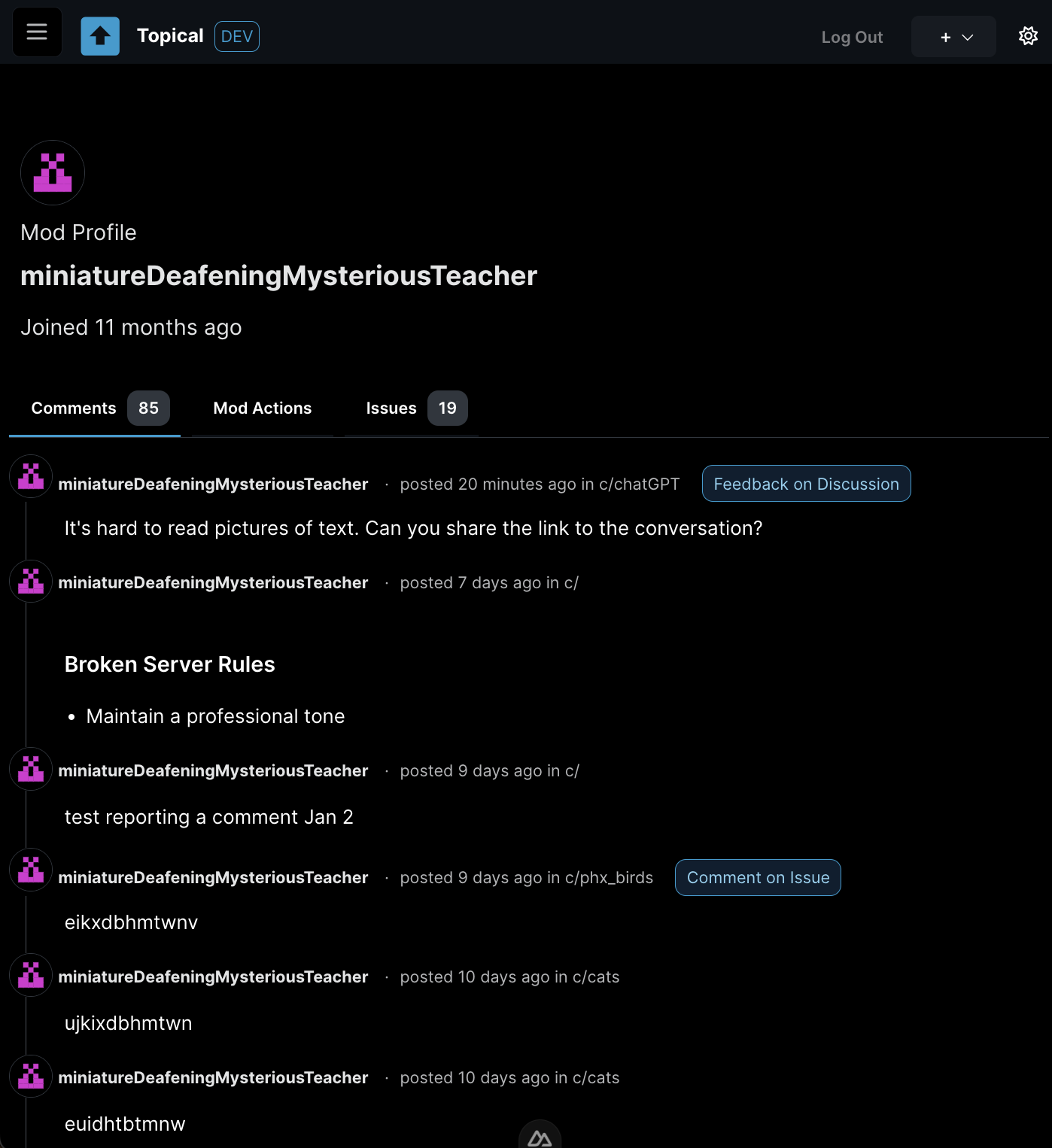
Feedback vs. Votes
Feedback is not tied to ranking or visibility. It’s a separate tool meant to help authors improve their contributions.
Why It Matters
This system is intended to encourage constructive communication. By replacing ambiguous downvotes with clear feedback, it's designed to to:
- Provide clarity and helpfulness.
- Reduce the misuse of negative interactions.
- Support authors in improving their posts and comments.
Multiforum - October Update
Catherine posted 2 years ago
I decided to migrate Multiforum from Vue to Nuxt so that I could learn more about server-side rendering while also making it easier to take advantage of the SEO features of Nuxt down the road. The migration took most of October but it's nearly done.
I took a break from the migration at some points to improve the UI. There are enhancements to the layout for event search and for filtering by forums.
Here's the new event search layout with the filters on top instead of on the left:
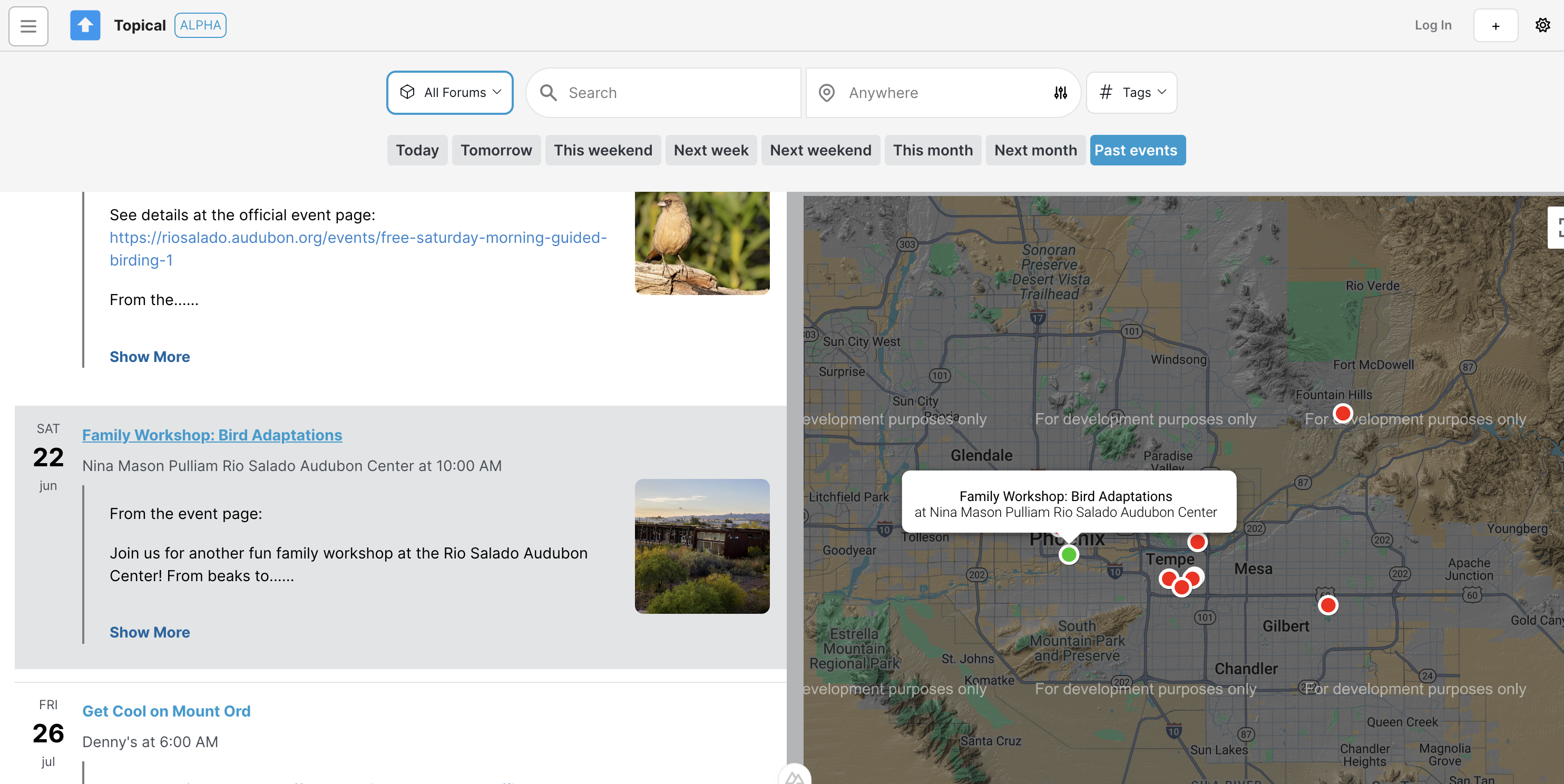
I like this arrangement more as it looks more symmetrical, so it's more aesthetically pleasing and has better glanceability; I think this makes it easier to understand the search and filtering functionality at first glance. Putting the forum picker on the left of the search bar helps it become more prominent, which is important because on this platform, everything is organized into forums.
I also improved the forum picker. Before, you couldn't search it and if there were many forums in the platforms, it looked too disorganized and huge.
Before
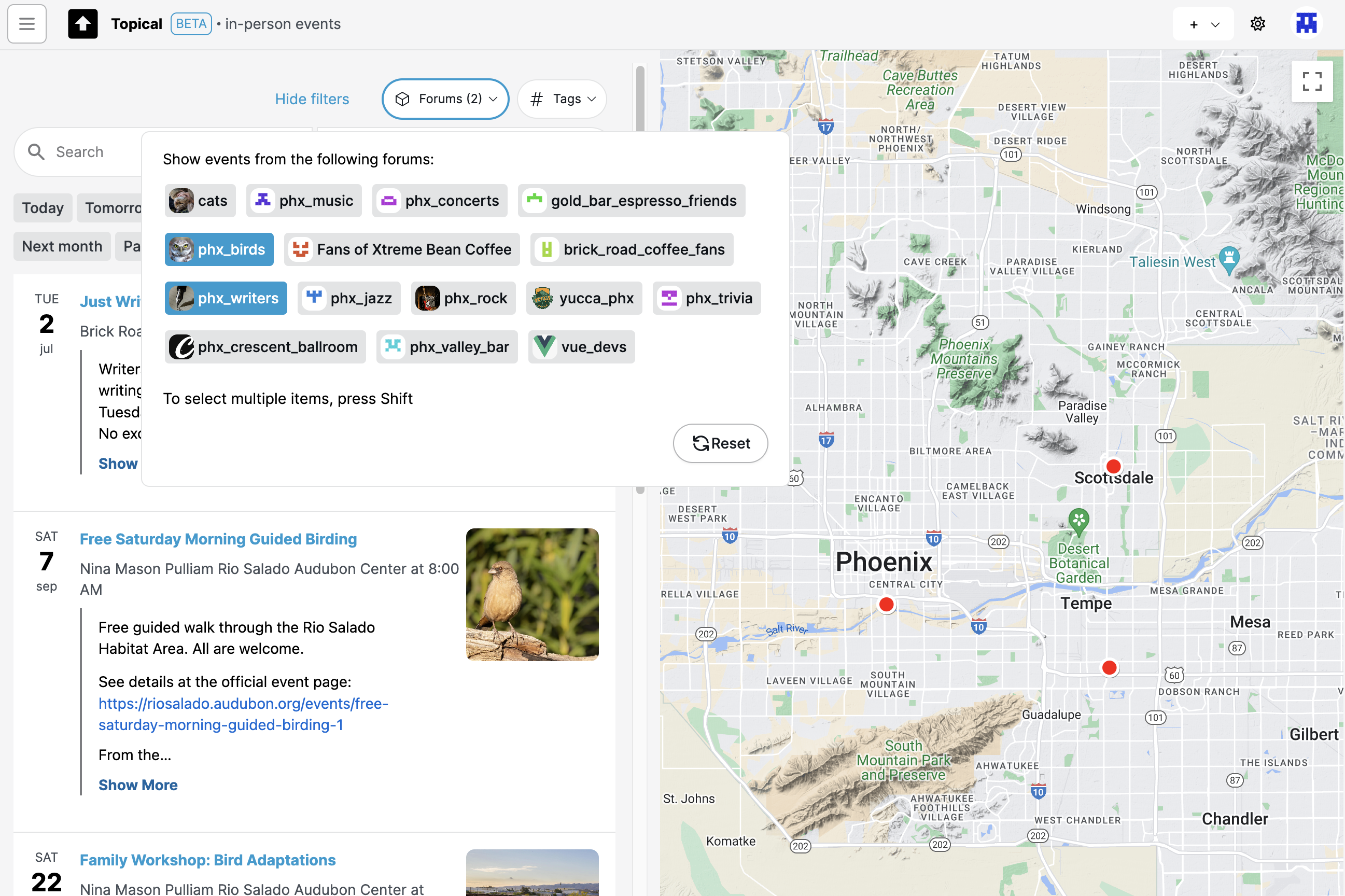
After
The new version lets you search the forum picker to filter down the options and select one or multiple forums with check boxes:
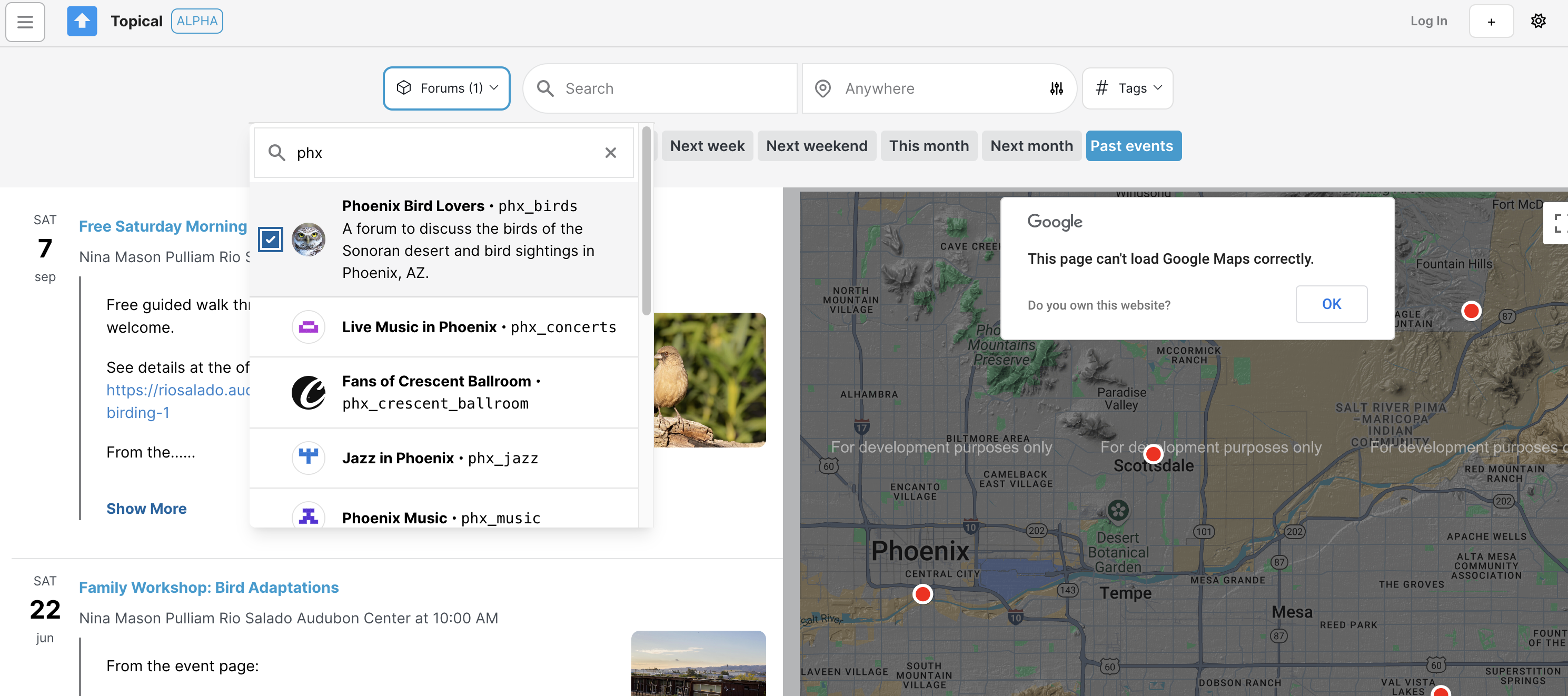
As soon as I finish the Nuxt migration these changes will be live.
About Multiforum
Catherine posted 2 years ago
This is a work in progress that intended to be an open-source, self-hosted platform that lets you host multiple forums.
Each forum has two sections, a discussion section and a calendar. In the discussion section, content can be upvoted so that the best content rises to the top. In the event section, anyone can post an event that participants in the community may be interested in.
Events can be submitted to multiple forums to increase visibility of them and help promote them. The same can be done with text-based discussion posts.
To solve the problem where you're bored on the weekend but you don't know what to do in your area, events can be searched across multiple forums based on location, tags and keyword. Screenshots are below.
When the project is finished, I will add documentation so that anyone can deploy their own Multiforum with custom branding.
Technology Stack
On the backend (https://github.com/gennit-project/multiforum-backend), an Apollo server fetches data from the database (a graph database, Neo4j). Some resolvers are auto-generated using the Neo4j graphql library, while more complex resolvers are implemented using a combination of the OGM and custom Cypher queries.
The frontend is a Vue application that makes GraphQL queries to the Apollo server.
Video Demo of Multiforum
Catherine posted 2 years ago
I made a video walkthrough of Multiforum to explain the project in a problem-and-solution format.
(If I was making a video demo of my project for general purposes, the video would have been two minutes, not 18 minutes. I recorded this because I was applying for a job and they told me they wouldn't consider my application unless I sent them a project demo video first. They rejected my application. But I thought I did a pretty good job of explaining the project here, so I've added it here, just in case something good comes out of it.)
Multiforum Demo Part 2: Discussions
Catherine posted 2 years ago
Welcome back! In this second part of my post, I'm diving into the discussion features within forums. Forums can host both events and discussions, making them ideal for communities that would like to have one foot in the real world and one foot in the online world.
Let's take a look at how these discussion features work. Below, you'll find some screenshots that show the discussion detail pages, discussion lists, and forums that might focus solely on discussions without any events.
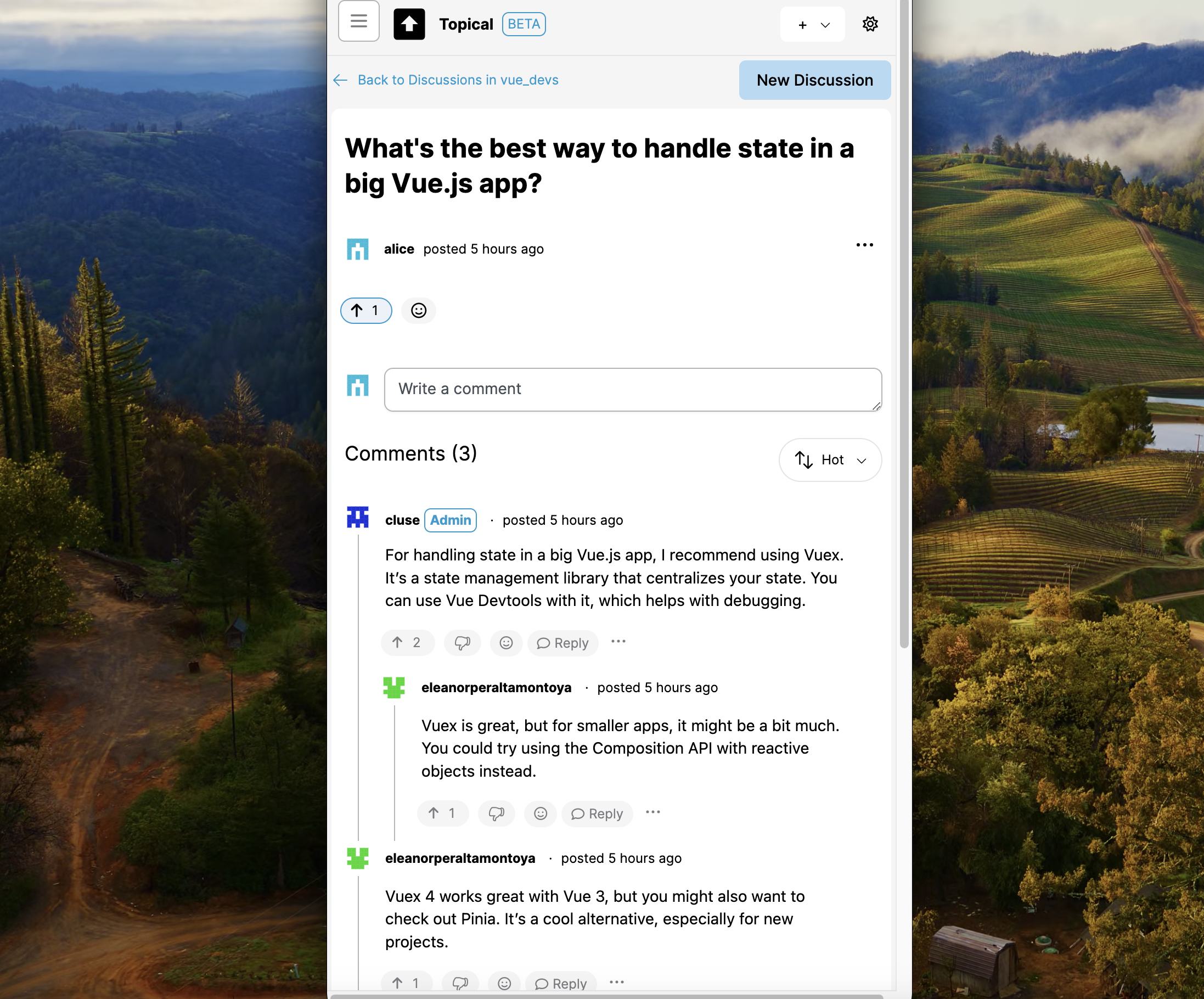
A birdwatching forum is an example of a forum that could make use of both in-person events and online discussions with people who may never attend any events. For example, someone who takes a picture of an unfamiliar bird in Phoenix might ask the Phoenix birdwatchers what it is. That's when the Discussions tab within a forum would come in handy:
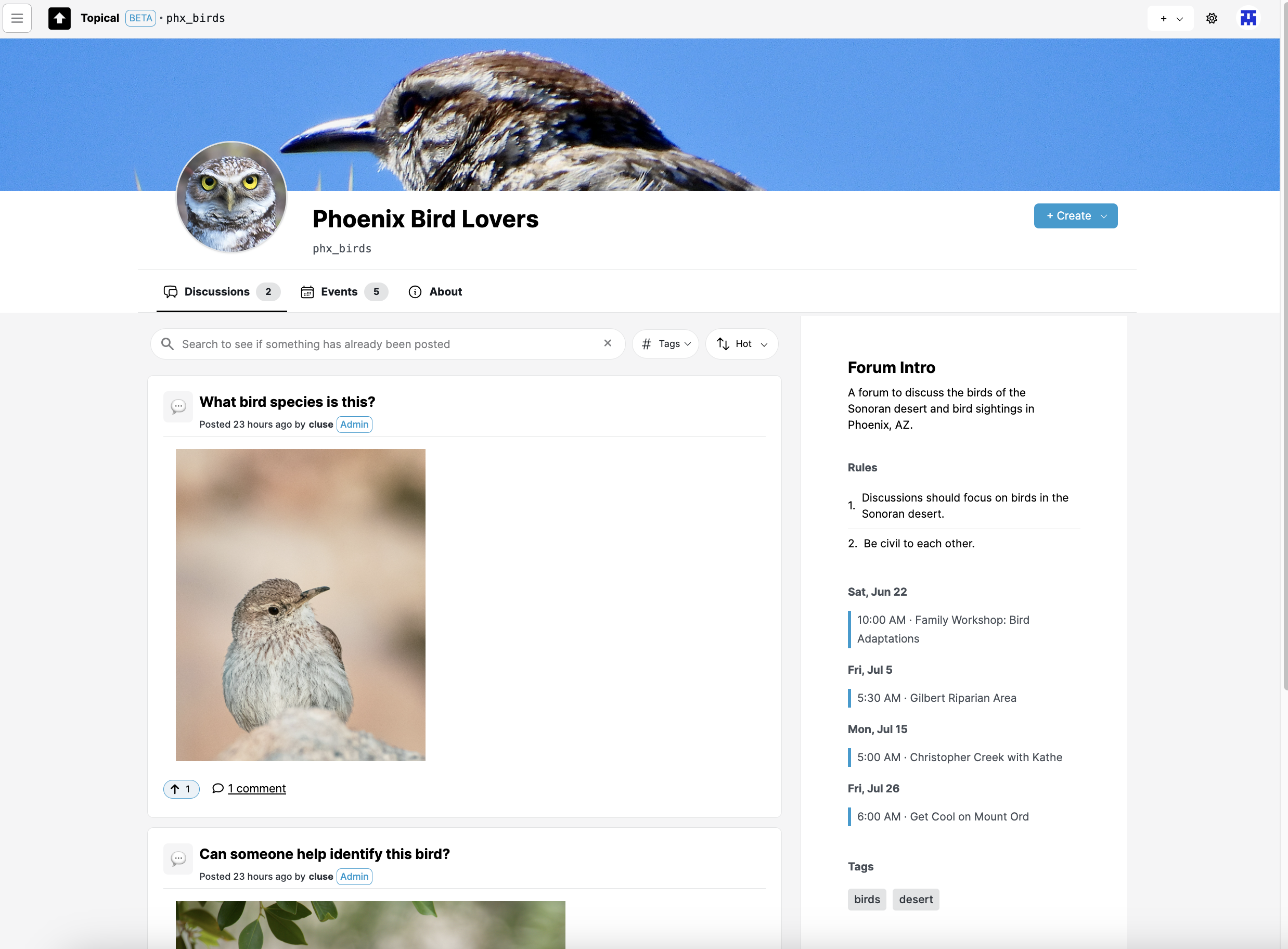
If you click an item in the discussion list, it goes to the discussion detail view, which contains the comments. In the case of a birdwatching group, maybe there's a comment identifying the bird:
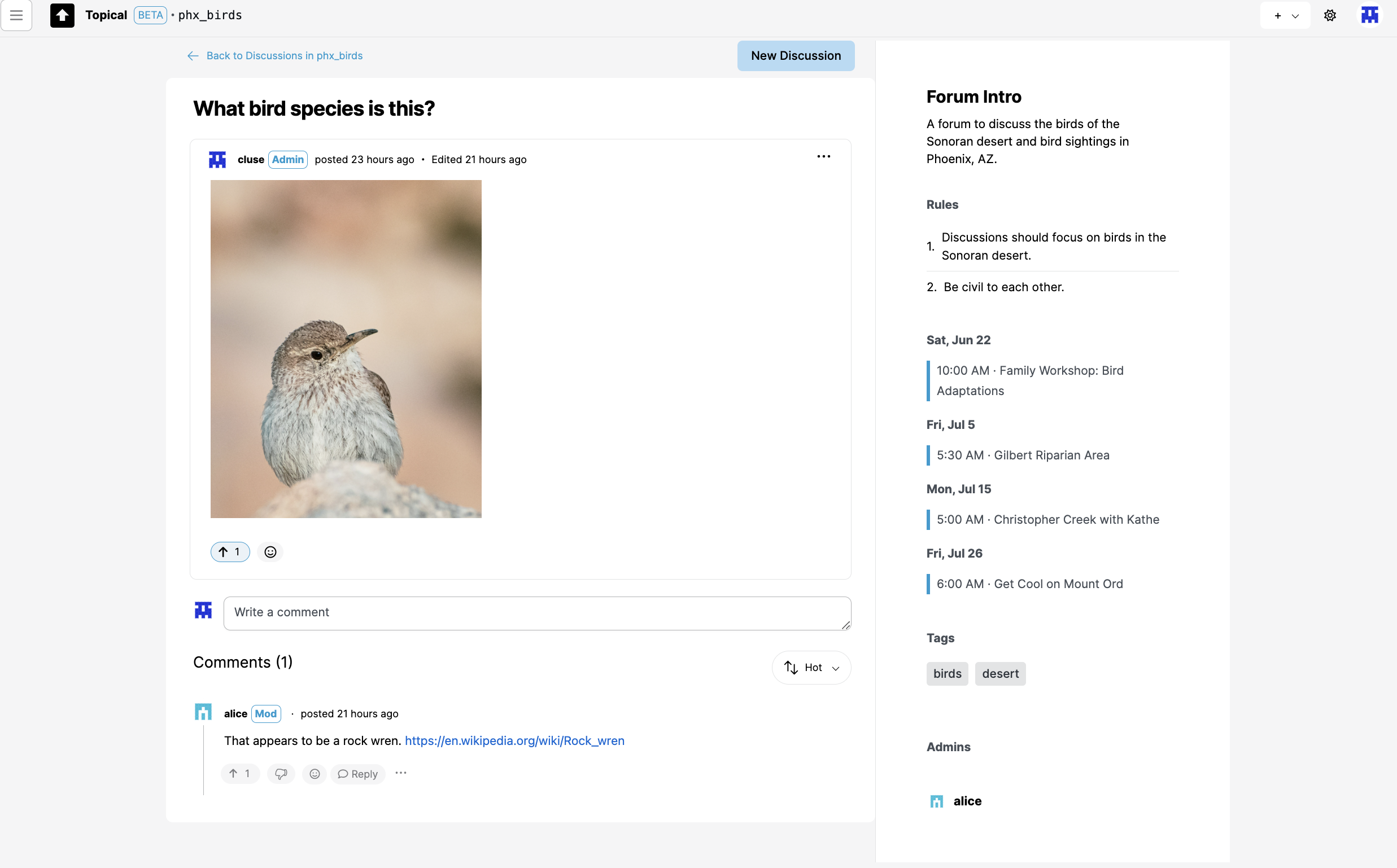
Forum without any events
Events are optional for forums. I intend to make it possible for a forum to turn off the events tab. The Discussions tab is the main landing page, especially for forums that could be focused on technical questions and answers, which would have no need for events:
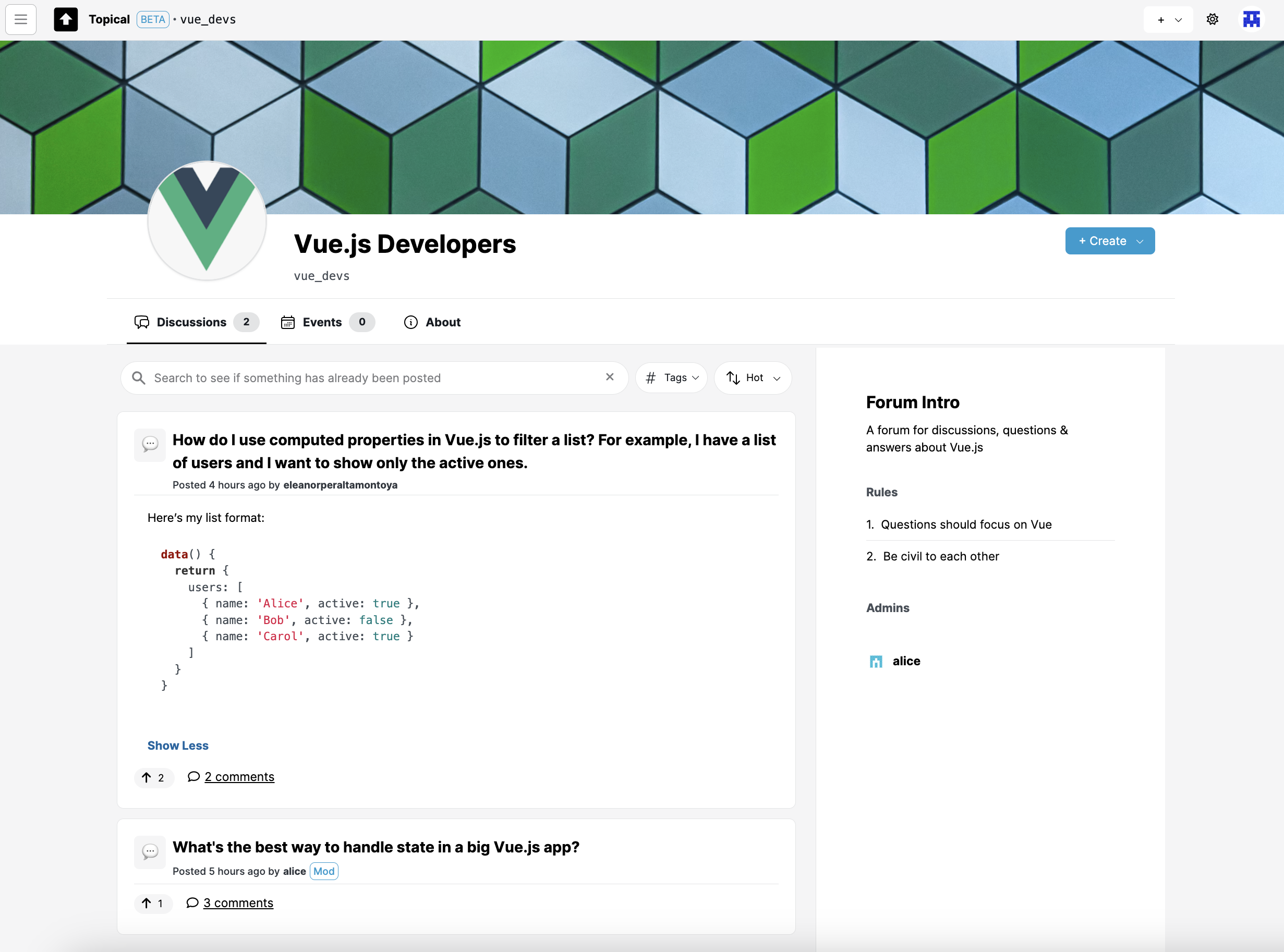
Discussion list views within a forum
Here's the discussion list within a single forum, at mobile width:
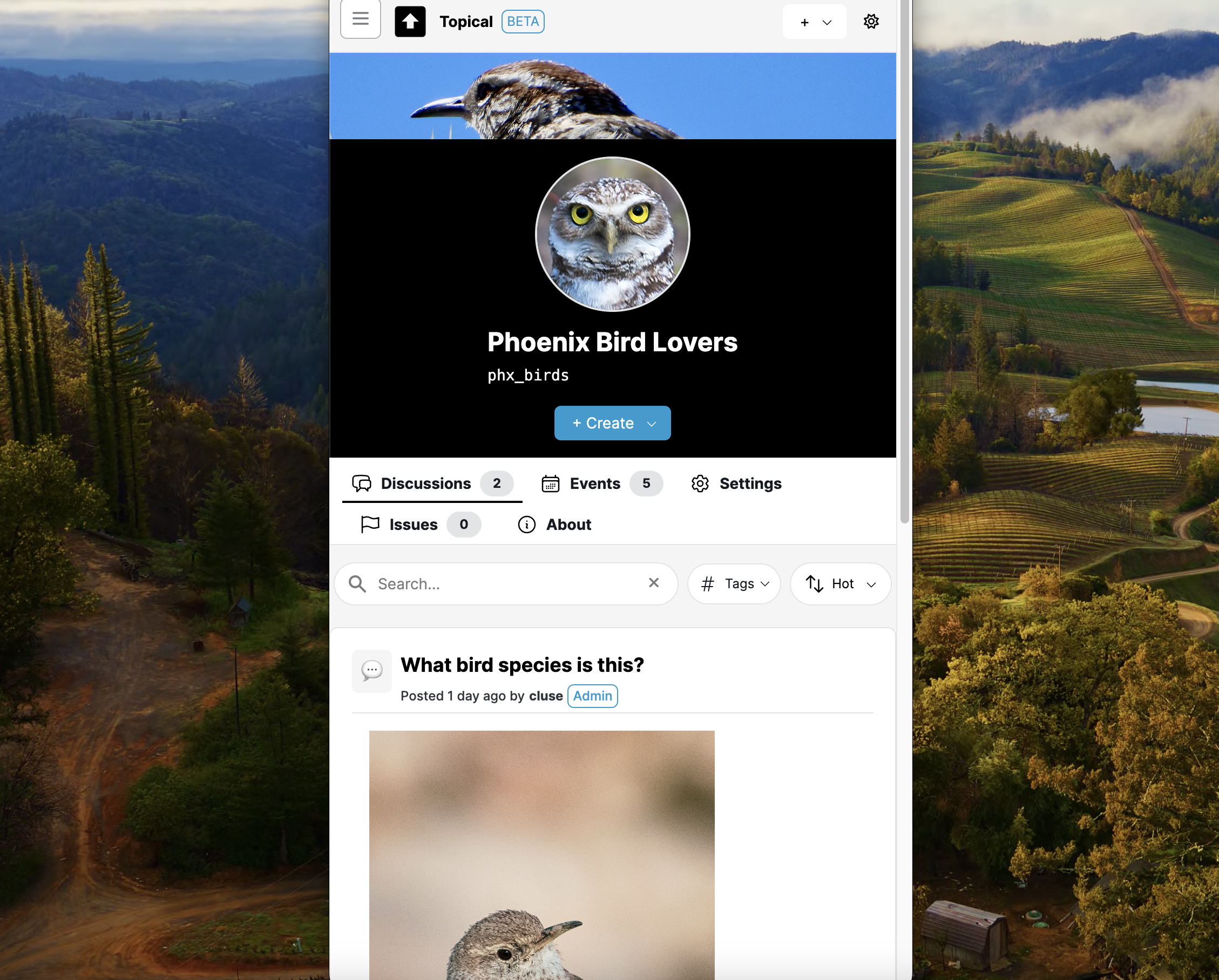
Here's another example of a discussion list view at mobile width:
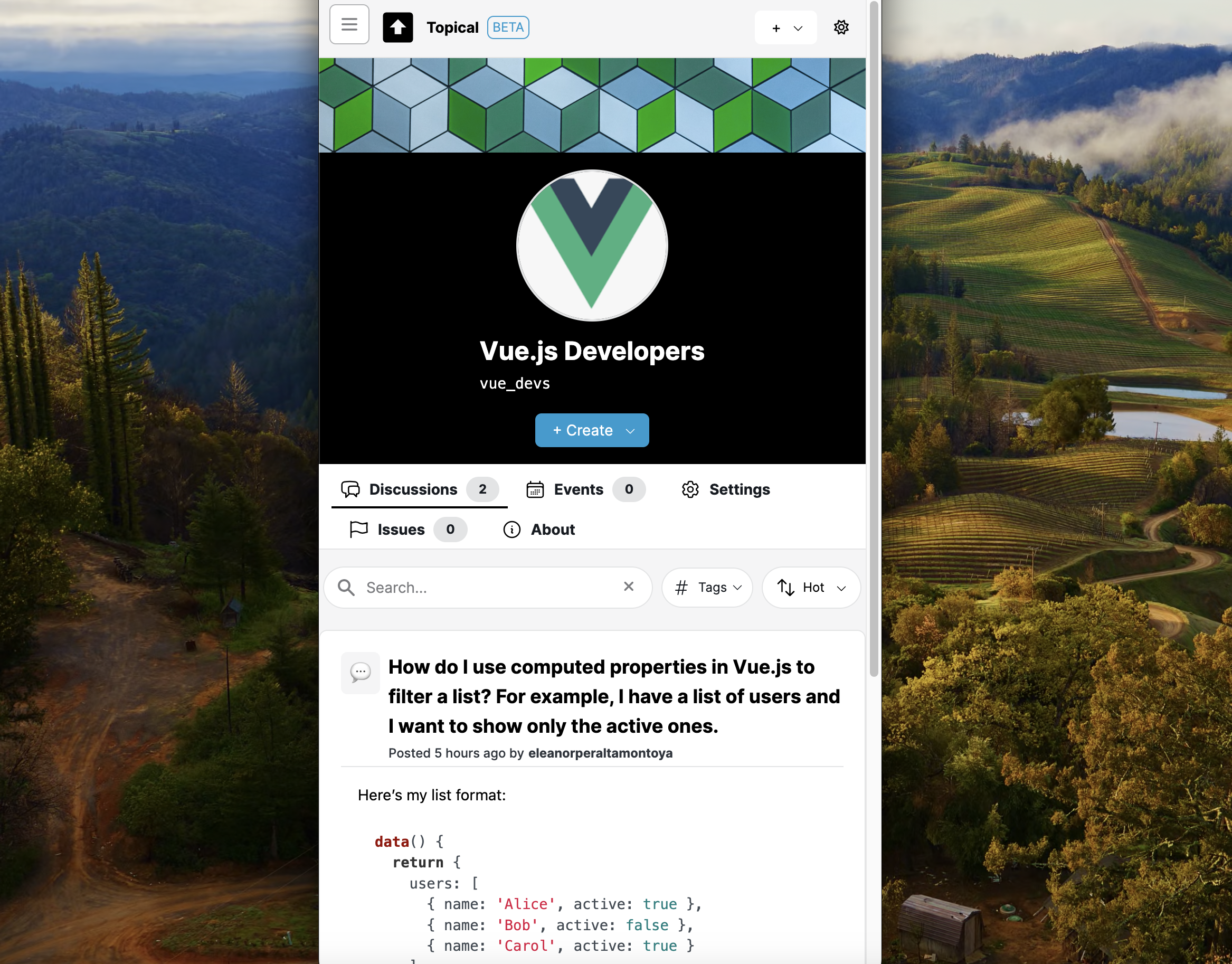
This screenshot shows how a discussion detail page looks at mobile width:
Multiforum Demo Part 3: Event Search
Catherine posted 2 years ago
Anyone can post events on the platform, with a title, description, and address. If you include an address, the event will show up on a map so you can see what's happening nearby. There are also features for filtering events by time and forum, highlighting events on the map, and viewing detailed information about each event. My goal was to make it simple and effective for everyone to find and share local events.
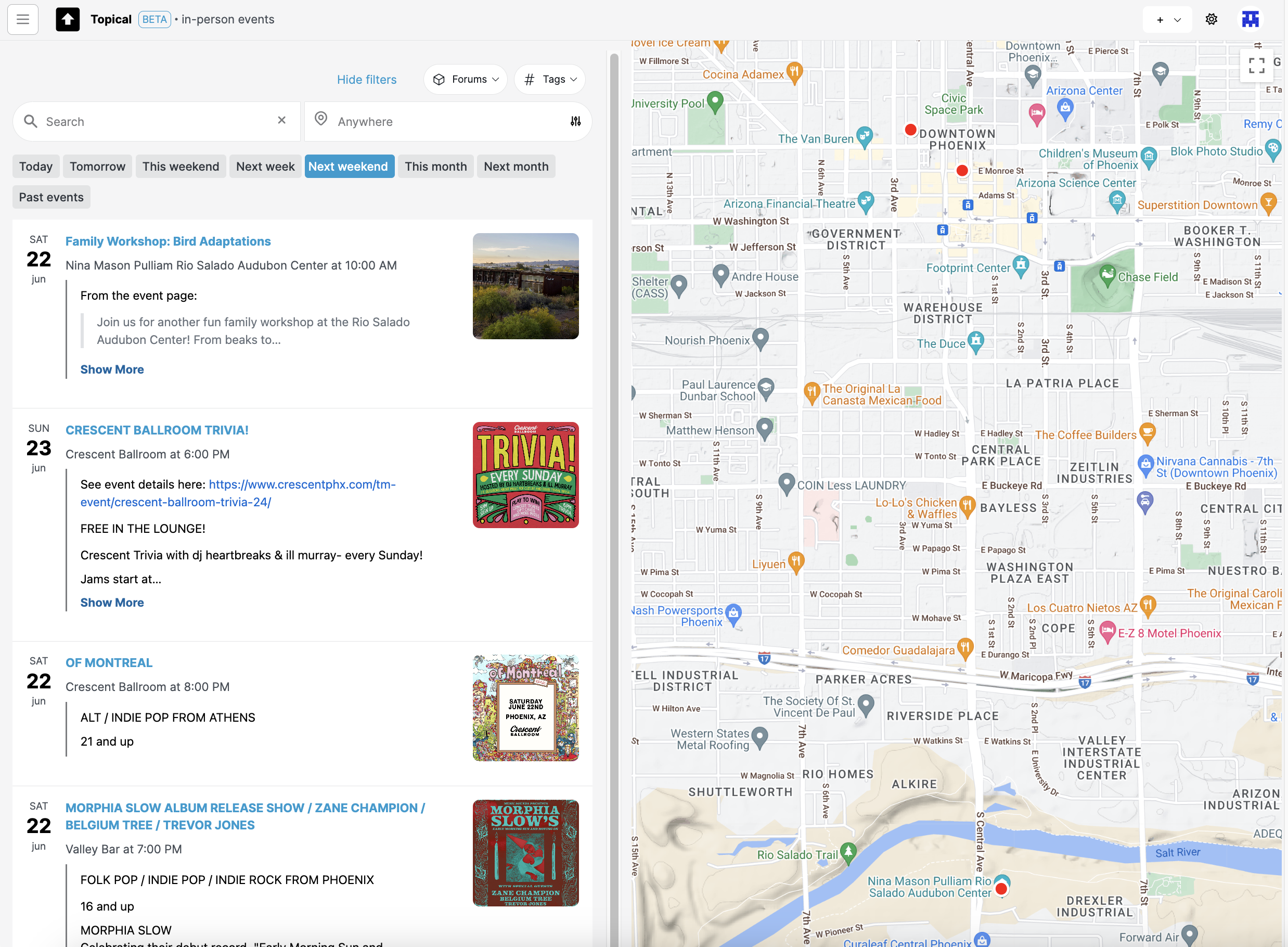
Note: The above screenshot shows how it looks if you filter all in-person events by 'next weekend.' If today is during the week of Monday, June 17, then the events are filtered to show events on Saturday the 22nd and Sunday the 23rd:
In this blog post, I'll show you the different features of the tool with some screenshots. It's still a work on progress, but I plan to host it soon. Until it's hosted, hopefully this walkthrough can give you a good idea of how my project can be used to discover and share events.
Highlighting events on the map
If you mouse over an event list item or map marker, an info window pops up on the map and the list item is also highlighted. This is supposed to make it easier to draw a connection between the two:
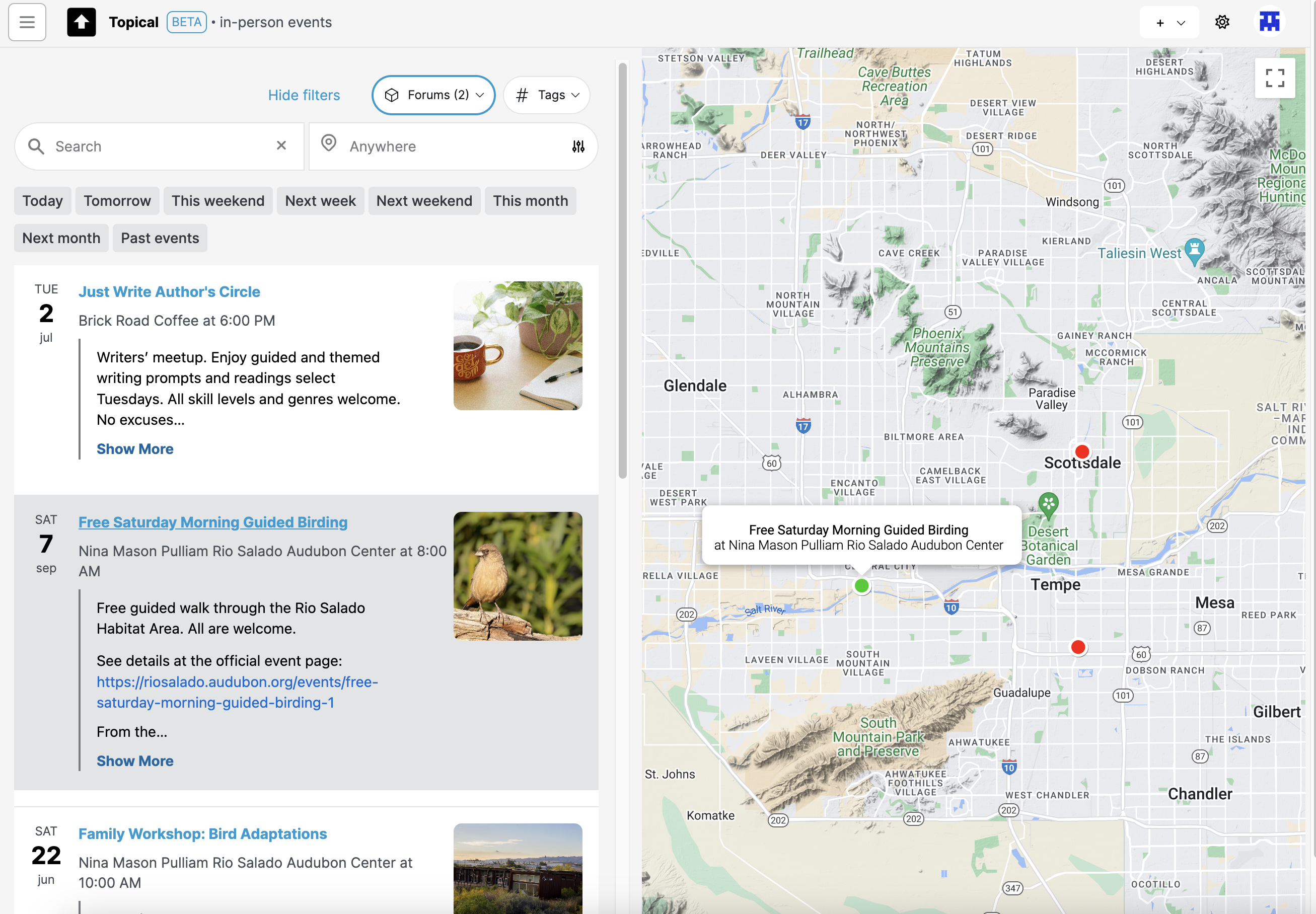
Here's another example showing what happens if you hover over an event in the map view:
Filtering the map by forums
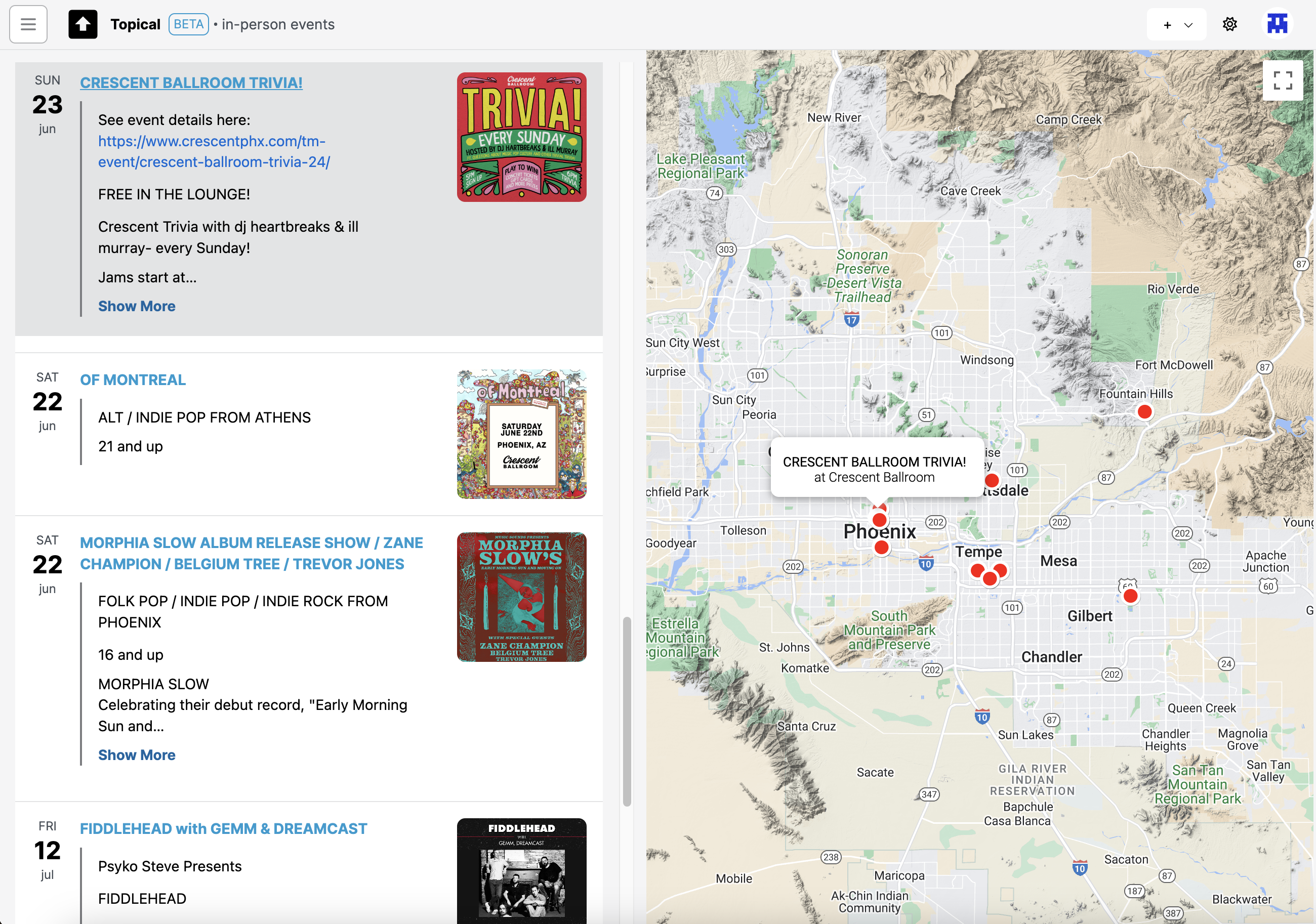
If I'm only interested in events from a few specific forums, I filter the map by those forums:
Note: The above component for selecting forums is unwieldy and I'll be replacing it with something more compact.
The resulting event list is now filtered by the two forums I selected - the writers group and the birdwatching one. All of the concerts are no longer in the list and their map markers are no longer on the map:
Clicking forum name in event drawer
If you're looking at events from the map view, and you click on one, the details will show up in a drawer:

In that drawer you can see what forums that event was submitted to. If you click the forum name it will take you to the event page in the context of that forum:
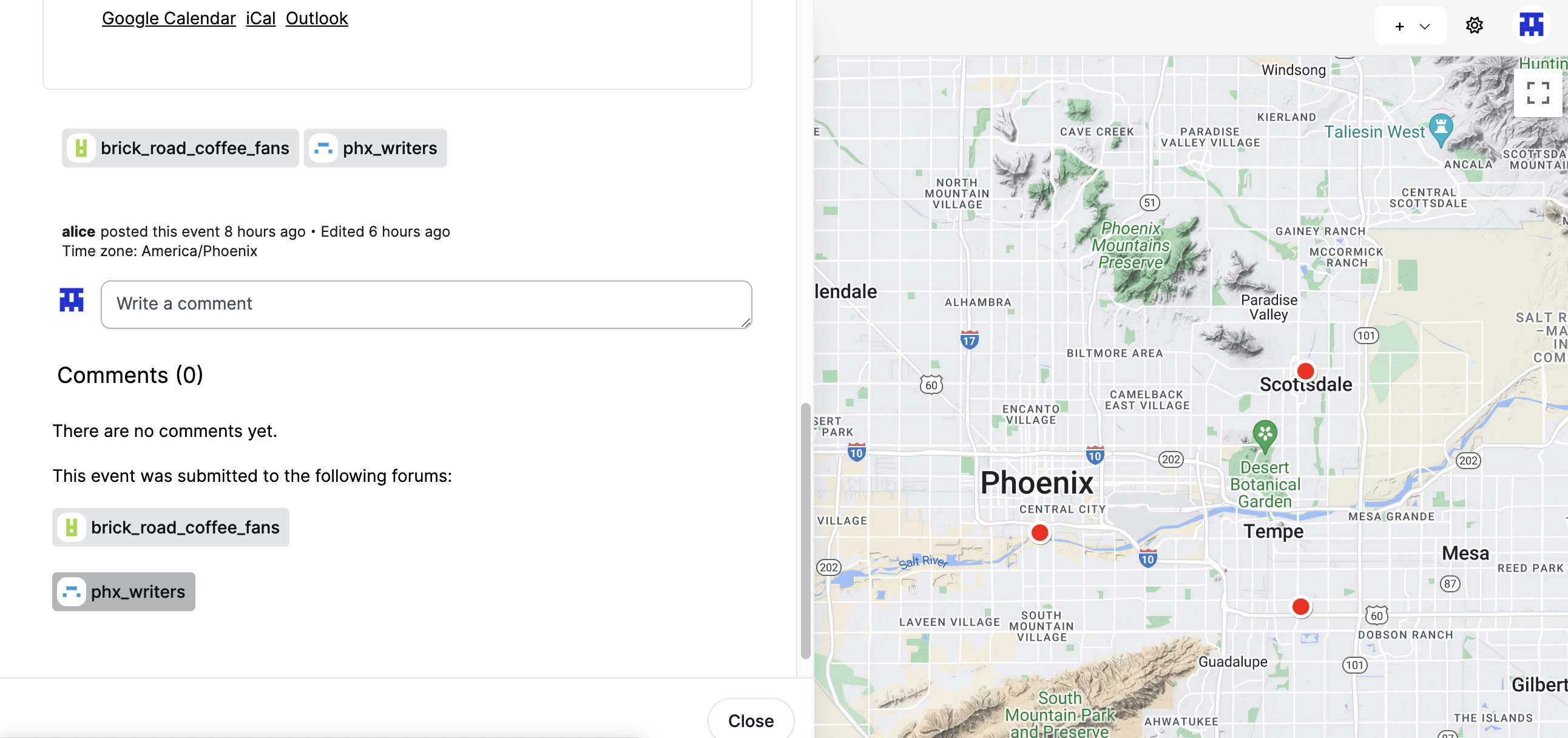
Screenshots of event detail pages within a forum are below.
Multiple events at the same location
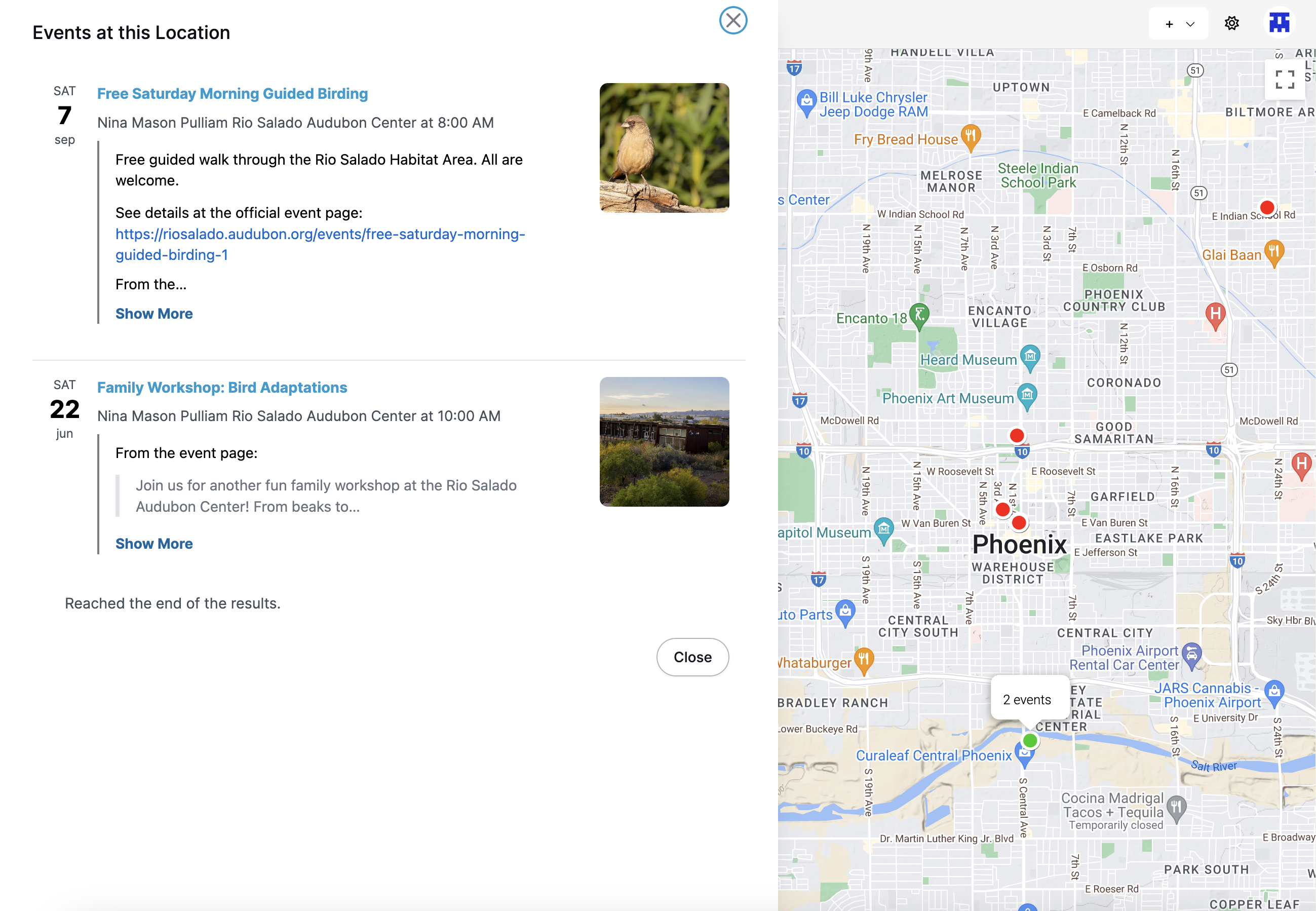
Some map markers indicate that there are multiple events at the same location. If you click that, you can see the list of events that are taking place there at different times:
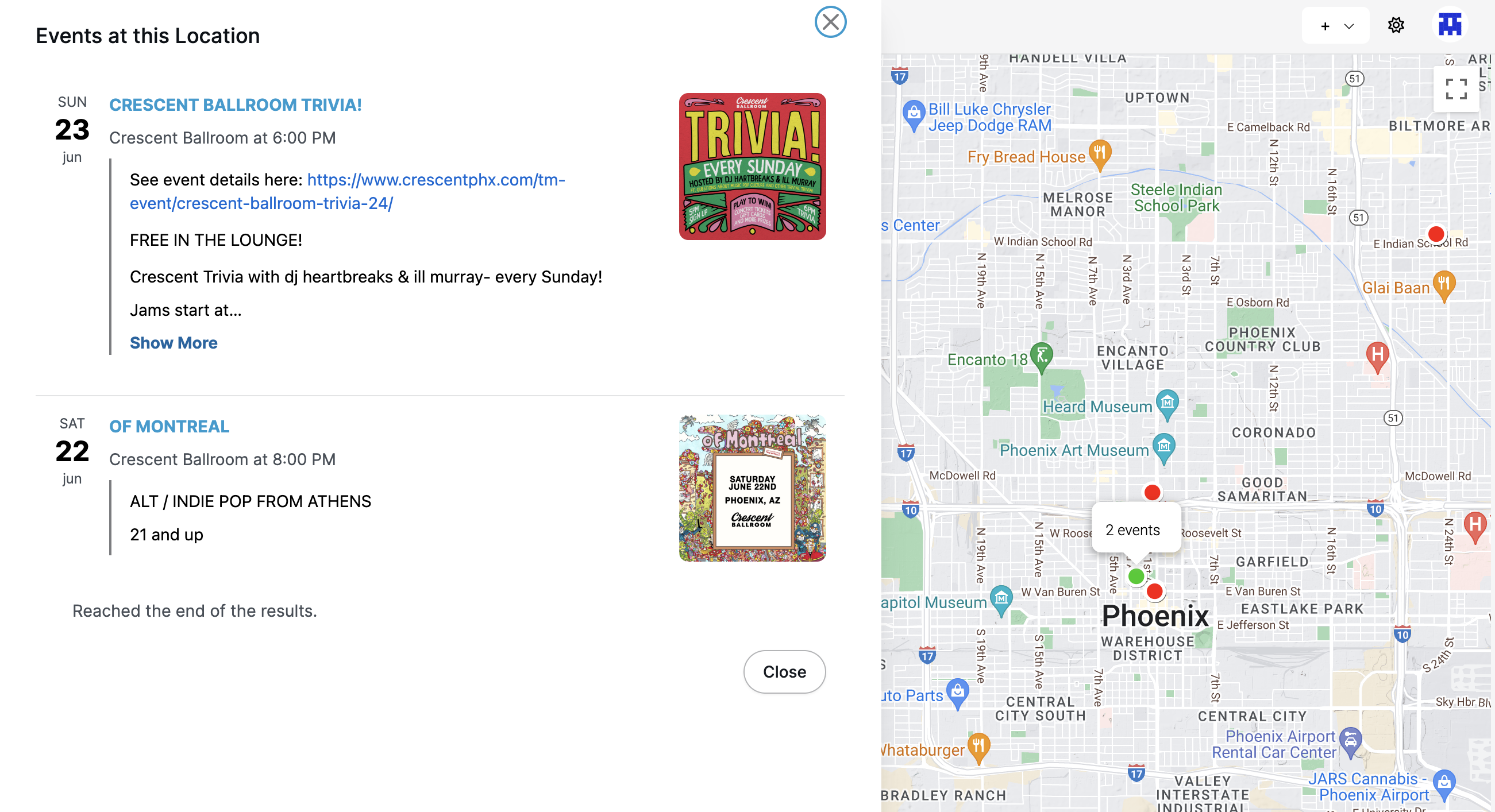
Here's another example of how it looks when you click on a location with multiple events. In this case, the events are both at the same concert venue, Crescent Ballroom:
Clicking a single event
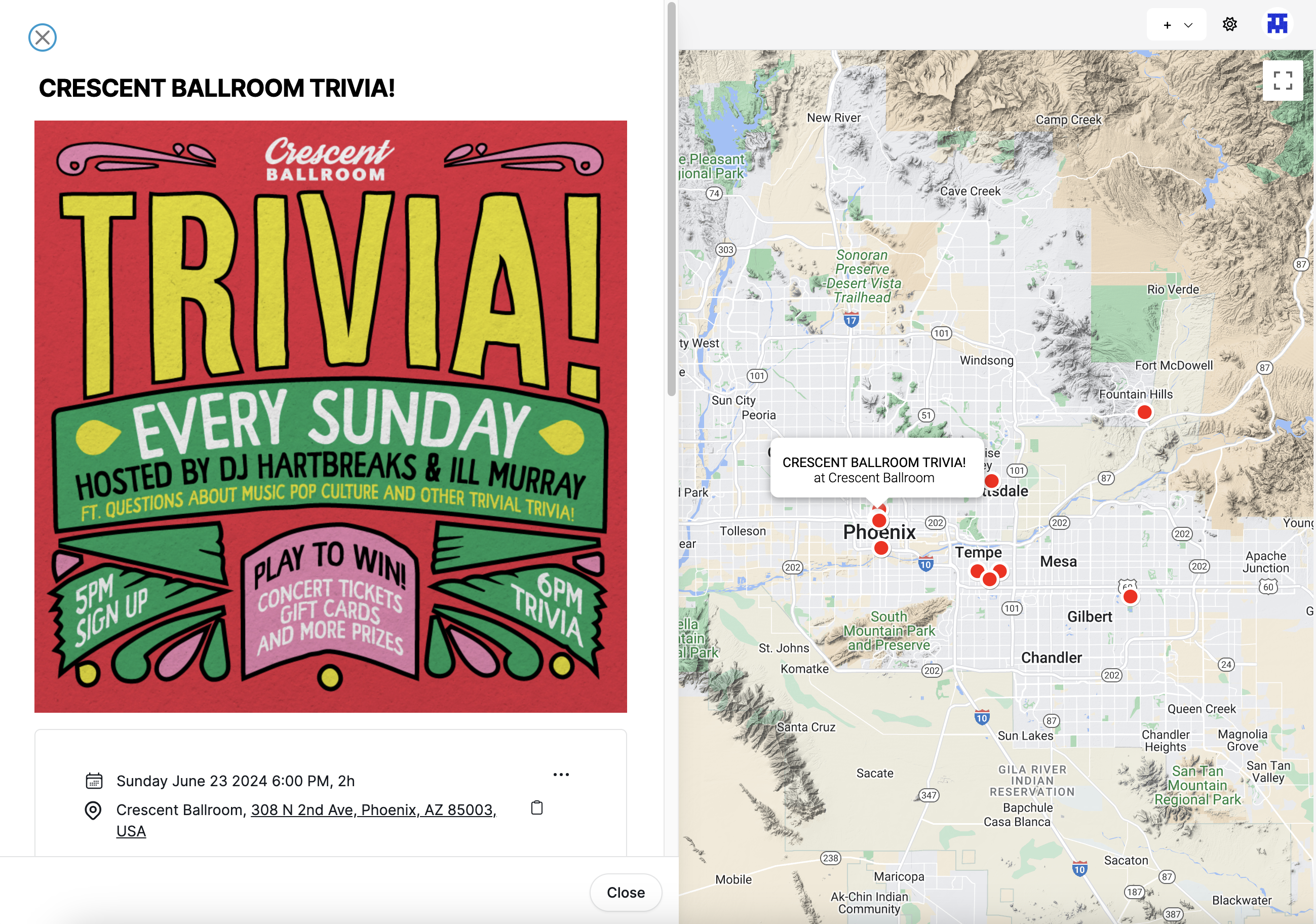
If you click on an event list item or map marker for a single event, the details of that event show in a drawer (the drawer also contains permanent links to the event's detail page, useful for sharing event details):
Event list within a forum
Each forum can have its own list of upcoming events. In this example, a forum about rock music in Phoenix is promoting events at multiple venues. Meanwhile, the forum sidebar shows the handful of events which are coming up the soonest, so that they are visible even when the Discussions tab is active:
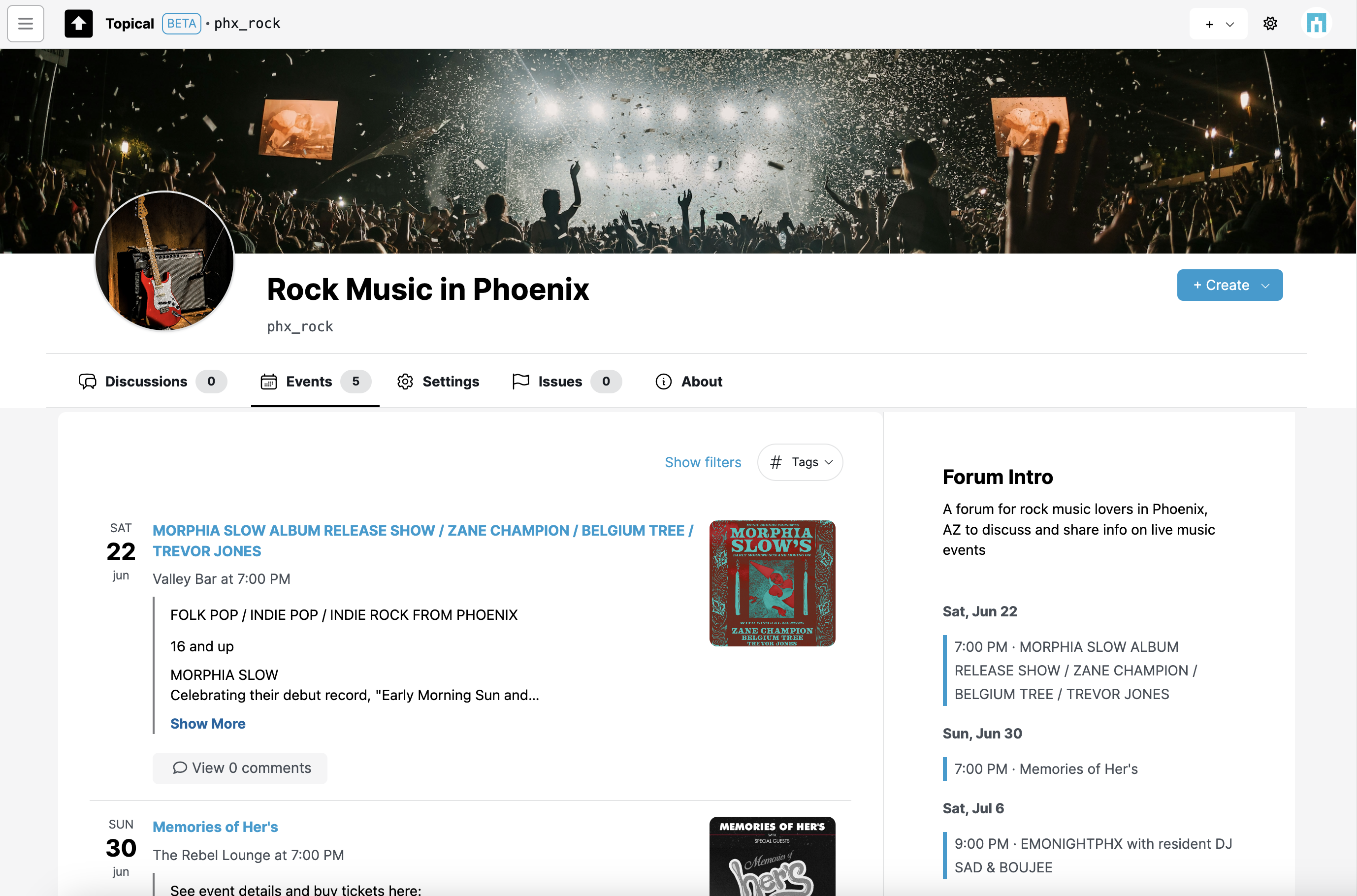
In this particular example, hypothetically, the venues may host a variety of events in multiple musical genres but these particular ones would be of interest to people who like rock music. So in that way, the forum can be used as a way to organize public information about events and promote them to the people who find them most relevant.
(The screenshots may not show the best examples. Morphia Slow categorizes herself as "Folk-Murder-Pop", but you get the idea.)
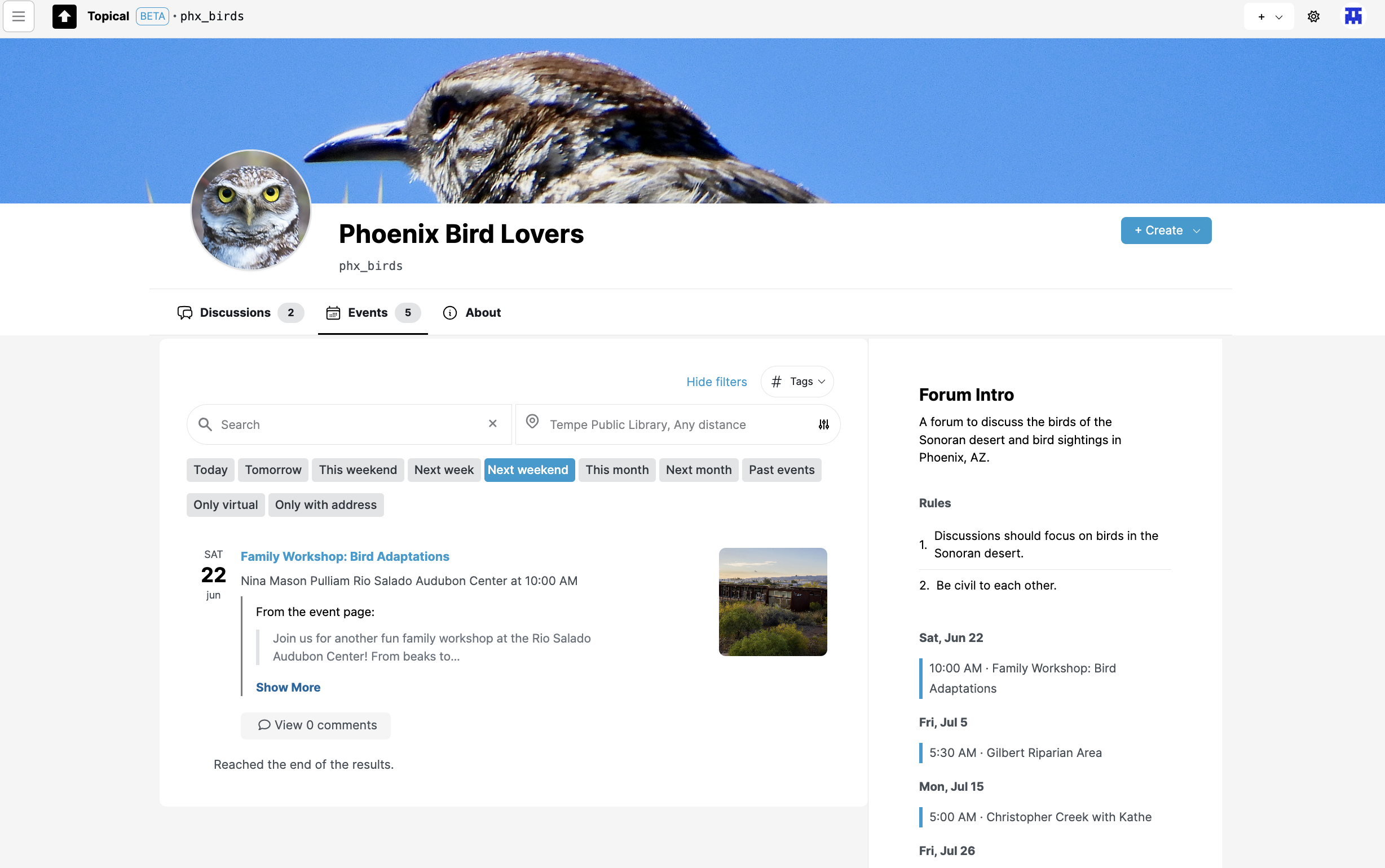
Events can be filtered within a forum. This screenshot shows how it looks when events in "Phoenix Bird Lovers" are filtered to show only events next weekend:
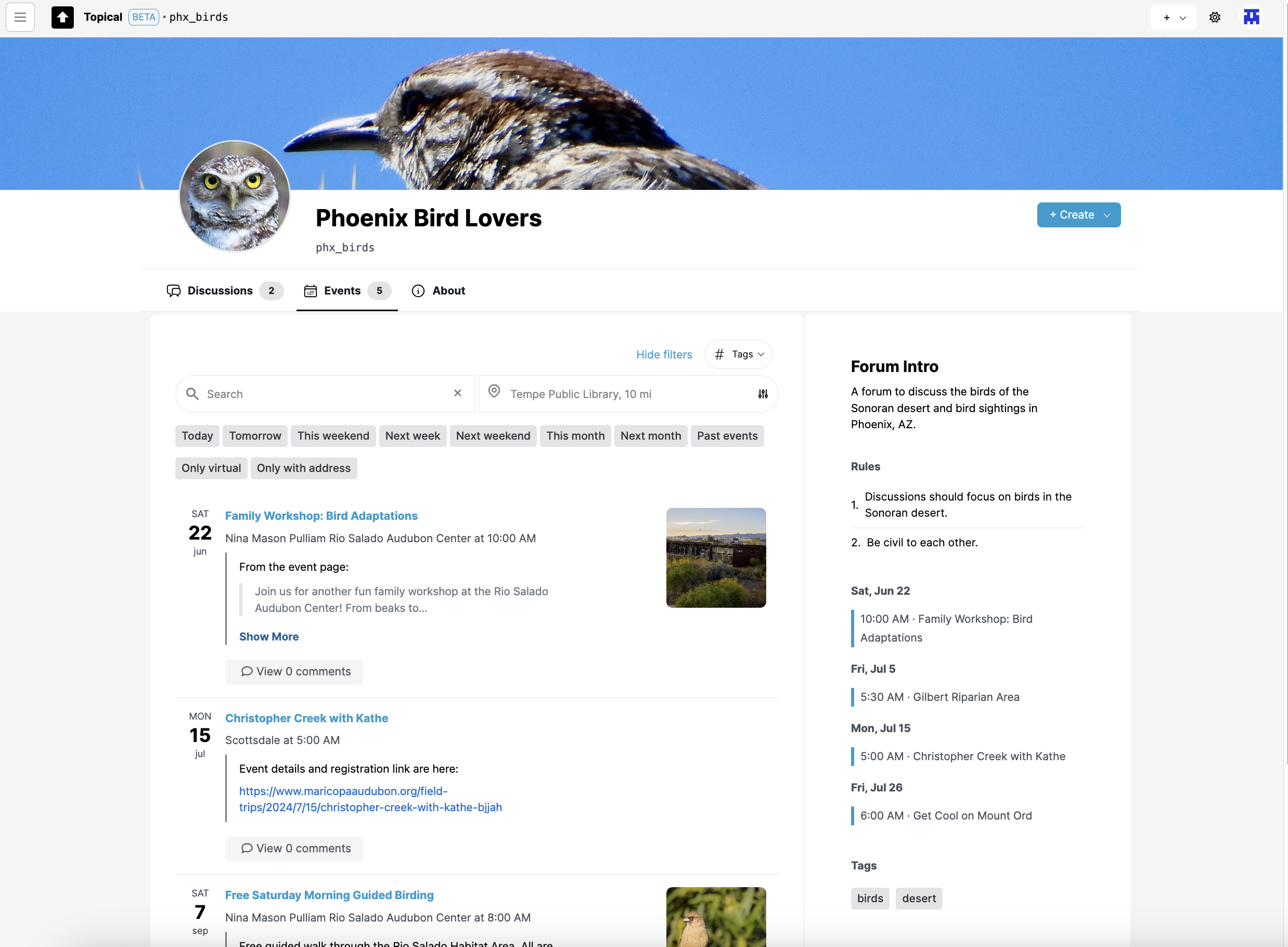
Here are the events filtered by location. In this case they are filtered to show events within 10 miles of Tempe:
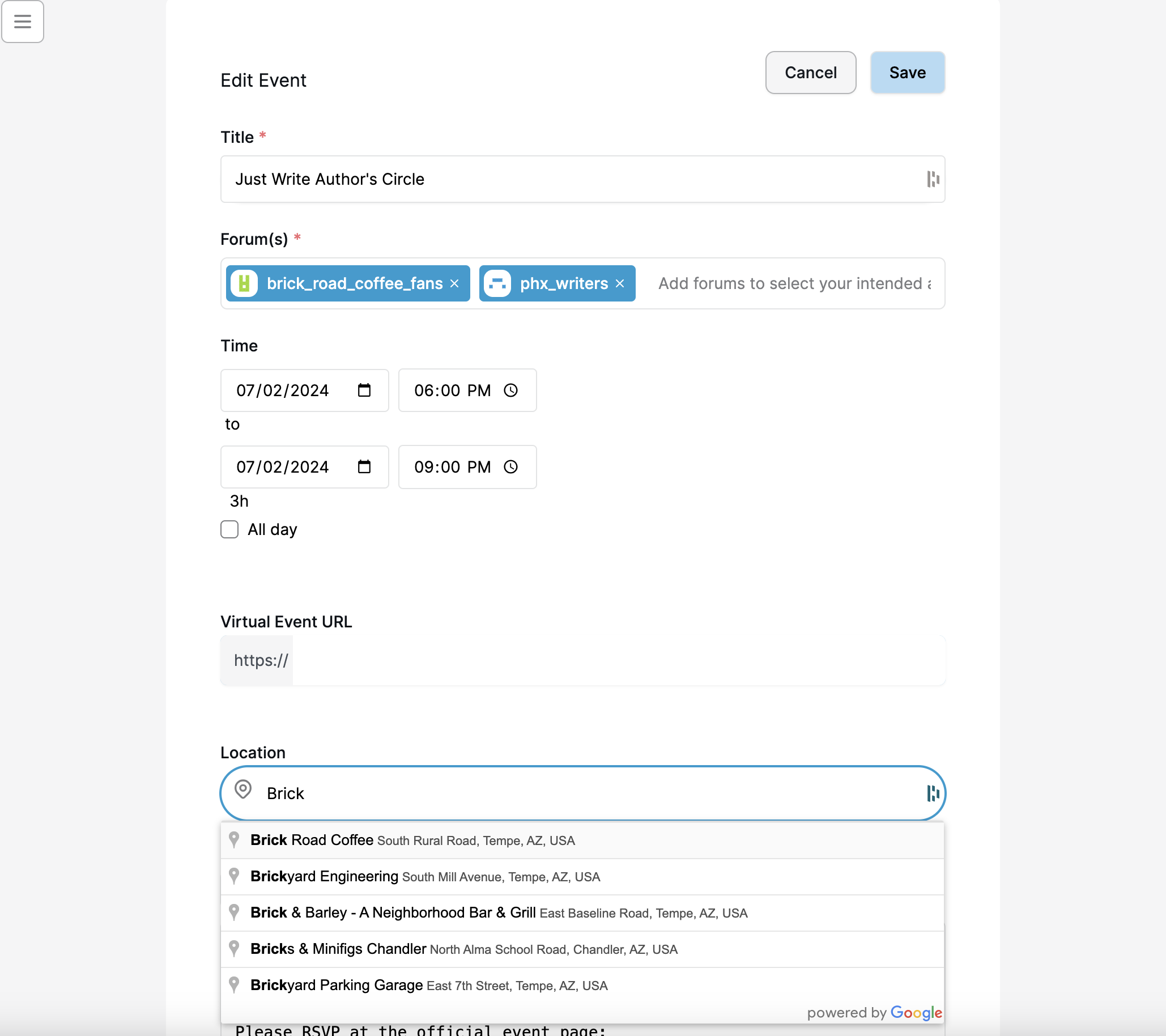
Submitting an event to forums
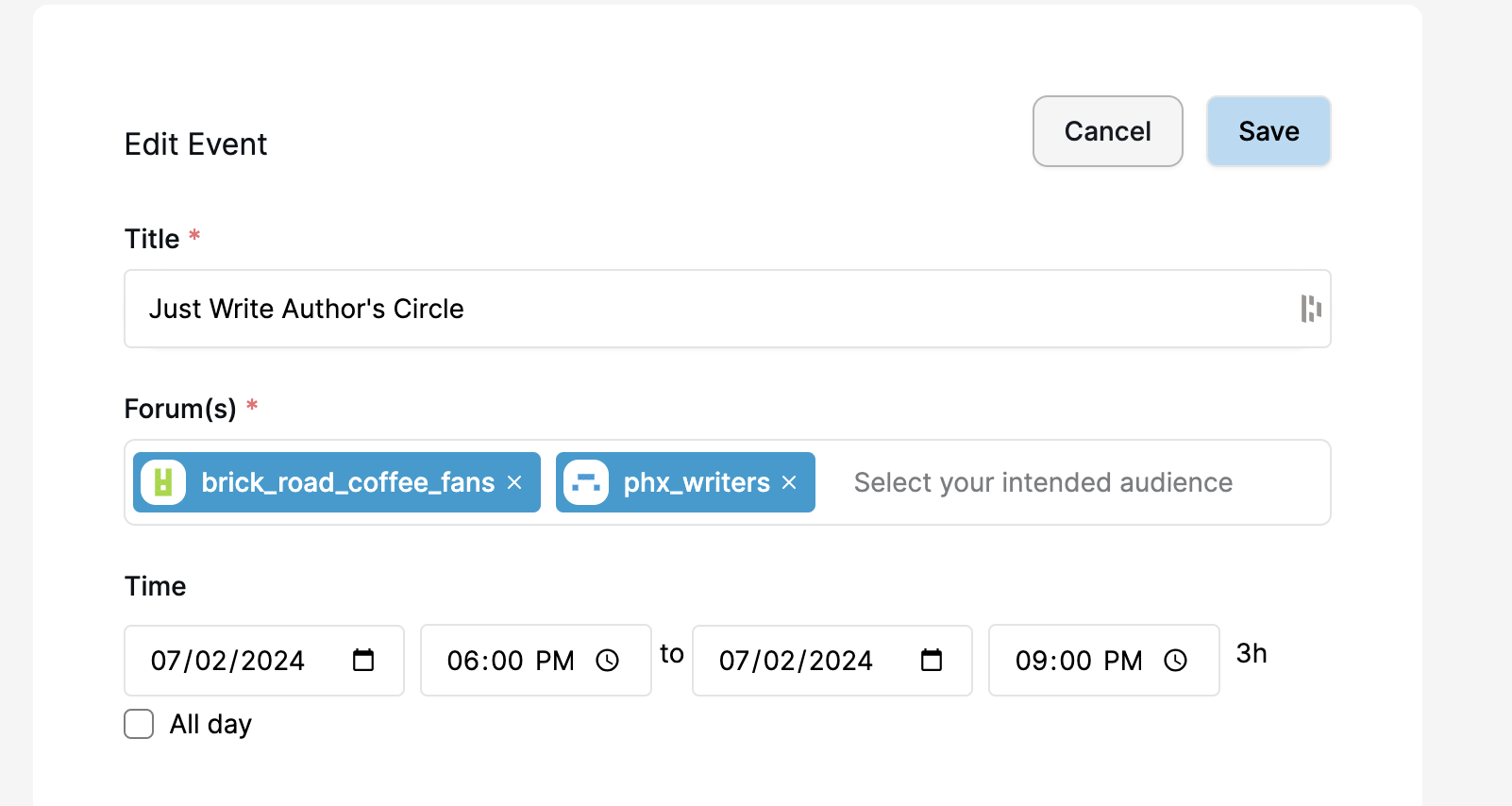
You can share an event to one or more forums. In a typical use case, you would link to an official event page with the full details and information about how to buy tickets, if applicable.
Submitting an event to multiple forums is a good way to increase the visibility of the event. This one will now be visible in the context of both of the selected forums:
If you add an address, the event will be discoverable from the sitewide event search page (the map view):
Screenshots - Mobile width
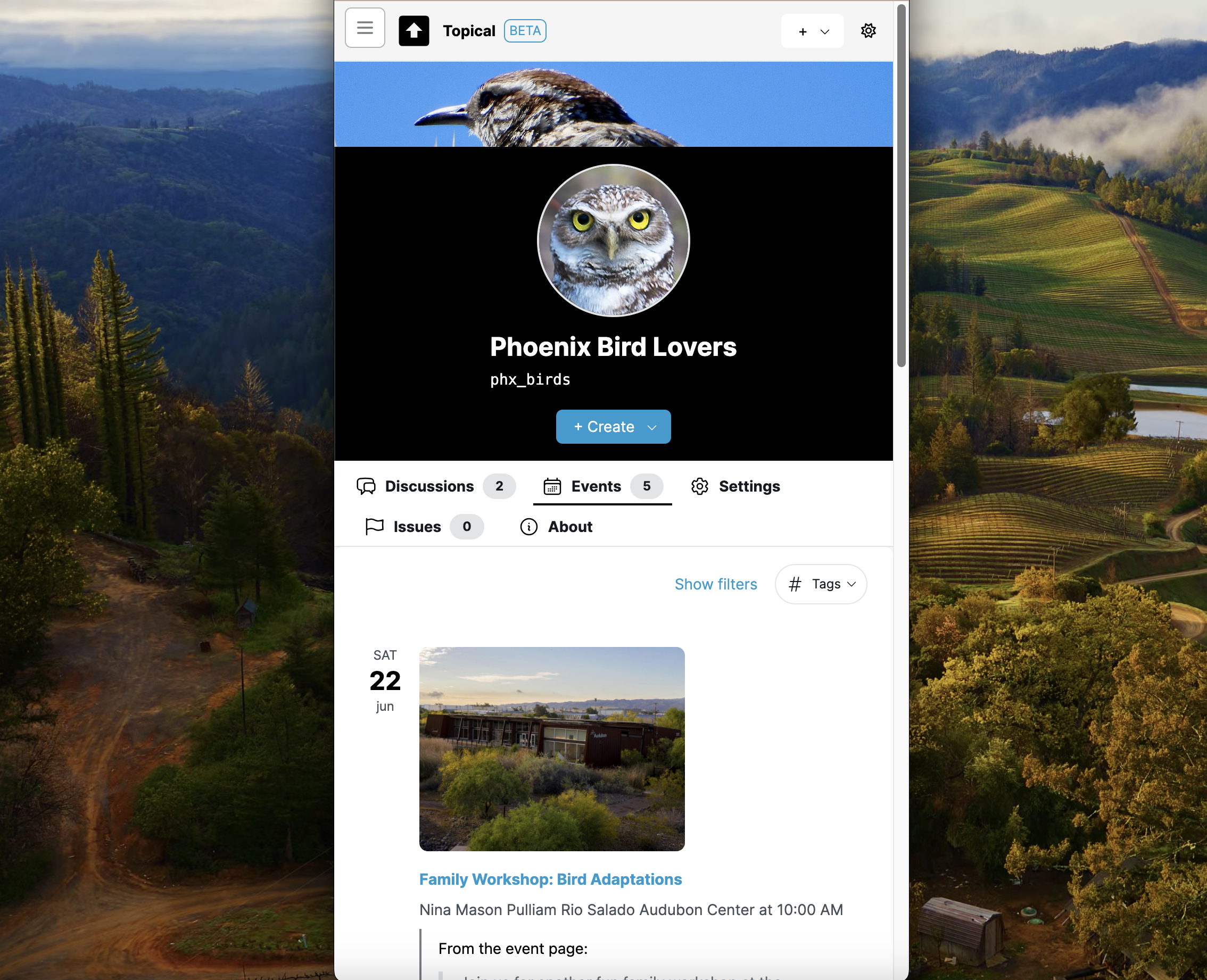
Event list view within a forum
Here's the list of events within a specific forum:
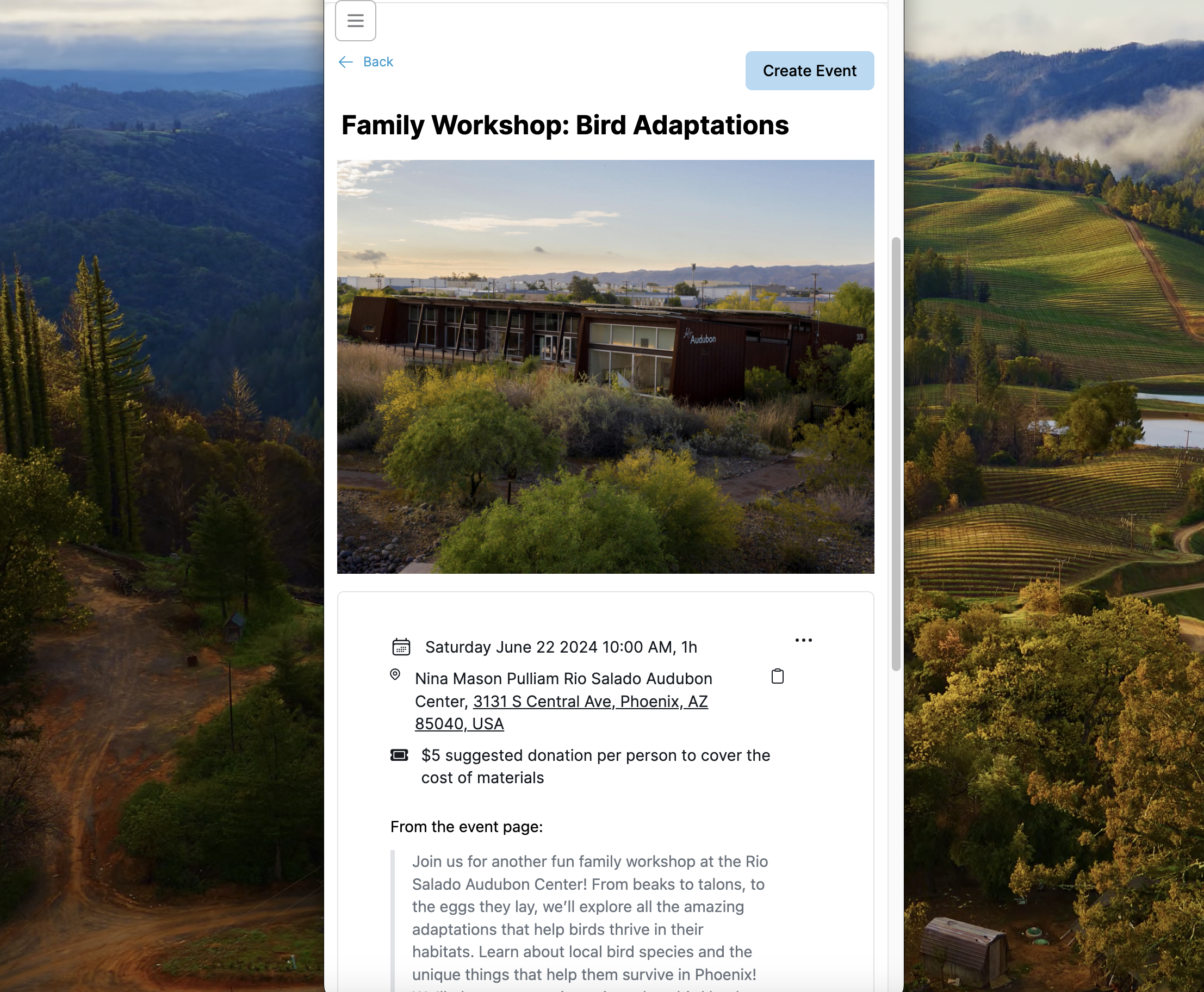
Event detail page
This screenshot shows how an event detail page looks at mobile width, if you come to it from within the context of an individual forum:
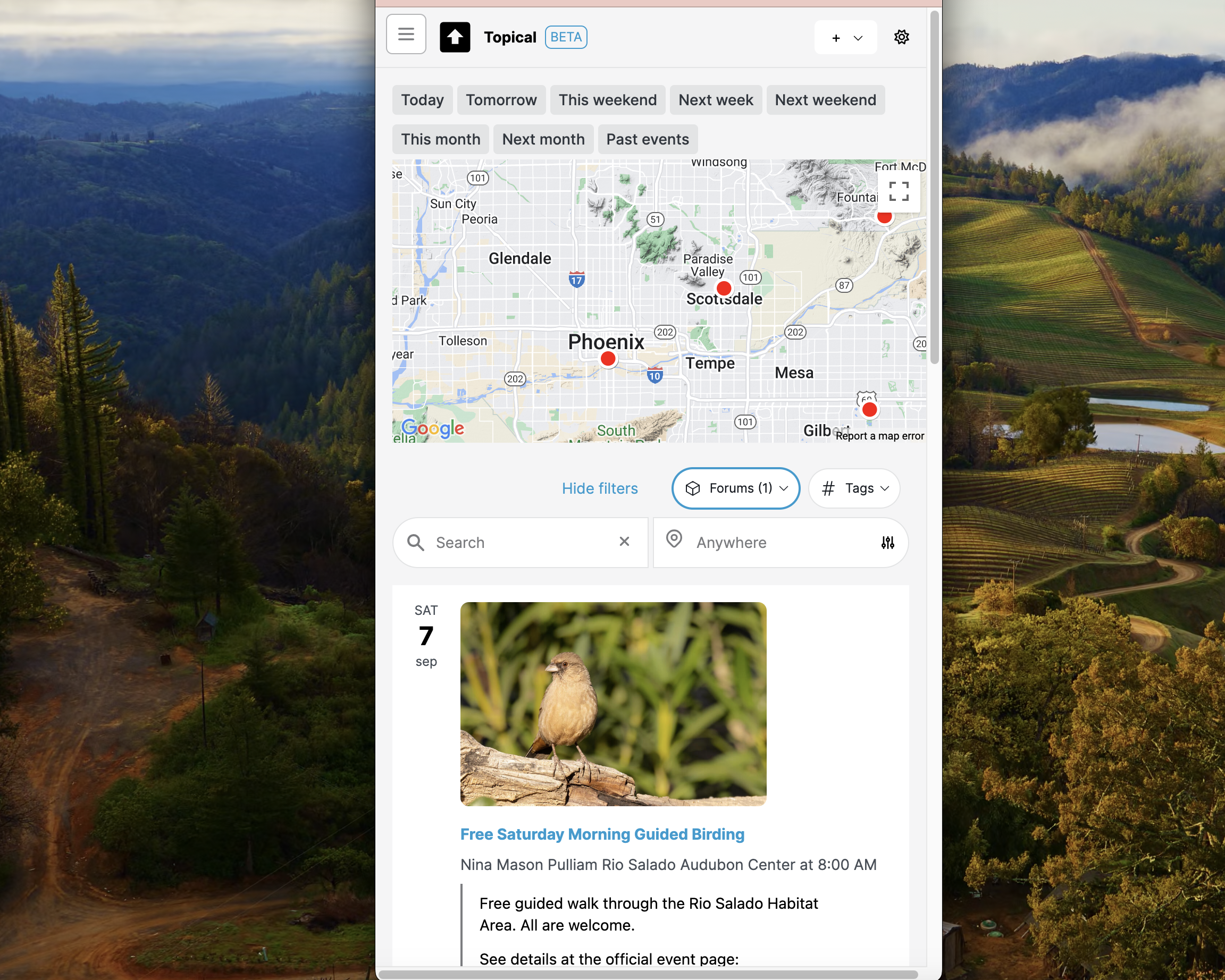
Sitewide event list
Here's the sitewide in-person event list with an active filter, shown here at mobile width. All the same filtering features work at mobile width as well. Here, the events are filtered by the birdwatching forum, so not all of the map markers are displayed.
Multiforum Demo Part 1: Finding forums
Catherine posted 2 years ago
Hey everyone! I'm excited to share my latest side project with you - a local event finder tool that I've been working on. It's designed to help people find and promote events happening around them. Whether you're a local business owner wanting to attract more customers to your bar or coffee shop, or just someone who wants to share your love for rock music, trivia, or bird watching, this tool should make it easier.
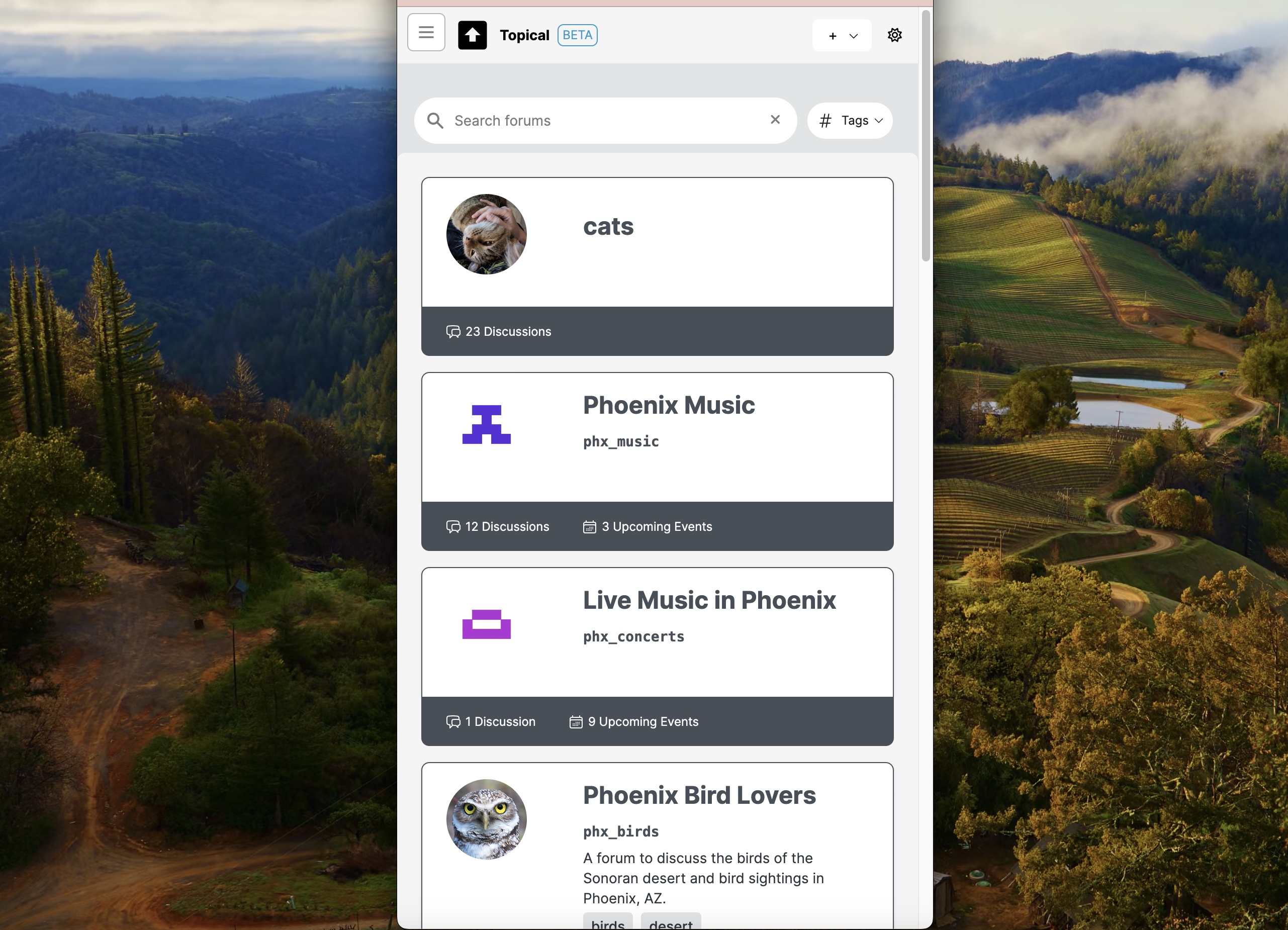
I'll break this into multiple posts, but in this part, we'll explore the forum list features. These allow you to find and navigate forums easily, especially on mobile devices.
Here is the list of forums at mobile width:
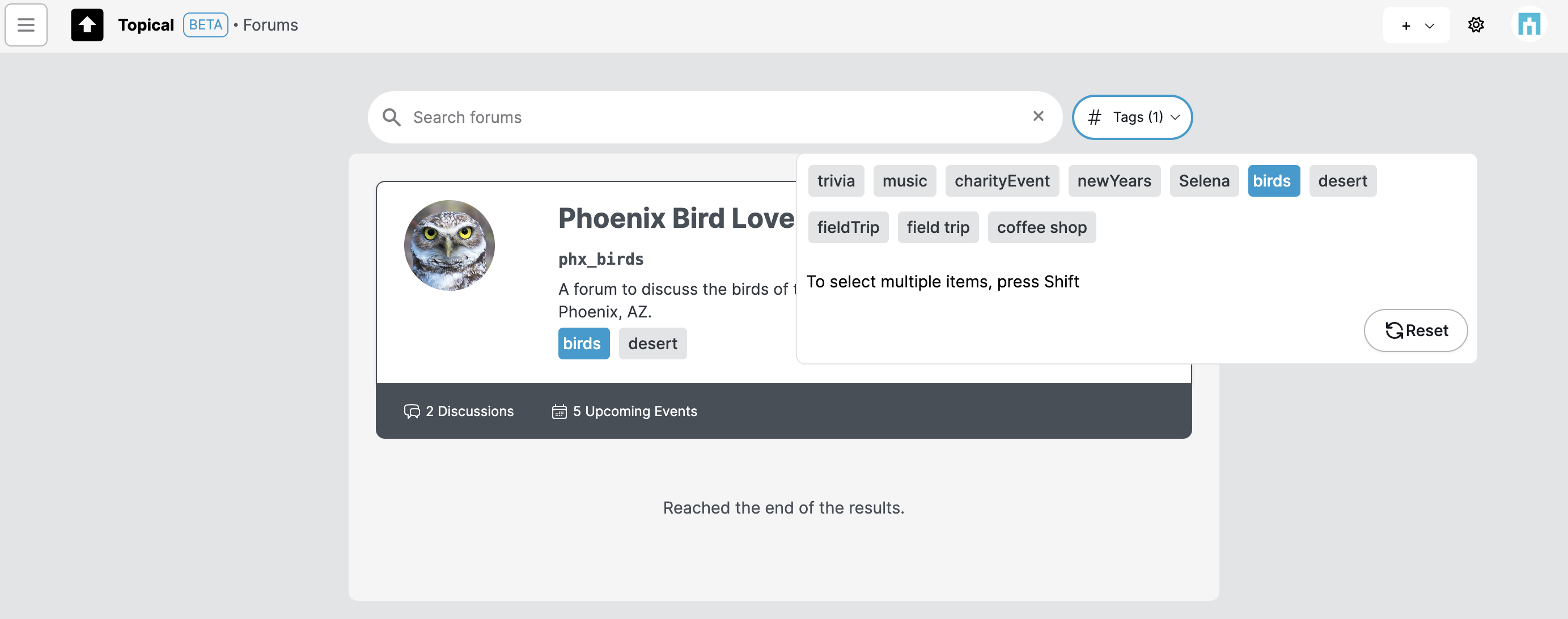
The list of forums can be filtered by tag:
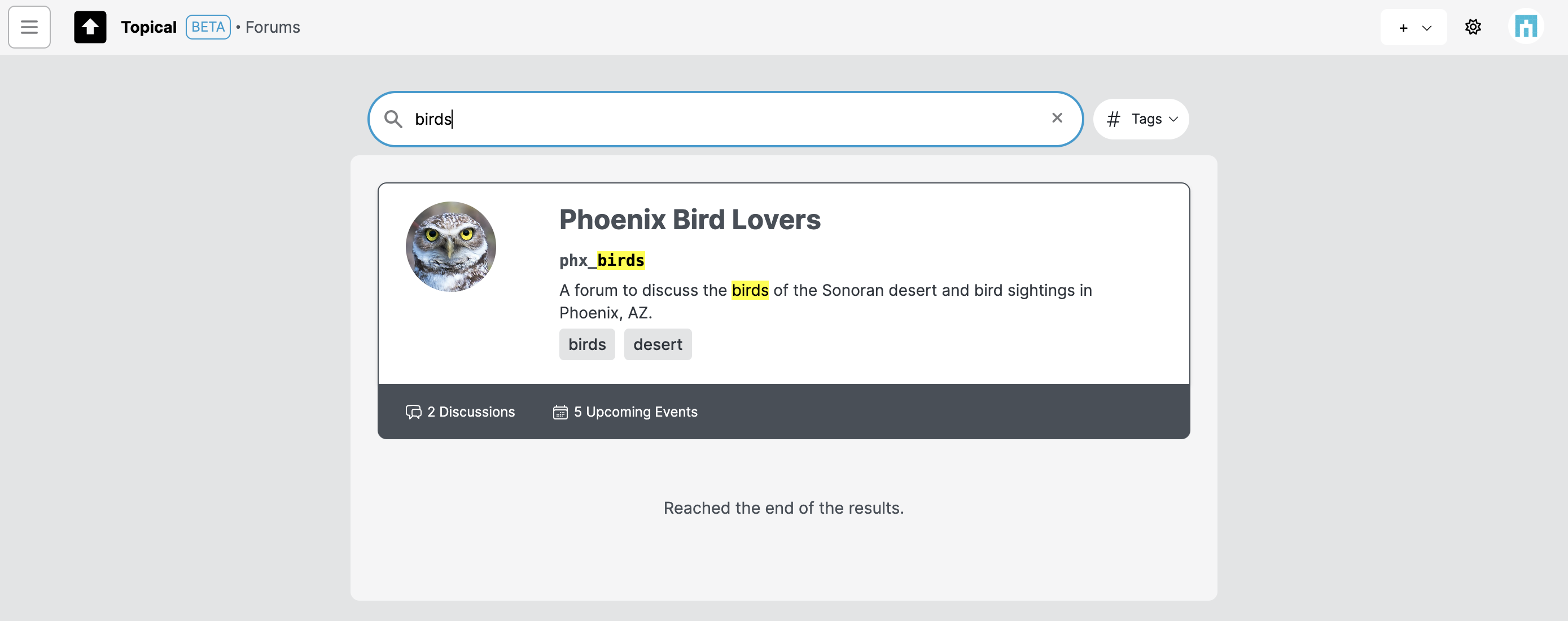
The forum list can be filtered by search terms as well:
Recently visited forums
If you click the menu button on the top left of any page, it shows recently visited forums to support easy context switching.