New Multiforum Feature - Wikis
July 28, 2025
I'm excited to announce a new collaborative feature for Multiforum: community wikis. This addition allows forum owners to create shared knowledge bases where community members can contribute and maintain information together.
Getting Started with Wikis
Forum owners can enable the wiki feature by navigating to their forum settings and checking the "Enable Wiki" option. Once activated, a new Wiki tab will appear in the forum navigation, giving members easy access to the collaborative documentation space.
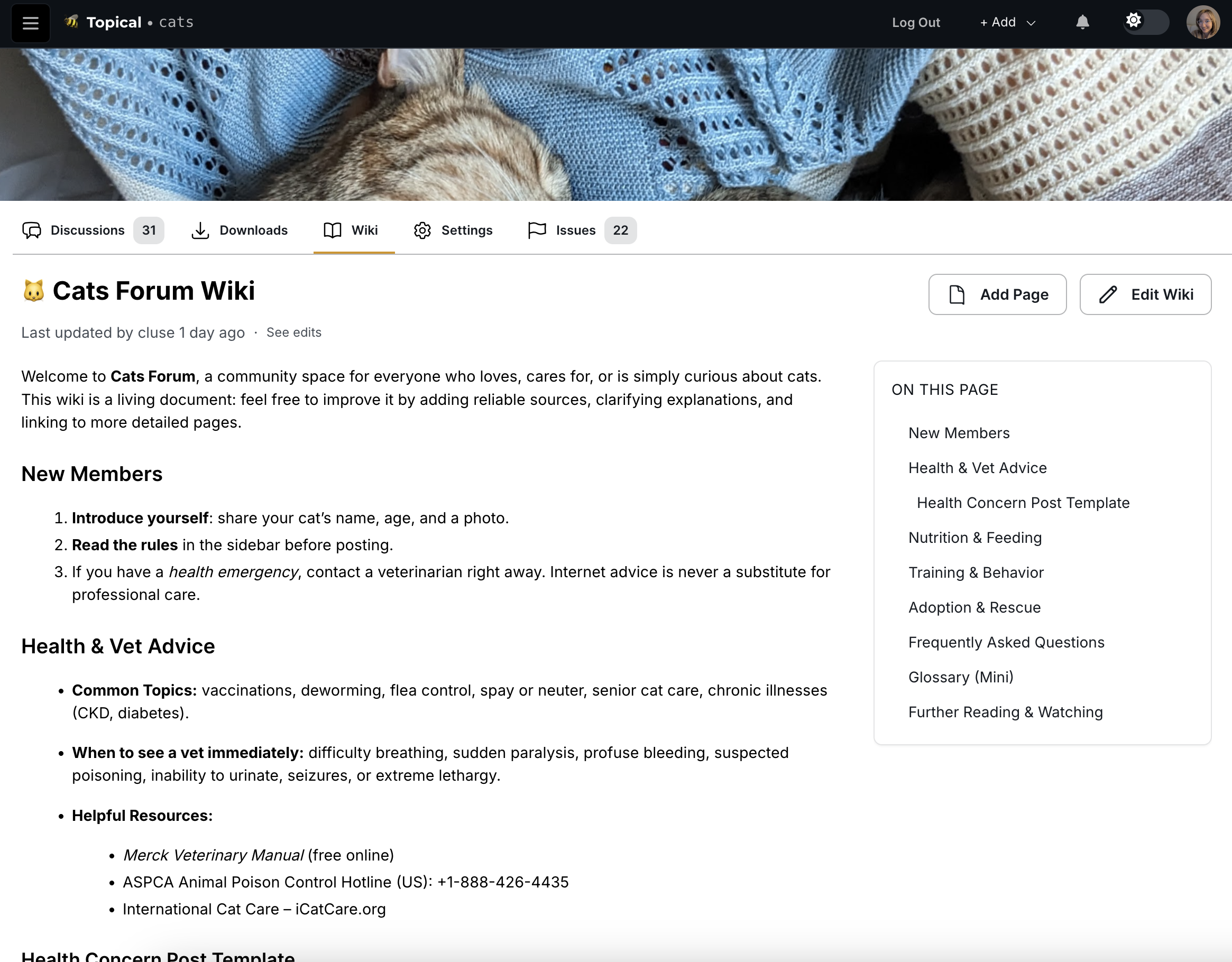
Single Page Wikis
For simpler use cases, wikis can consist of a single page that serves as a centralized information hub:
Multi-Page Wiki Structure
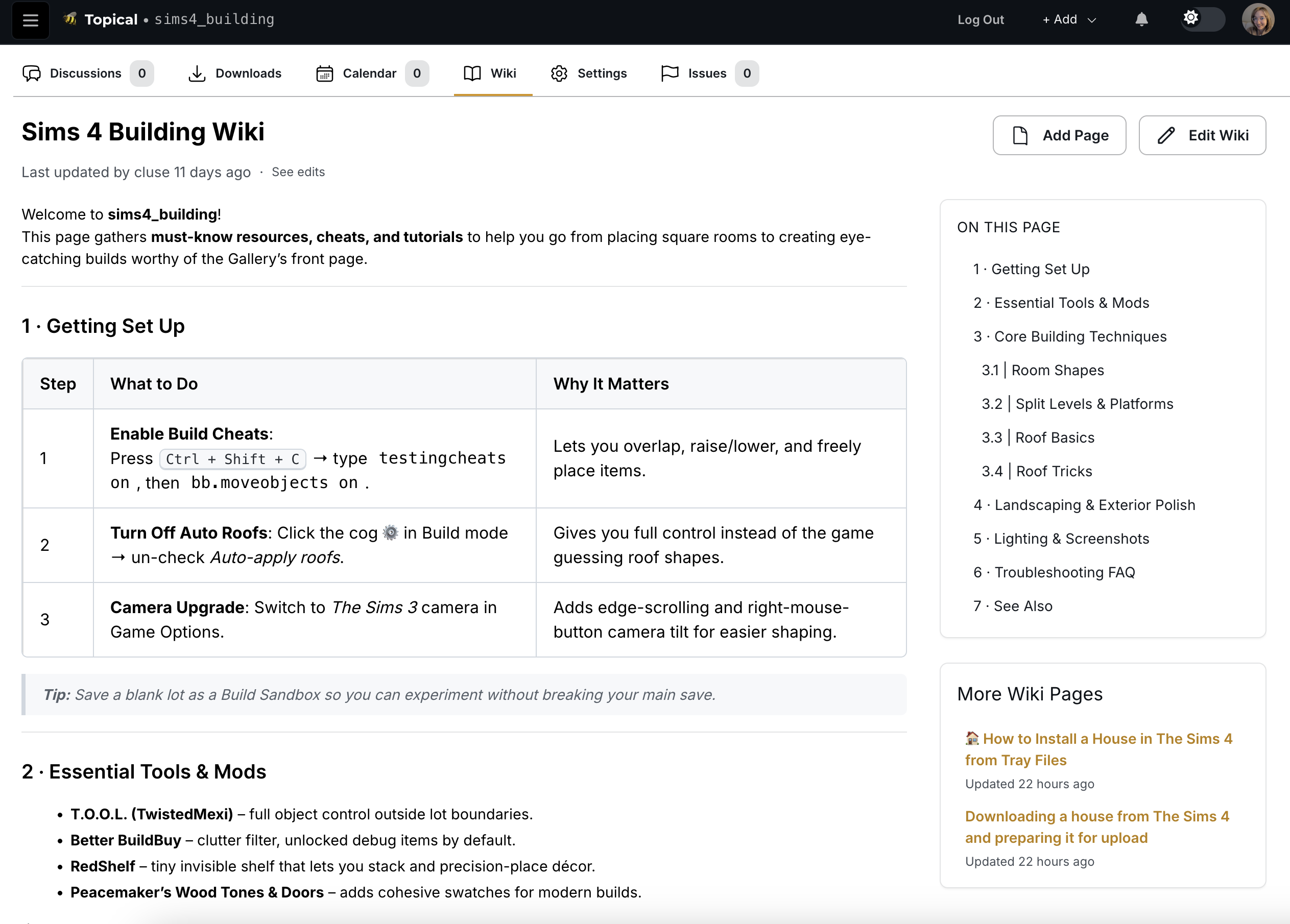
More complex wikis can be organized into multiple interconnected pages. The interface includes a helpful sidebar that lists all available pages for easy navigation:
Editing Experience
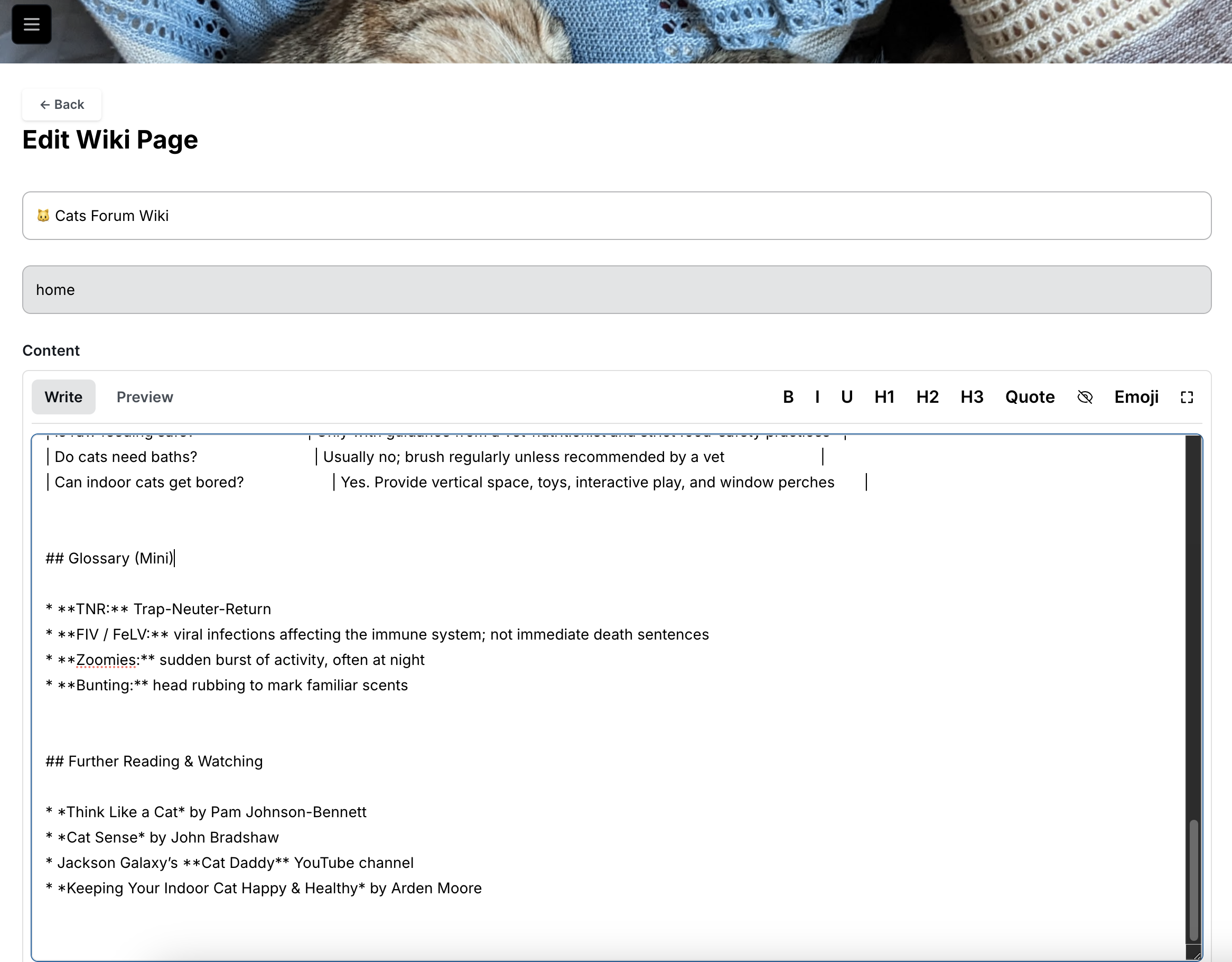
The wiki editing interface provides a clean, intuitive environment for content creation and modification:
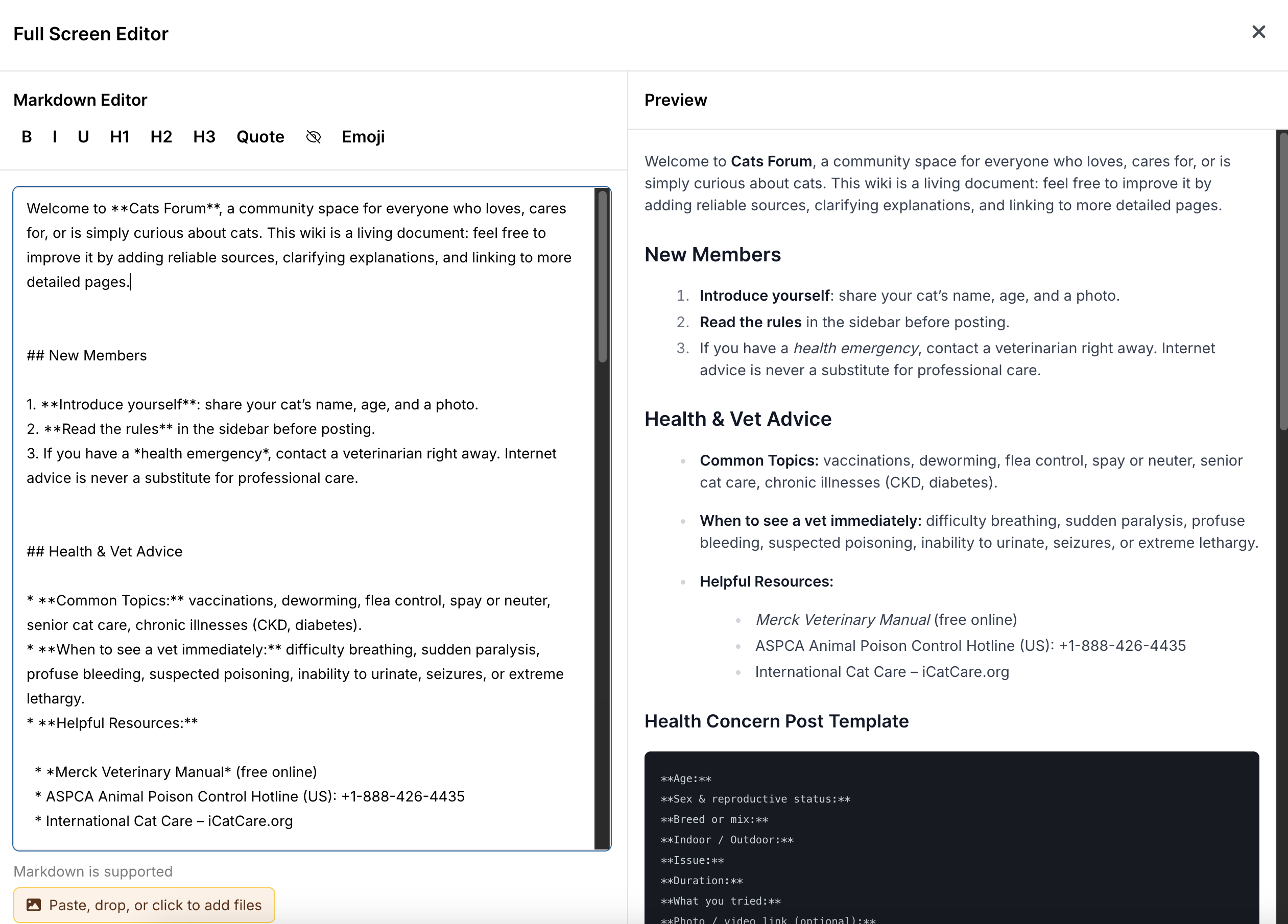
For users who prefer more screen real estate, the editor includes a full-screen mode accessible via the expand button in the top-right corner:
Version Control and History
One of the most powerful aspects of the wiki system is its built-in revision tracking. Users can view the complete edit history of any page by clicking "see edits":
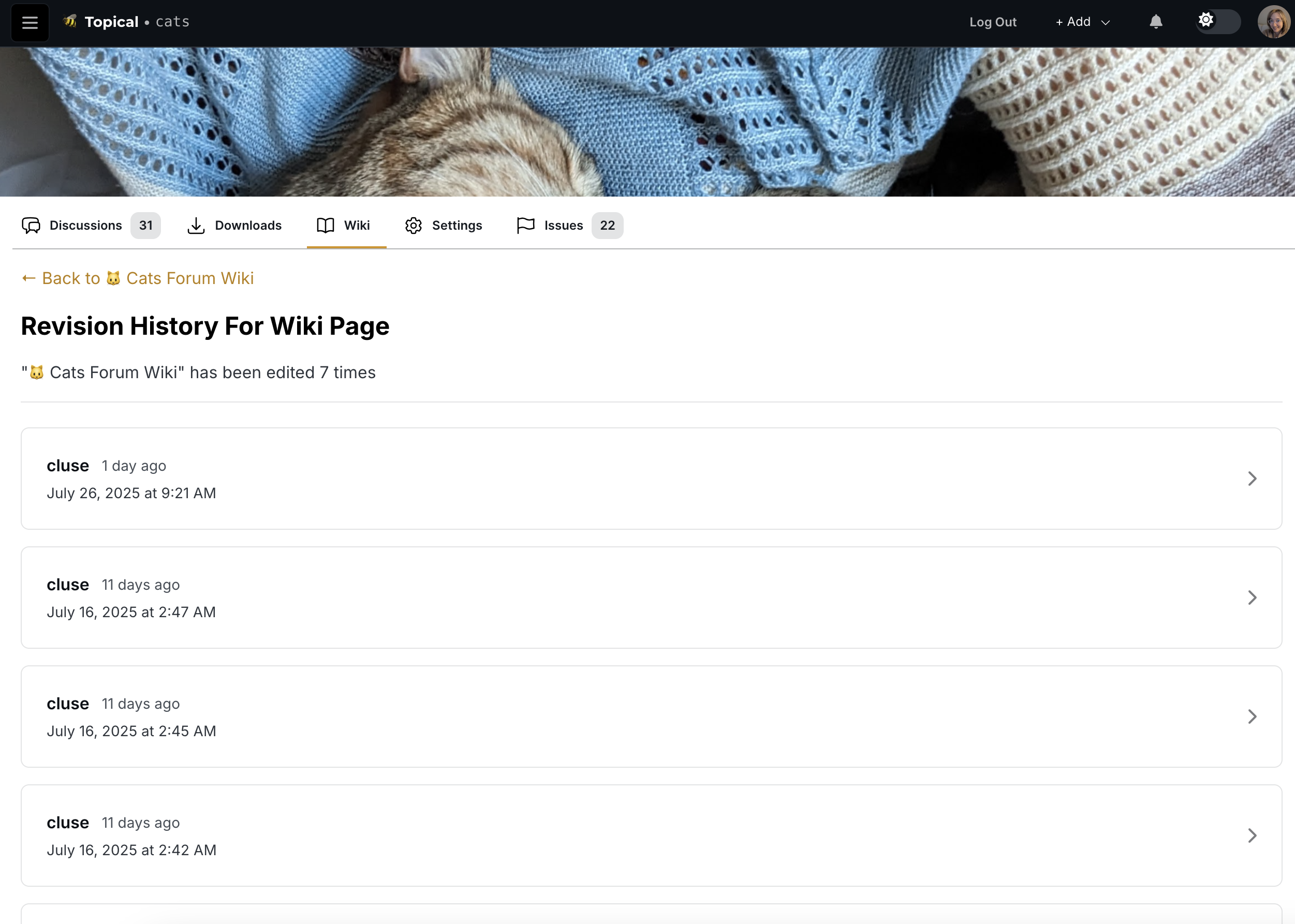
Each revision can be examined in detail, with a diff view that clearly highlights what content was added, modified, or removed:
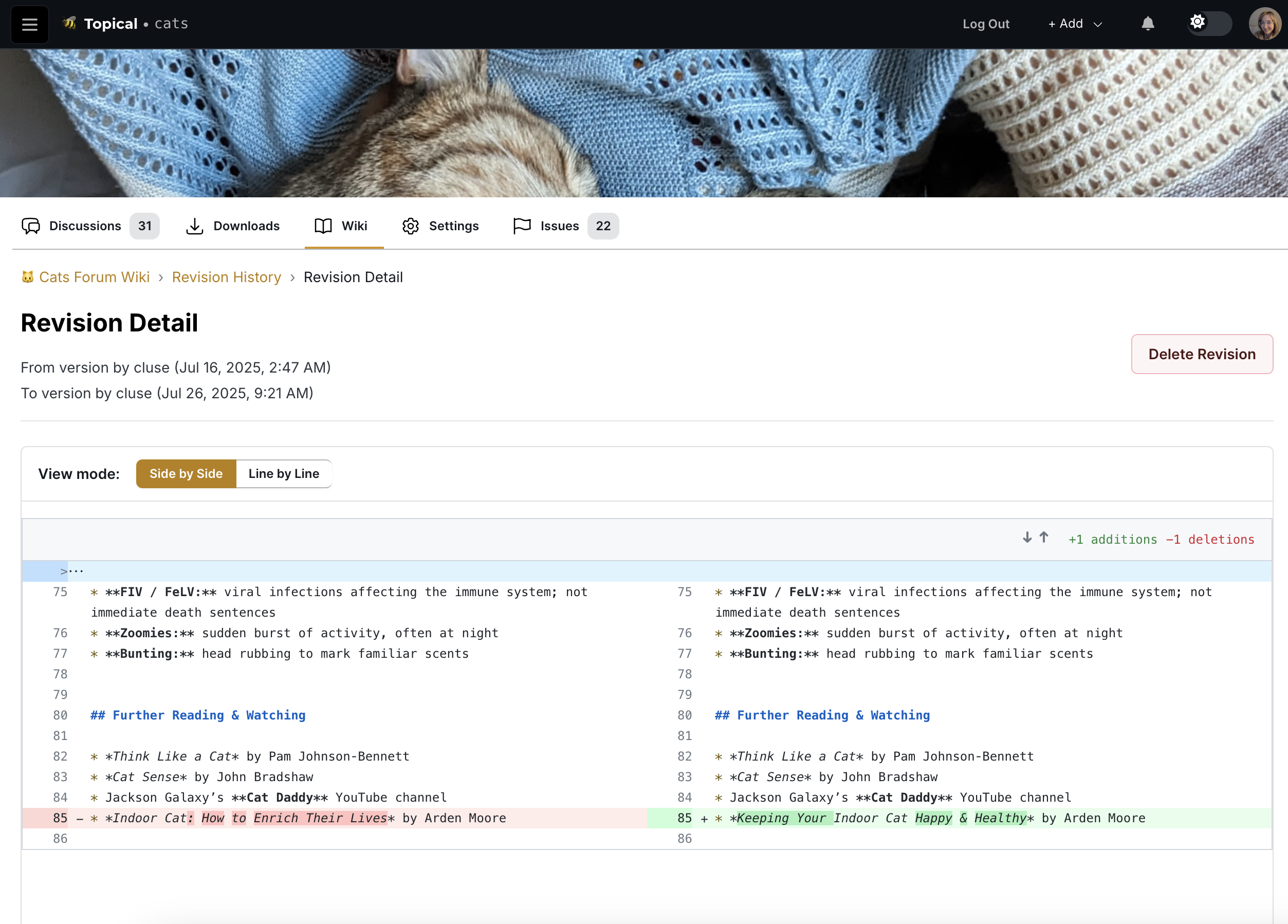
This tool can be used to help trace back to the source of an error if needed.